EasyManua.ls Logo

CyClone RX401 - Page 22

CyClone RX401
28 pages
Print Icon
To Next Page IconTo Next Page
To Previous Page IconTo Previous Page
Loading...
RX401
Model: RX401
21
CYCLONE Motorcycle
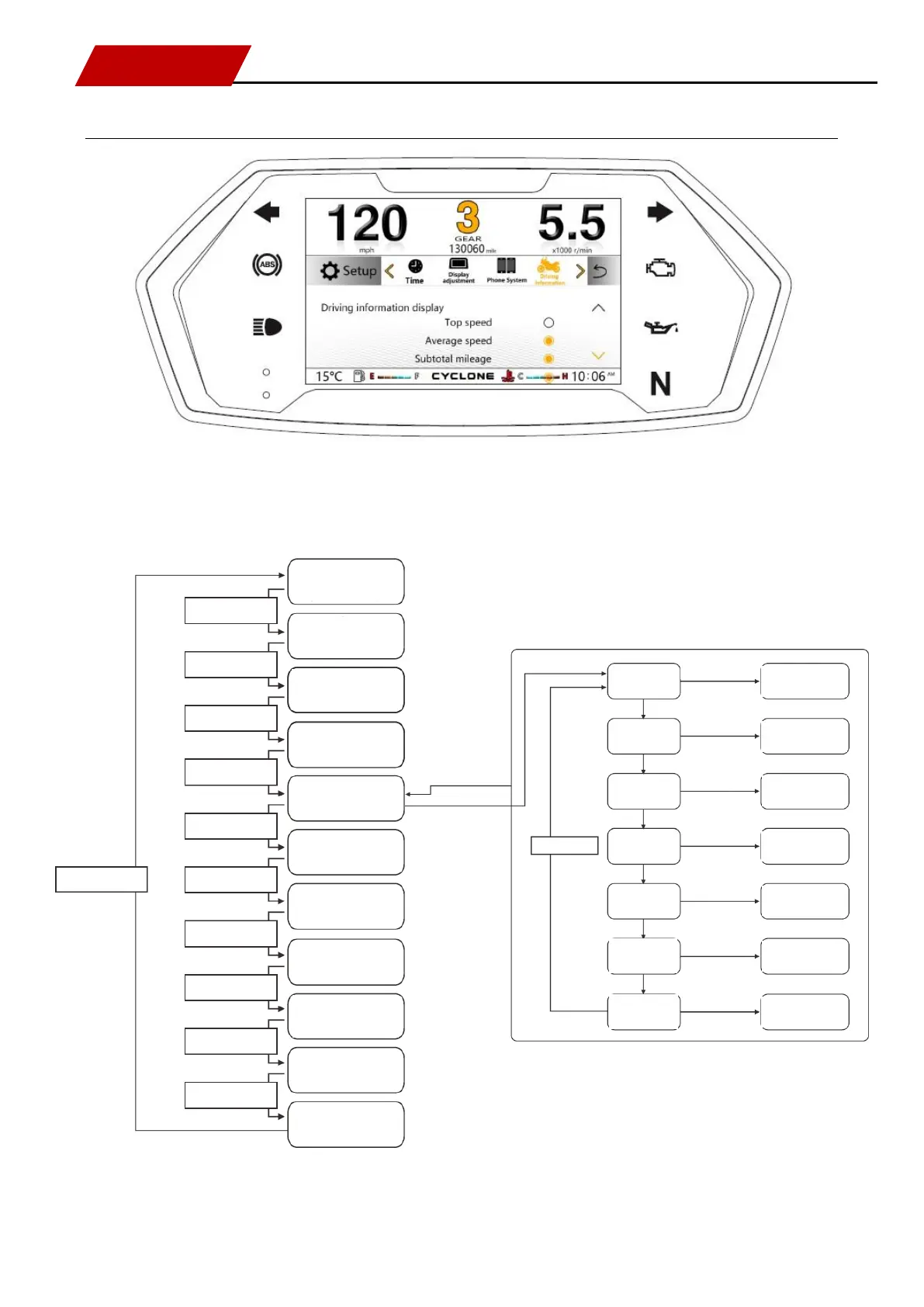
Description of setting menu [Driving information]
Press [SEL key] for switching: driving information.
Refer to processes in the following logic diagram:
Maintenance
(highlighted content)
Press [SEL key]
Press [SEL key]
Press [SEL key]
Press [SEL key]
Press [SEL key]
Press [SEL key]
Press [SEL key]
Press [SEL key]
Press [SEL key]
Press [SEL key]
Press [SEL key]
Version information
(highlighted content)
Time
(highlighted content)
Display adjustment
(highlighted content)
Driving information
(highlighted content)
OBD fault
(highlighted content)
Language
(highlighted content)
Metric system / British system
switching
(highlighted content)
Factory reset
(highlighted content)
Cellphone platform
(highlighted content)
Ambient lamp status
(highlighted content)
MODE
Press and hold MODE key
SET
Press and hold SET key
Press [SEL key]
Top speed
(flashing content)
Average speed
(flashing content)
Subtotal mileage
(flashing content)
Total mileage
(flashing content)
Average fuel
consumption
(flashing content)
Instantaneous fuel
consumption
(flashing content)
ON-OFF
(solid and hollow content)
ON-OFF
(solid and hollow content)
ON-OFF
(solid and hollow content)
ON-OFF
(solid and hollow content)
ON-OFF
(solid and hollow content)
ON-OFF
(solid and hollow content)
ON-OFF
(solid and hollow content)
Press and hold SET key
Press [SEL key]
Press [SEL key]
Press [SEL key]
Press [SEL key]
Press [SEL key]
Press [SEL key]
Altitude
(highlighted content)