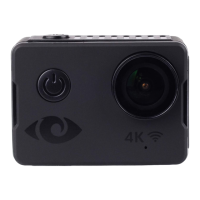
Handling Precautions and Key Information
DO NOT drop or hit the camera as it may damage the internal components.
DO NOT alter or dismantle the camera, this may cause damage and void
warranty.
DO NOT touch the lens when recording, this will affect video quality.
USE Class10 and above Micro SD card to ensure maximum reliability in high-
vibration activities.
Note:
The camera may get warm, this is normal while operating for a long duration.
Table 1 Handling Precautions
4. CAMERA SPECIAL FEATURES
Special Features
Invert Mode
Provides the ability to invert camera view while on-the-fly. You can set
Invert Mode in the menu to ON, the camera will rotate 180 degrees.
WiFi Function
Provides the convenience to operate the machine up to 15 meters by using
your mobile phone through WiFi connection.
High Speed
Recording
Provides the ability to record with 720P at 120 frames per second (fps).
Water Proof
Camera is waterproof up to 10 meters without a case.
Time Lapse
Provides flexibility to capture a single frame in intervals of your choice.
You can effectively use this mode to record events over a long time frame,
such as recording sunrises, sunsets or flowers blooming.
Capture Mode
While recording, press the POWER button to take a picture. This option
can conveniently be set to take photos automatically as well.
Capacitive Touch
Screen
Features a 2” Capacitive Touch Screen that makes camera operating
convenient.
Table 2 Special Features


 To Next Page
 Loading...