EasyManua.ls Logo

cytiva WAVE Bioreactor 2/10 - User Manual

cytiva WAVE Bioreactor 2/10
158 pages
Print Icon
To Next Page IconTo Next Page
Loading...
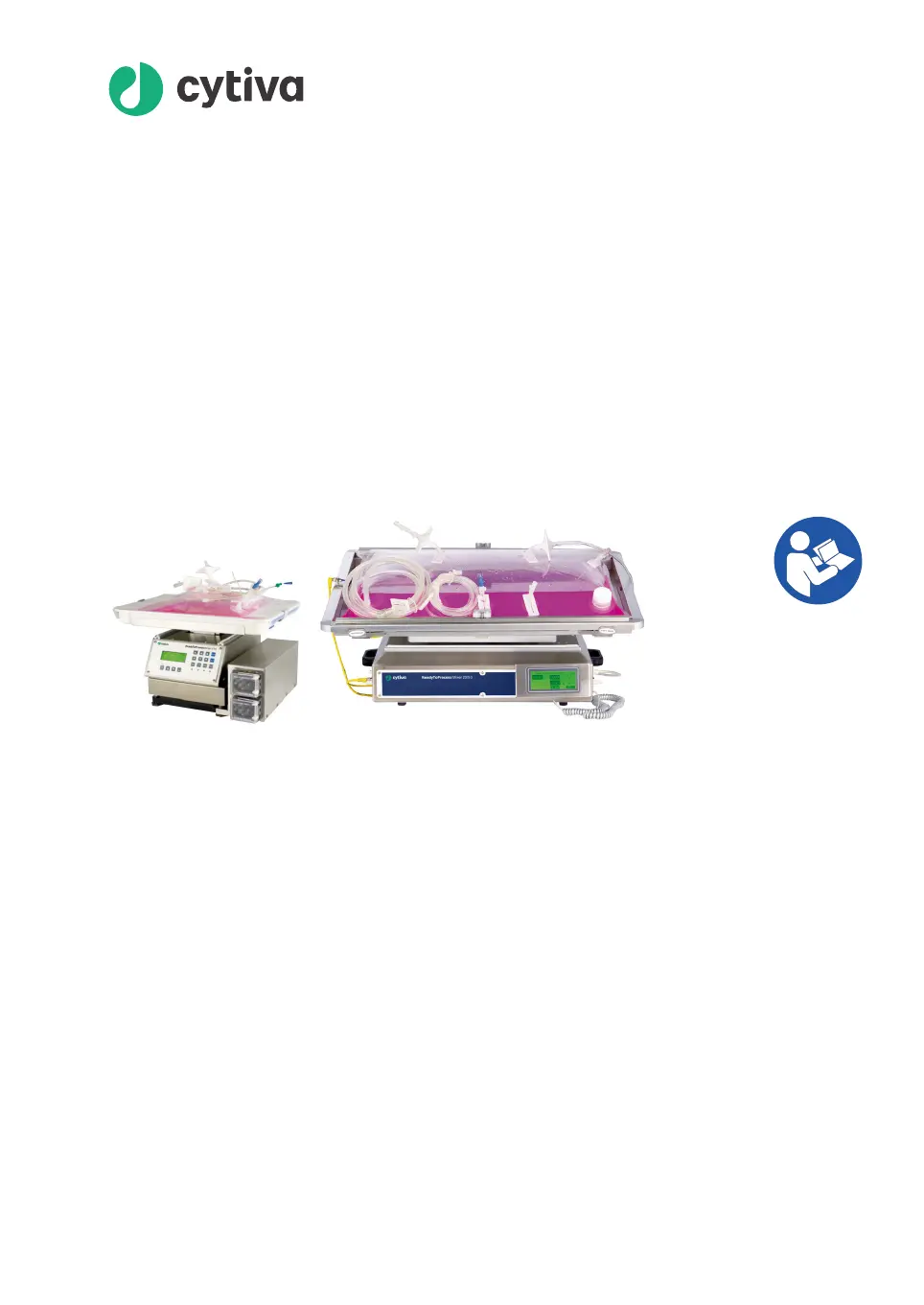
Stand-alone instruments for
WAVE Bioreactor 2/10 and
20/50
Operating Instructions
cytiva.com

Table of Contents

Questions and Answers

  • L
    Lisa MayAug 2, 2025
    What to do if cytiva WAVE Bioreactor 2/10 displays 'NEED 0% CAL or NEED 100% CAL'?
    • D
      Dustin BallAug 2, 2025
      If your Cytiva Analytical Instruments displays 'NEED 0% CAL or NEED 100% CAL', it means the probe requires calibration. Try calibrating the probe. If the problem continues after calibration, the probe may need to be replaced.
  • A
    Andrew WalkerAug 6, 2025
    What to do if the cytiva WAVE Bioreactor 2/10 low amplitude alarm is triggered?
    • S
      Sharon FisherAug 6, 2025
      If the low amplitude alarm is triggered on your Cytiva Analytical Instruments, first check that the probe is correctly connected and the plug is secure. Then, cycle the power to the instrument to reset it. If the error continues and the amplitude is below 2000, the probe likely needs to be replaced.
  • S
    sandramartinAug 10, 2025
    Why is my cytiva WAVE Bioreactor 2/10 not getting 100% reading?
    • M
      Margaret AndersonAug 10, 2025
      If your Cytiva Analytical Instruments is not getting a 100% reading, the cause may be a faulty DOOPT probe. First, ensure the temperature probe is connected (the red LED should not be lit). Then, try to achieve a 0% reading using the SPAN knob. If you are still unable to get the correct reading, the DOOPT probe should be replaced.
  • B
    bharrisAug 15, 2025
    How to fix poor reading precision on Cytiva Analytical Instruments?
    • C
      Christopher ReyesAug 15, 2025
      If you're experiencing poor reading precision with your Cytiva Analytical Instruments, keep in mind that some fluctuation (±5%), particularly at high DO levels, is normal. You can reduce the fluctuation by adjusting the filter time.
  • S
    Samantha MeyerAug 19, 2025
    Why is my cytiva WAVE Bioreactor 2/10 not getting 0% reading?
    • J
      Jeffrey WillisAug 19, 2025
      If your Cytiva Analytical Instruments is not getting a 0% reading, it might be due to the probe not being properly connected. Check that the DOOPT probe is connected and that the temperature probe is connected (the red LED is not lit).
  • G
    gdeleonAug 23, 2025
    What to do if there is no response from the cytiva WAVE Bioreactor 2/10 display?
    • D
      Deborah FordAug 23, 2025
      To check operation, turn off power to DOOPT20 and disconnect the probe. Turn on power to DOOPT20 and look directly into the probe connector. A pulsing light about once a second should be flashing. If no pulsing light appears, the unit internal PC board requires replacement. Contact Cytiva Technical support.
  • R
    Robert EdwardsAug 28, 2025
    What to do if I am unable to select menus on Cytiva Analytical Instruments?
    • S
      Sharon JensenAug 28, 2025
      If you are unable to use the PUSH FOR MENU button, the switch is defective. Contact Cytiva Technical support.

Summary

Introduction

Important User Information

Provides critical safety and usage guidance for all users of the system.

WAVE System Configurations

Describes various WAVE system sizes and configurations for cell culturing.

Stand-alone Instruments

Lists available stand-alone instruments and their functions for WAVE Bioreactor systems.

Safety Instructions

Safety Precautions

Details general, personal, installation, operation, and maintenance safety precautions.

Labels and Symbols

Explains the system label and common safety symbols used on the product.

Emergency Procedures

Outlines steps for emergency shutdown and actions during power failure.

Common Process Controllers

Controller Functions

Explains the general functions and interface of integrated process controllers on instruments.

Process Controllers on Stand-alone Instruments

Identifies which stand-alone instruments use large or small process controllers.

Changing Process Controller Parameters

Guides users on how to adjust setpoint values on process controllers.

DOOPT20 Dissolved Oxygen Monitor

Introduction;View

Introduces the DOOPT20 instrument, its function, and identifies its main parts.

Installation

Details the installation process for the DOOPT20 dissolved oxygen monitor.

Operation

Guides users on the operational procedures for the DOOPT20 dissolved oxygen monitor.

Maintenance

Covers maintenance procedures, frequency, cleaning, calibration, and repair.

Troubleshooting

Provides solutions for common error symptoms encountered with the DOOPT20.

CO2 MIX20 CO2;air Controller

Introduction;View

Introduces the CO2MIX20, its function, and identifies its main parts.

Installation

Details the installation process for the CO2MIX20 CO2/air controller.

Operation

Guides users on operating the CO2MIX20 as an aeration pump or CO2/air mix controller.

Maintenance

Covers maintenance procedures for the CO2MIX20, including frequency, cleaning, and repair.

Troubleshooting

Provides solutions for common error symptoms with the CO2MIX20.

CO2 MIX20-R CO2;air Controller

Introduction;View

Introduces the CO2MIX20-R, its function, and identifies its main parts.

Installation

Details the installation process for the CO2MIX20-R controller.

Operation

Guides users on operating the CO2MIX20-R as an aeration pump or CO2/air mix controller.

Maintenance

Covers maintenance procedures for the CO2MIX20-R, including frequency, cleaning, and repair.

Troubleshooting

Provides solutions for common error symptoms with the CO2MIX20-R.

O2 MIX20 O2;air Controller

Introduction;View

Introduces the O2MIX20, its function, and identifies its main parts.

Installation

Details the installation process for the O2MIX20 O2/air controller.

Operation

Guides users on operating the O2MIX20 as an aeration pump or O2/air mix controller.

Maintenance

Covers maintenance procedures for the O2MIX20, including frequency, cleaning, and repair.

Troubleshooting

Provides solutions for common error symptoms with the O2MIX20.

O2 MIX20-R O2;air Controller

Introduction;View

Introduces the O2MIX20-R, its function, and identifies its main parts.

Installation

Details the installation process for the O2MIX20-R O2/air controller.

Operation

Guides users on operating the O2MIX20-R as an aeration pump or O2/air mix controller.

Maintenance

Covers maintenance procedures for the O2MIX20-R, including frequency, cleaning, and repair.

Troubleshooting

Provides solutions for common error symptoms with the O2MIX20-R.

PUMP20 Peristaltic Feed;Harvest or Acid;Base Pump

Introduction;View

Introduces the PUMP20, its purpose, and identifies its main parts.

Installation

Details the installation process for the PUMP20 peristaltic pump.

Operation

Guides users on operating the PUMP20, including tubing setup and speed control.

Maintenance

Covers maintenance procedures for the PUMP20 pump.

Troubleshooting

Provides solutions for common error symptoms with the PUMP20.

Reference Information

Specifications

Lists technical specifications for various instruments like DOOPT20 and gas controllers.

Recycling Information

Provides guidance on decontamination, disposal, and recycling of product components.

Regulatory Information

Lists regulations and standards applicable to the products, including regional requirements.

Appendix A: Communications and Data Acquisition

Overview

Explains the two primary options for data communications: Analog and Digital.

Analog;Alarm Port and Signals

Describes the analog/alarm port and the available analog signals with voltage ranges.

Alarm Contact

Explains the unit alarm function as a dry contact and the conditions that trigger it.

Digital Communication Protocol and Wiring

Details digital communication parameters, protocol (MODBUS RTU), and wiring for daisy-chaining.

Digital Instrument Addressing

Explains how to configure unique RS-485 MODBUS addresses for connected instruments.

Appendix B: DOOPT20 Measurement Theory

Introduction and Measurement Theory

Introduces the DOOPT20's role and explains its optical oxygen measurement principles.

Factors Affecting Measurement

Discusses temperature effects, measurement range, accuracy, and cross-sensitivity.

Response Time and Stability

Covers the response time of the DOOPT probe in different configurations and its long-term stability.

cytiva WAVE Bioreactor 2/10 Specifications

General IconGeneral
Brandcytiva
ModelWAVE Bioreactor 2/10
CategoryAnalytical Instruments
LanguageEnglish