Let's Code
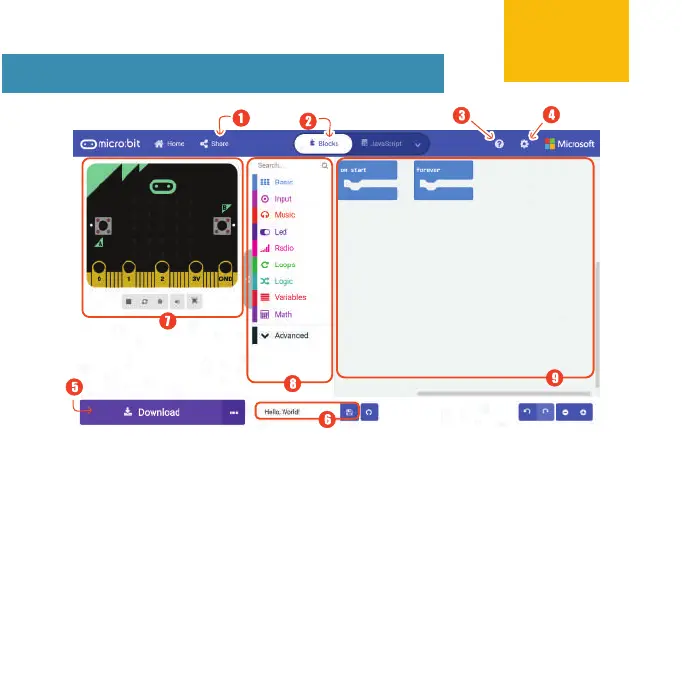
1) Publish and share project.
2) Choose to program in Blocks,
JavaScript or Python.
3) Open Help menu.
4) Change settings, add extensions, etc.
5) Download code to the micro:bit.
6) Name and save project to computer.
7) SIMULATOR - Watch a simulation
of your code here.
8) TOOLBOX / CATEGORY DRAWER -
Get coding blocks that you need here.
9) PROGRAMMING WORKSPACE - Drag,
drop and snap coding blocks together
in this area to build your project.
https://makecode.microbit.org
9



 To Next Page