Let's Code
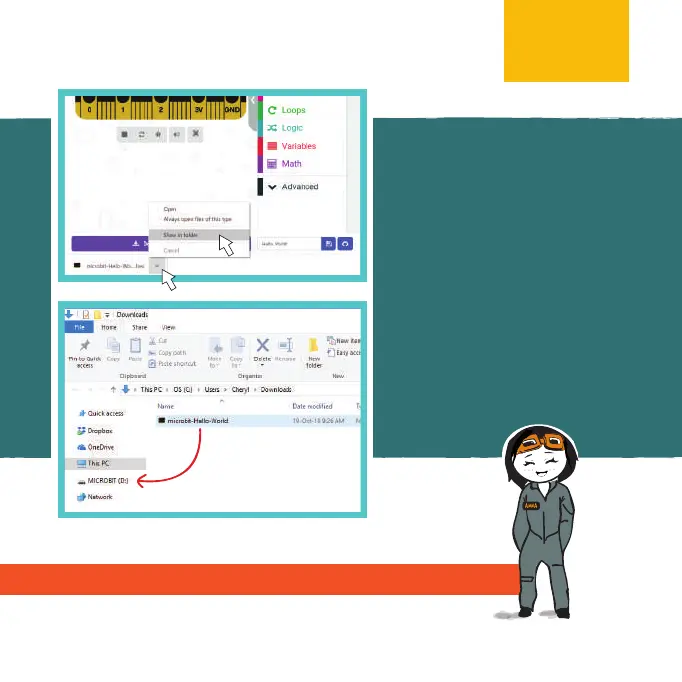
If the pop-up window does not
appear, it means that the le has
been automatically downloaded
to the location where your browser
is set to save downloads.
Right-click on the downloaded
.hex le which will appear at the
bottom of the window and select
“Show in folder.”
Then click and drag the downloaded
“microbit-xxx.hex” le to the
MICROBIT drive as if you were
copying a le to a ash drive.
Visit https://microbit.org/guide/quick/ for more info.
NOTE:
13



 To Next Page