Let's Make
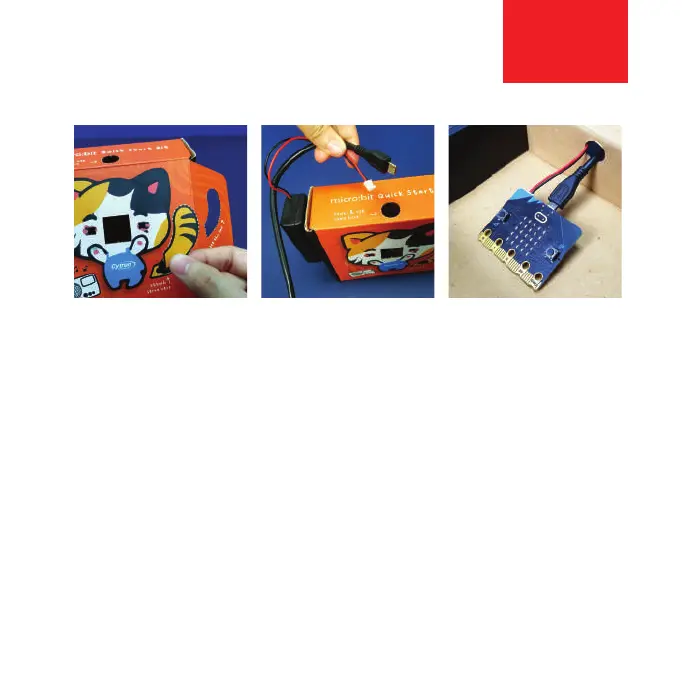
Step 1: Detach all perforated parts from the box.
Step 2: Use some adhesive to attach the battery holder
to the side or back of the box.
Step 3: Insert the battery holder cable and USB cable
through the hole. Attach them to the battery connector
and USB port of the micro:bit board.
2



 To Next Page