DAP-1155 Quick Installation Guide
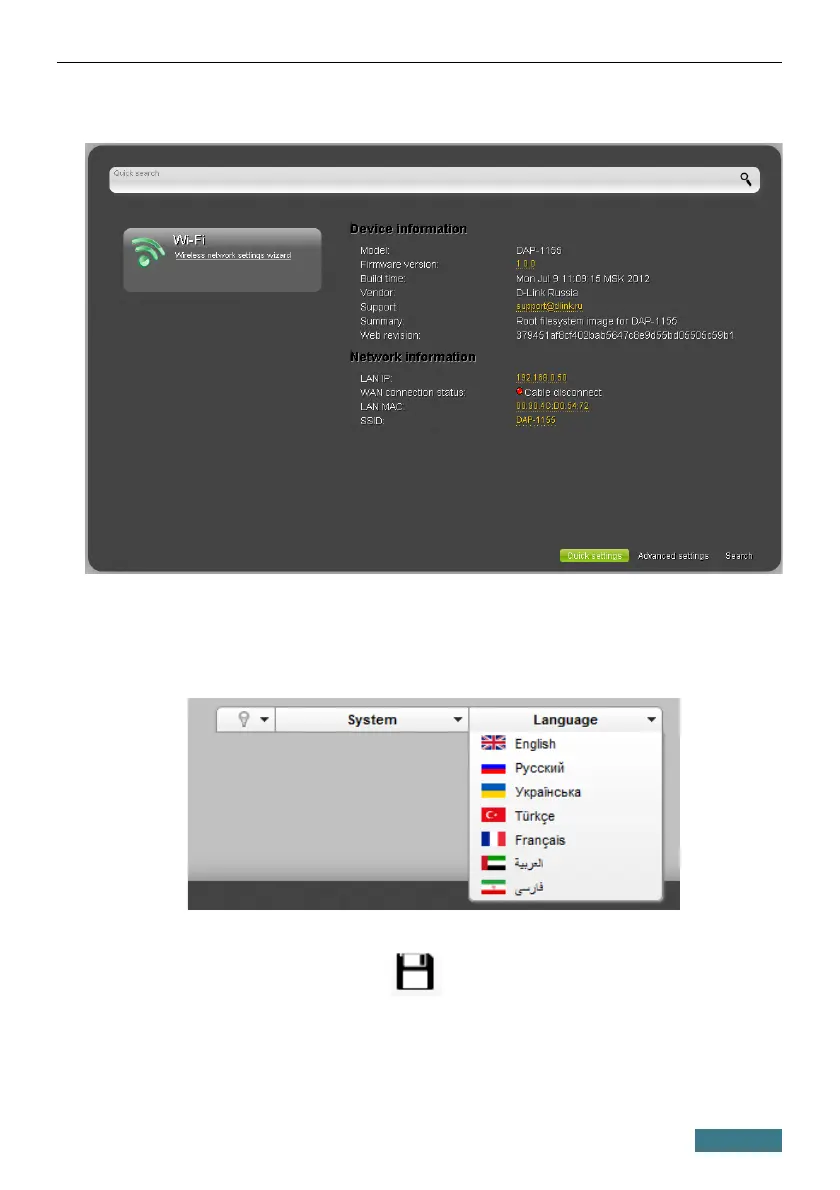
After successful registration the access point's quick settings page opens.
The web-based interface of the access point is multilingual. Select a needed
language from the menu displayed when the mouse pointer is over the
Language caption. You can change the language of the web-based interface
in any menu item.
After selecting the language, the notification on unsaved changes will be
displayed. Click the Save icon ( ) to save the current language of the
web-based interface as the default language.
17



 To Next Page
 Loading...