1
ENGLISH
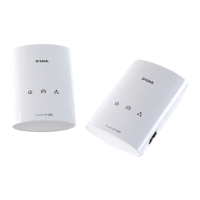
Plug one of the Powerline adapters into a wall outlet near your router.
Connect the Ethernet cable to a LAN port on your router, and connect the
other end of the cable to your Powerline.
1 /
Wait for the Power LED of the Powerline to light up green.
Note: You may need to refer to the User Manual for device specific LED
behaviour.
2 /
SETUP HARDWARE INSTALLATION
Plug in the second PowerLine adapter near the first adapter and wait for
the PowerLine LED on both units to light up.
3 /



 To Next Page
 Loading...