83D-Link DIR-2660 User Manual
Section 4 - Conguration
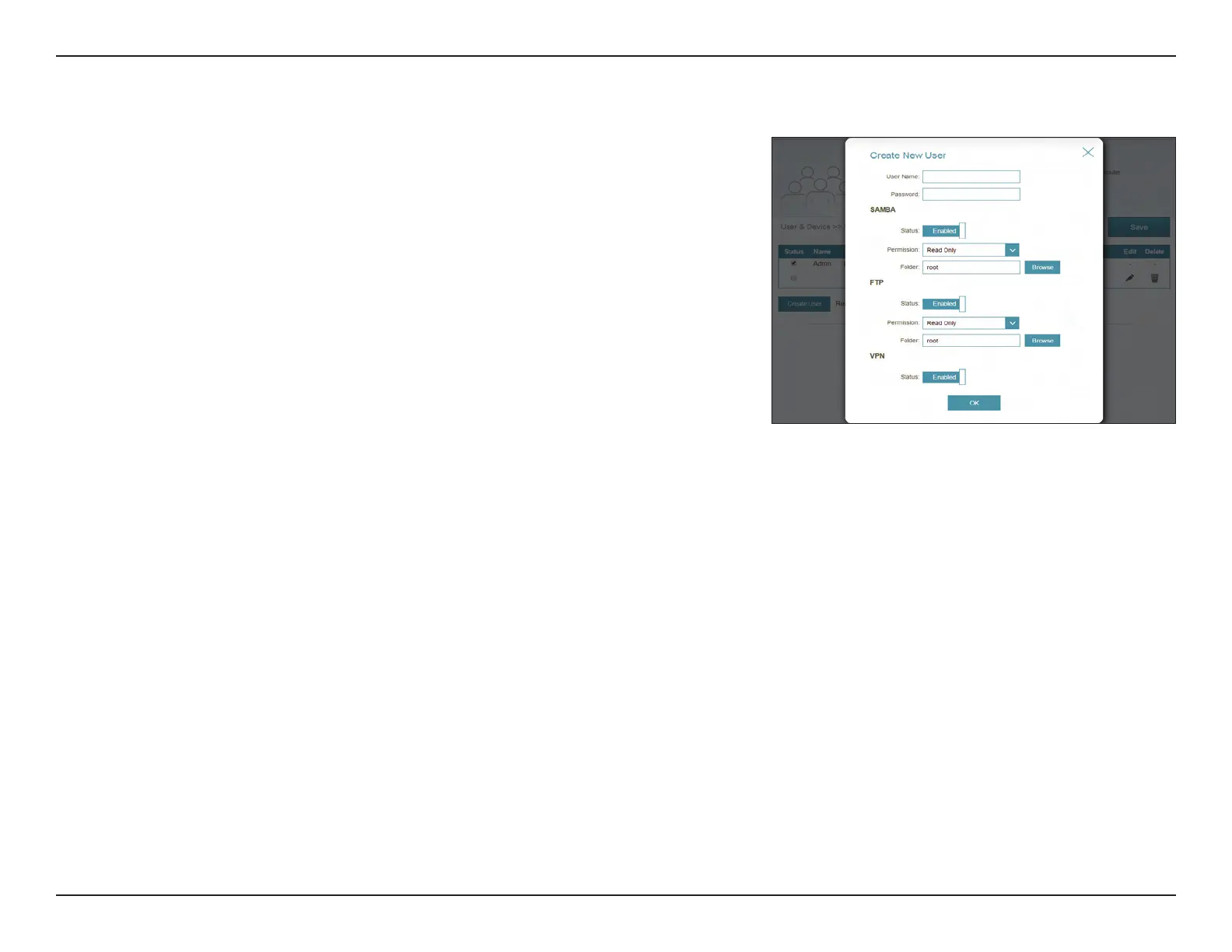
FTP
Status: Enable or disable FTP server access for this user.
Permission: If FTP is enabled, choose to assign either Read Only or Read/Write
permission.
Folder: Click Browse to select the folder you want to share.
VPN
Status: Enable or disable Virtual Private Network (VPN) functionality for this
user.
Click Save when you are done.
User (continued)


 To Next Page