45D-Link DIR-636L User Manual
Section 3 - Conguration
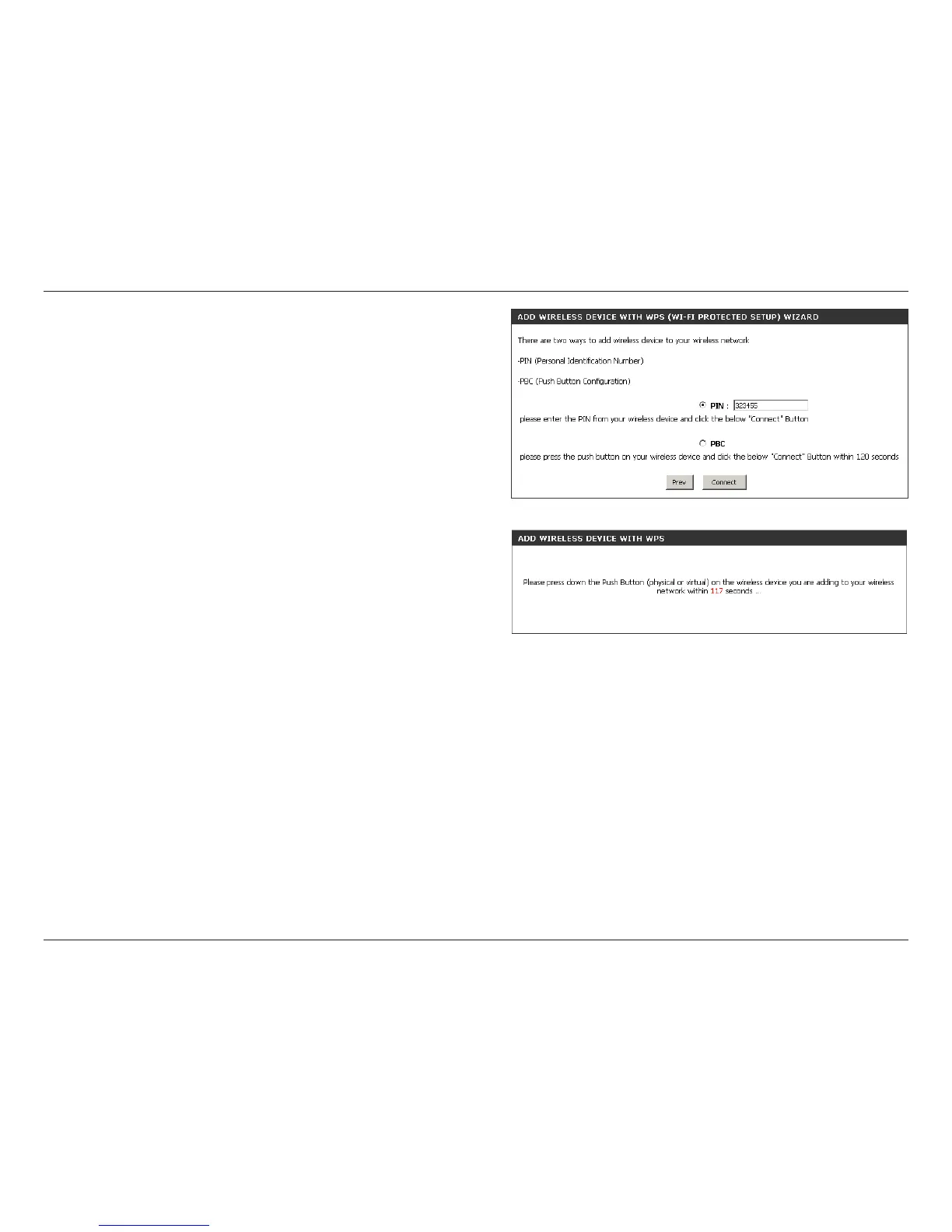
PIN: Select this option to use PIN method. In order to use this
method you must know the wireless client’s 8 digit PIN and click
Connect.
PBC: Select this option to use PBC (Push Button) method to add a
wireless client. Click Connect.
Once you click Connect, you will have a 120 second time limit
to apply the settings to your wireless client(s) and successfully
establish a connection.












 To Next Page