EasyManua.ls Logo

D-Link DIR-X1860 - Page 48

D-Link DIR-X1860
170 pages
Print Icon
To Next Page IconTo Next Page
To Previous Page IconTo Previous Page
Loading...
43D-Link DIR-X1860 User Manual
Section 3 - Configuration
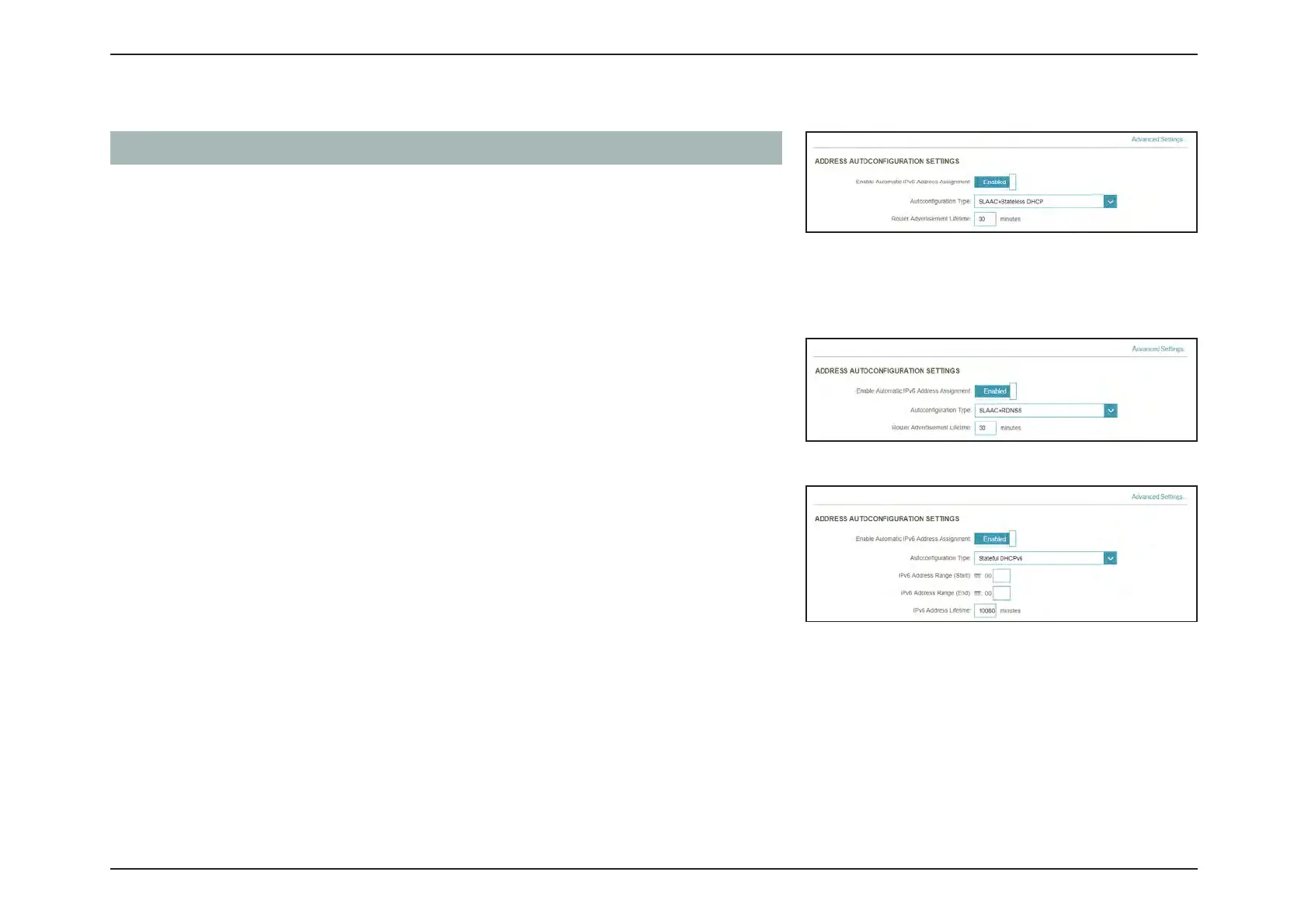
Advanced Settings... - Address Autoconguration Settings
Enable Automatic
IPv6 Address
Assignment
Enable or disable the Automatic IPv6 Address Assignment
feature.
Autoconfiguration
T
ype
Select SLAAC+RDNSS, SLAAC+Stateless DHCP, or Stateful
DHCPv6.
If you selected
SLAAC+RDNSS or SLAAC+Stateless DHCP as the Autoconfiguration Type:
Router
Advertisement
Lifetime
Enter the router advertisement lifetime (in minutes).
If you selected
Stateful DHCPv6 as the Autoconfiguration Type:
IPv6 Address
Range (Start)
Enter the starting IPv6 address for the DHCP servers IPv6
assignment.
IPv6 Address
R
ange (End)
Enter the ending IPv6 address for the DHCP servers IPv6
assignment.
IPv6 Address Lifetime Enter the IPv6 address lifetime (in minutes).

Table of Contents

Other manuals for D-Link DIR-X1860

Related product manuals