5
1
Unplug the power to your DSL or Cable modem.
2
Connect an Ethernet cable from the Internet port of the router to the
Ethernet port on your DSL or Cable modem.
Modem
4 3 2 1 INTERNETUSB 2.0 RESET WPS WiFi 12V...1.5A POWER
- • +
Ethernet Port
Modem
Ethernet Cable
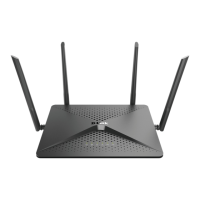
DIR-882
Internet Port (yellow)
Connect your Router
B. Web Browser Conguration
NOTE: If your DSL or cable
modem uses a battery
backup, please remove
the backup battery and
ensure all lights are o on
the modem. Refer to the
modem’s user manual
if required.









 To Next Page