Installation
Wall fasteners not included
• Install eye bolts in wall brackets. Determine the height and location of the
screen to be mounted and mark. Measure the distance between the centers
of the 2 mounting rings on the screen. Transfer the measurement to the wall
and attach the wall brackets securely to the wall at those points.
• Maximum recommended fastener size is 5 ⁄ 16" diameter.
• Do not overtighten fasteners.
• Extension wall brackets are only to be used with screens weighing 75 pounds
or less.
• Hang screen from the eye bolts with S-hooks.
Crimp both loops of S-hooks closed.
• To provide proper tilt and eliminate keystoning pull the screen down, then
hook it back to the wall by attaching the bail handle to an accessory Tilt Lock,
Da-Lite part No. 40965. Tilt Lock is sold separately.
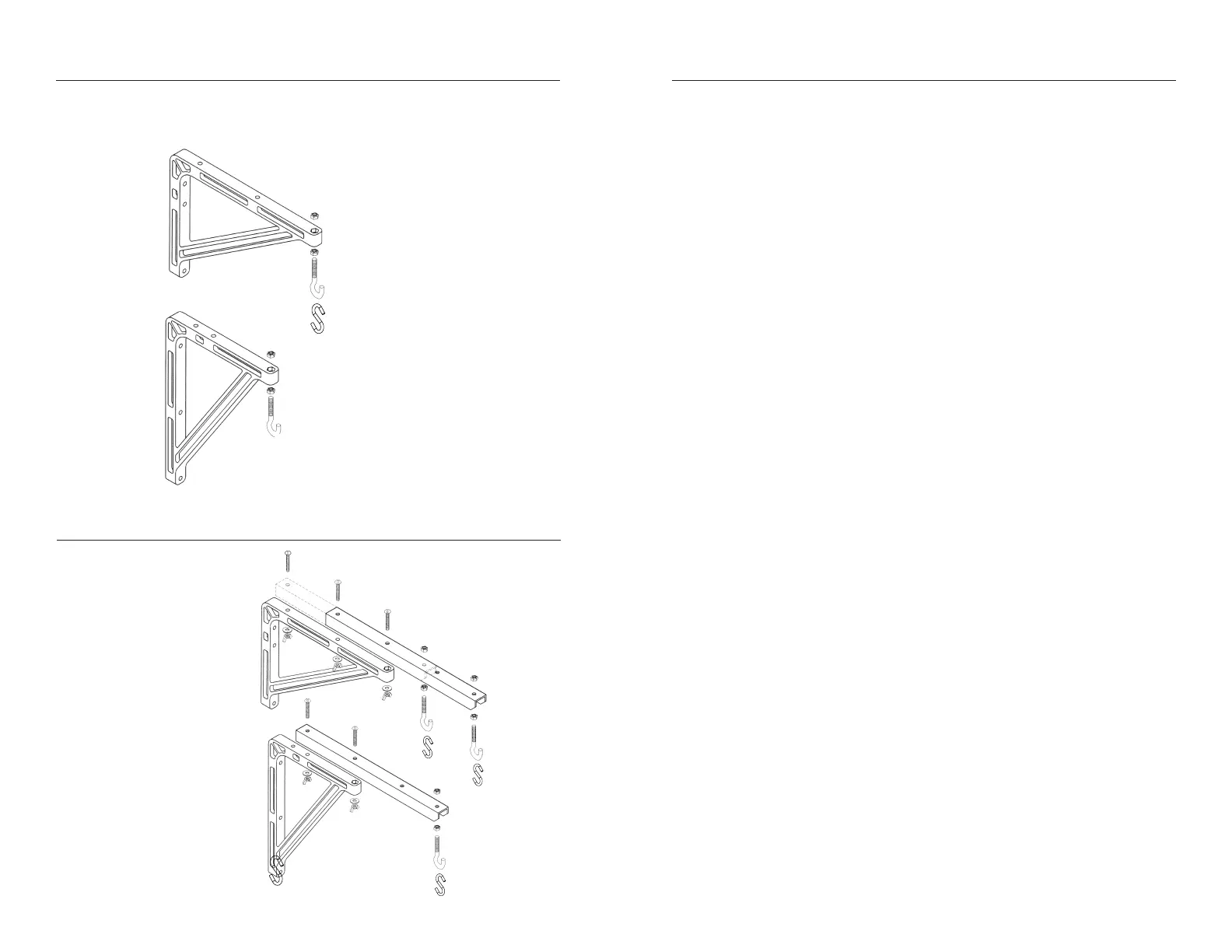
No. 11 Extension Wall Brackets
• Screen can be extended 10" or 14" from wall by selecting one of the two
mounting positions shown above.
No. 23 Extension Wall Brackets
• Screen can be extended
18¼", 20" or 24" from wall by
selecting one of the two
mounting positions shown
above and wing nut and
bolt adjustment.
• Extension arm holes should
be lined up with desired
holes in plastic bracket.
Attach extension arms to
wall brackets.
18¼" AND 24"
POSITIONS
20"
POSITION
Hex Nut (4)
Eye Bolt (2)
SHook (2)
10" Position
Hex Nut (4)
Eye Bolt (2)
SHook (2)
14" Position



 To Previous Page
 Loading...