23
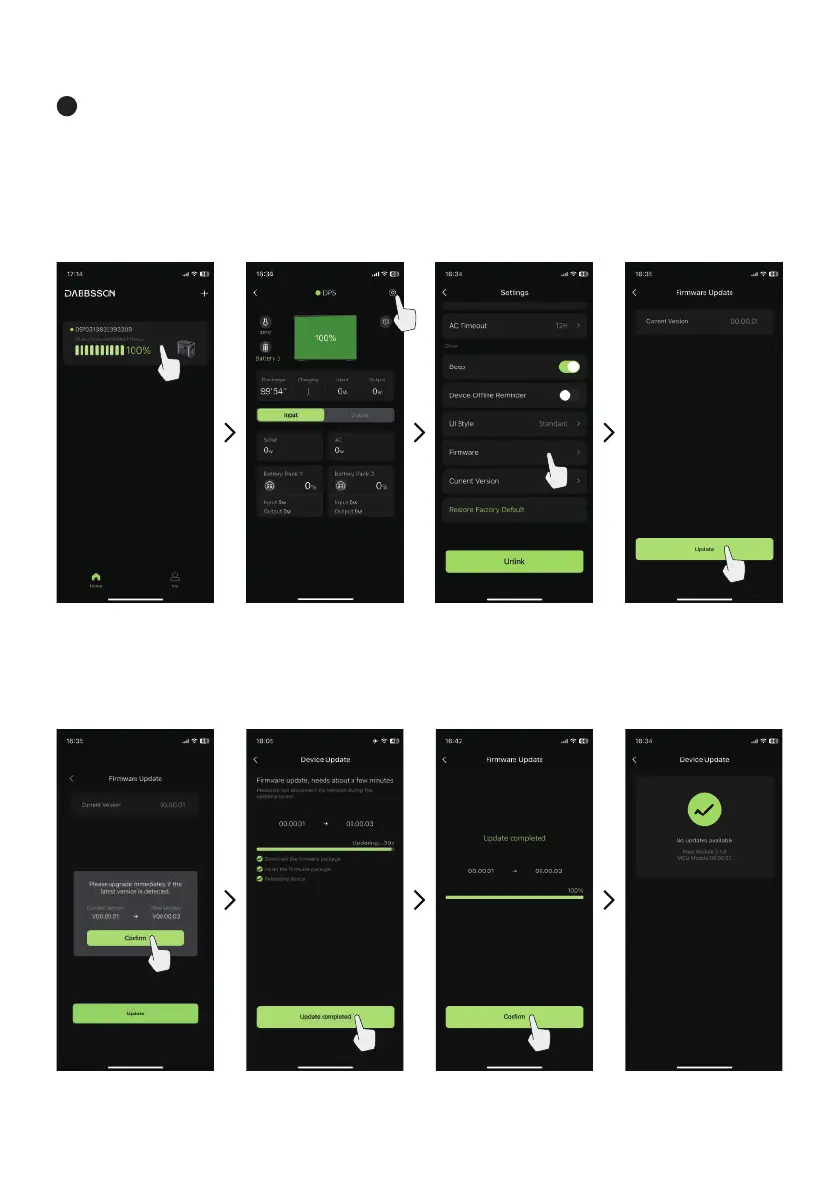
Power station firmware update
1 Tap the device you want to upgrade, enter the device interface, tap the icon in the upper right corner
to enter the setting page, find and click the firmware update option, enter the device update page, click
"Update" at the bottom of the page, click "Confirm" on the pop-up window, wait for the firmware update,
update After success, click Confirm to complete the update.


 To Next Page