DACELL CO., LTD
http://www.dacell.com
TEL:+82-43-2602242, FAX : +82-43-2602245
12
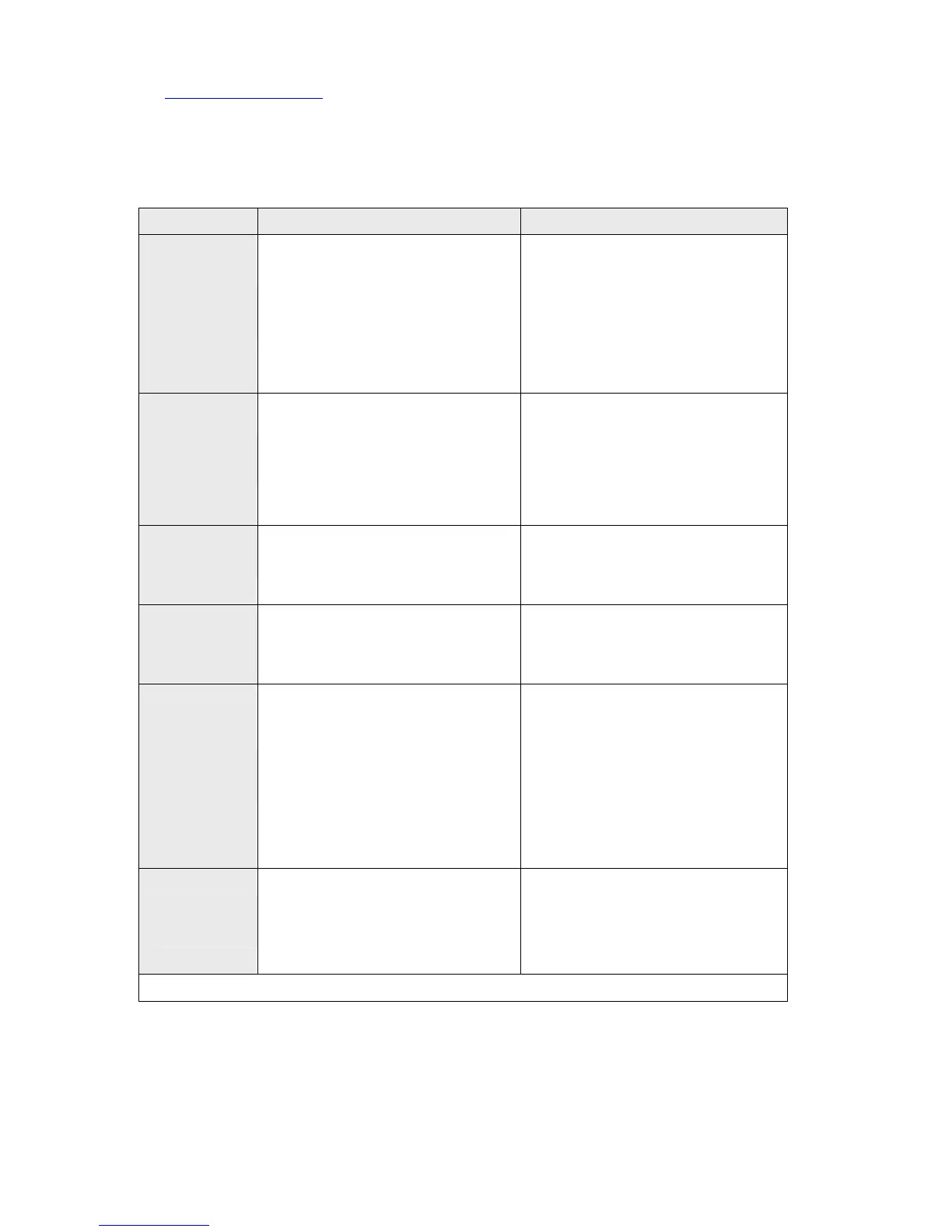
10. Trouble shooting and correction
problem cause correction
Display
drifts
* Defective Sensor
* AC noise in power line
* Defective connection
to sensor (Noise)
* Input filter set incorrectly
* Check sensor state and output
* Check power line and connection
* Check connection to sensor
* Check filter DIP switch
* 6-2) check display time
* 6-3) Change to AV mode
Display
19999 only
* Discordance between
sensor output and DIP
S/W setting
* Open and short of
sensor in/output line
* Check DIP switch about
sensor output
* Check sensor wiring
Display
change --
* Exchange of sensor
input line.
* data setting error
* Check sensor connection.
* refer to 6-3)
Not able to
select
FS,DP,CAL
* Data Protection * Turn off data protection
refer to 3- 4)
Analog output
Problem
* Defective voltage and current
signal
* Difficulty of setting
* When 0~5V output is
required.
* Check DIP Switch 5
* Adjust zero and span VR
refer to 2-3)
* Connect 1/4W 500Ω
accuracy resistor between
GND and OUT port
* Contact the manufacturer.
Other noise
rotection
* Connection noise filter with
AC input line
* Set noise filter to coil in parallel
* Check the shield.
* If you have any questions, please contact the manufacturer.


 To Previous Page
 Loading...