28
FUNCTIONS OF THE CONTROL PANEL
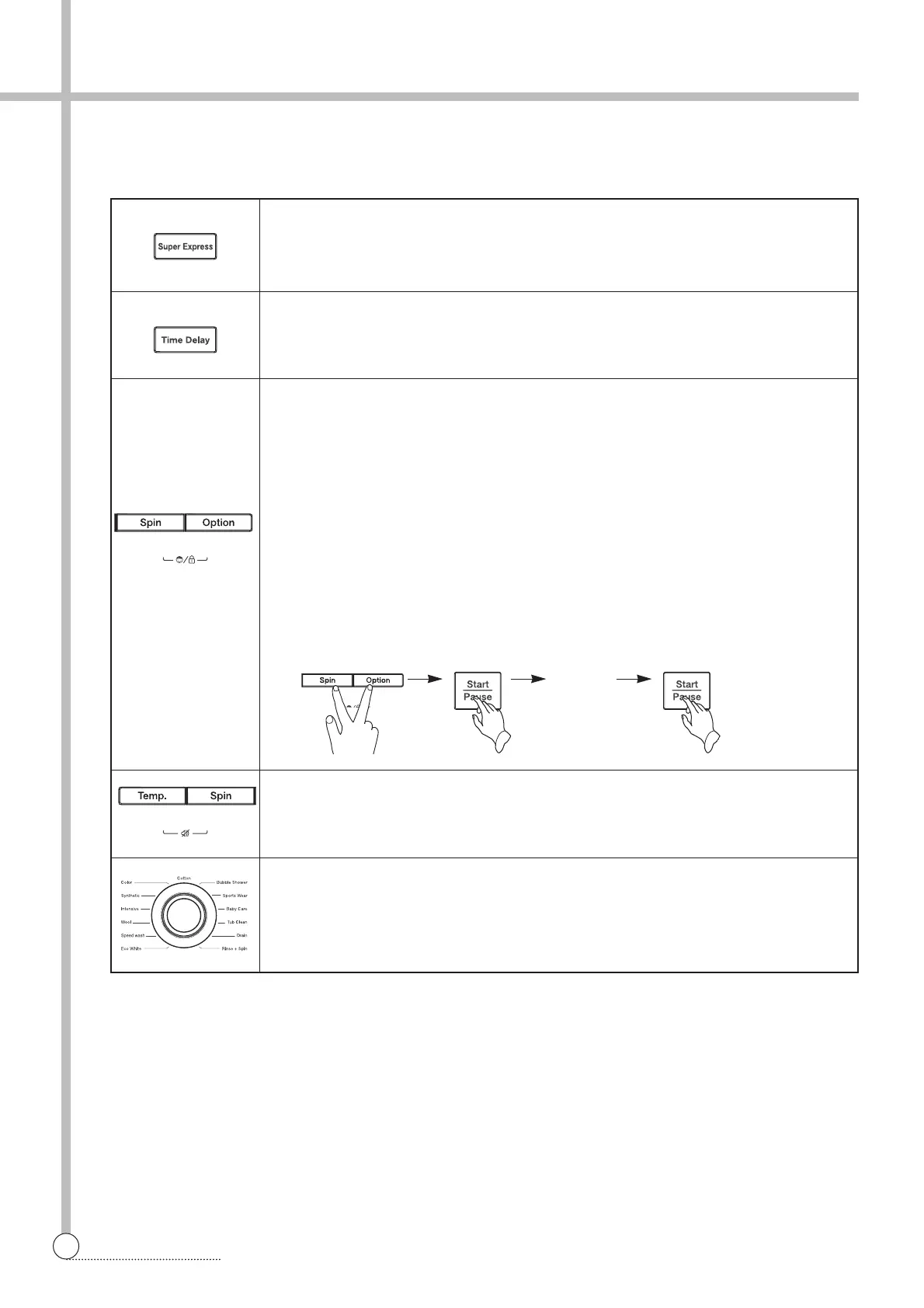
Super Express Button
Use this function when you want to reduce the laundry time or wash the mild dirty.
It reduce the laundry time and save the energy consumption.
Time Delay Button
It can be used to pre-engage time for wash.
Reservation can be made from 1 hours to 12 hours.
Child Lock Button
Use this function when you want to protect any accident occurring from handling of
washer by a child. During an operation of washer, press ‘Spin’ and ‘Option’ buttons
simultaneously.
In Child Lock mode, no button functions except for Power button.
In Child Lock mode, press ‘Spin’ and ‘Option’ buttons simultaneously like setting
Child Lock and Child Lock is cancelled.
To change to the desired program, while in Child Lock mode;
1. Press both the ‘Spin’ and ‘Option’ buttons together once again.
2. Press the Start/Pause button.
3. Select the desired program and press the Start/Pause button again.
• The Child Lock will be cancelled when power is off.
Use this function when you want not to ring the buzzer.
During an operation of washer, press 'Temp.' and 'Spin' buttons simultaneously.
You should set this function whenever you want to use.
Program Dial
You can select the course you want, and each lamp is turned on when that course
is selected.
For the more detailed information, please refer to the page 12~24.
Change
the desired
program



 To Next Page