62
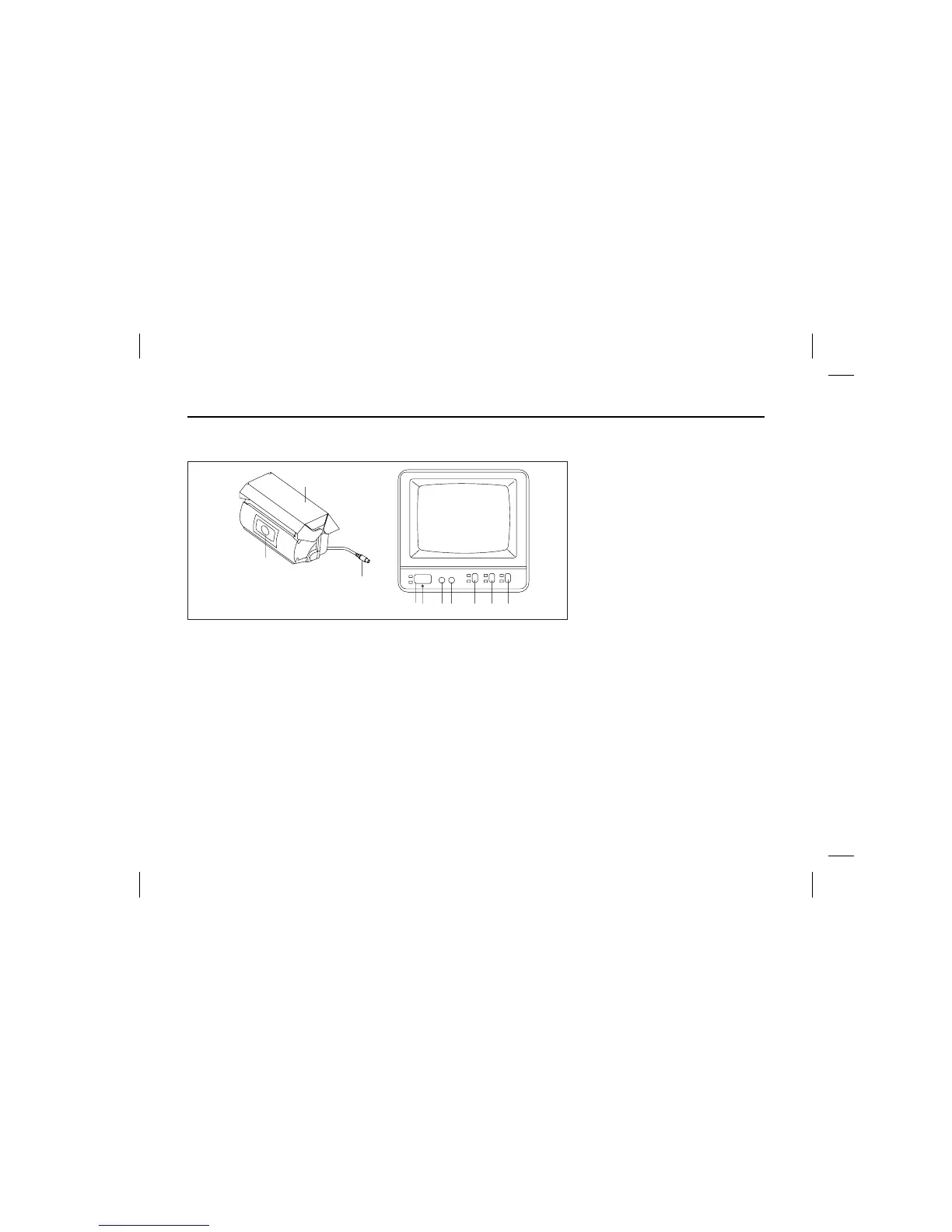
ҮPower on by pressing the switch(ڹ),
the indicator lamp(ں) light comes on
Automatically(power off by pressing
the switch(ڹ) again).
ҮTurn to right the contrast switch(ڻ),
the scene state is kept distinctly,
the turning to the bright control
switch(ڼ ) left/right, the bright of
scene is controlled darkly and
brightly.
ҮSelet(ڽ) the camera C1/C2 in case
of two camera installed. C1 is inner
watching camera by pressing the
upper button and other is outer
watching.
ҮSelect the Auto/Manual switch(ھ).
–Auto : Rear situation is displayed
the monitor with operation
on camera in state of shift-
ed reward gear of vehicle.
–Manual : Camera operated by
power on.
ҮPress the light of scene controller
button(ڿ) the scene is drak in night,
othewise in daytime, it’s brighted.
òCAMERAó
1. LENS : It’s possible inputing the a
picture and veiwing 130°
degrees of an angle.
2. COVER : Profected the camera on
water proof stuff.
3. DIN PLUG : Connect the monitor
and camera.
THE CAR VISION SYSTEM FOR VEHICLE (OPTION)


 To Next Page
 Loading...