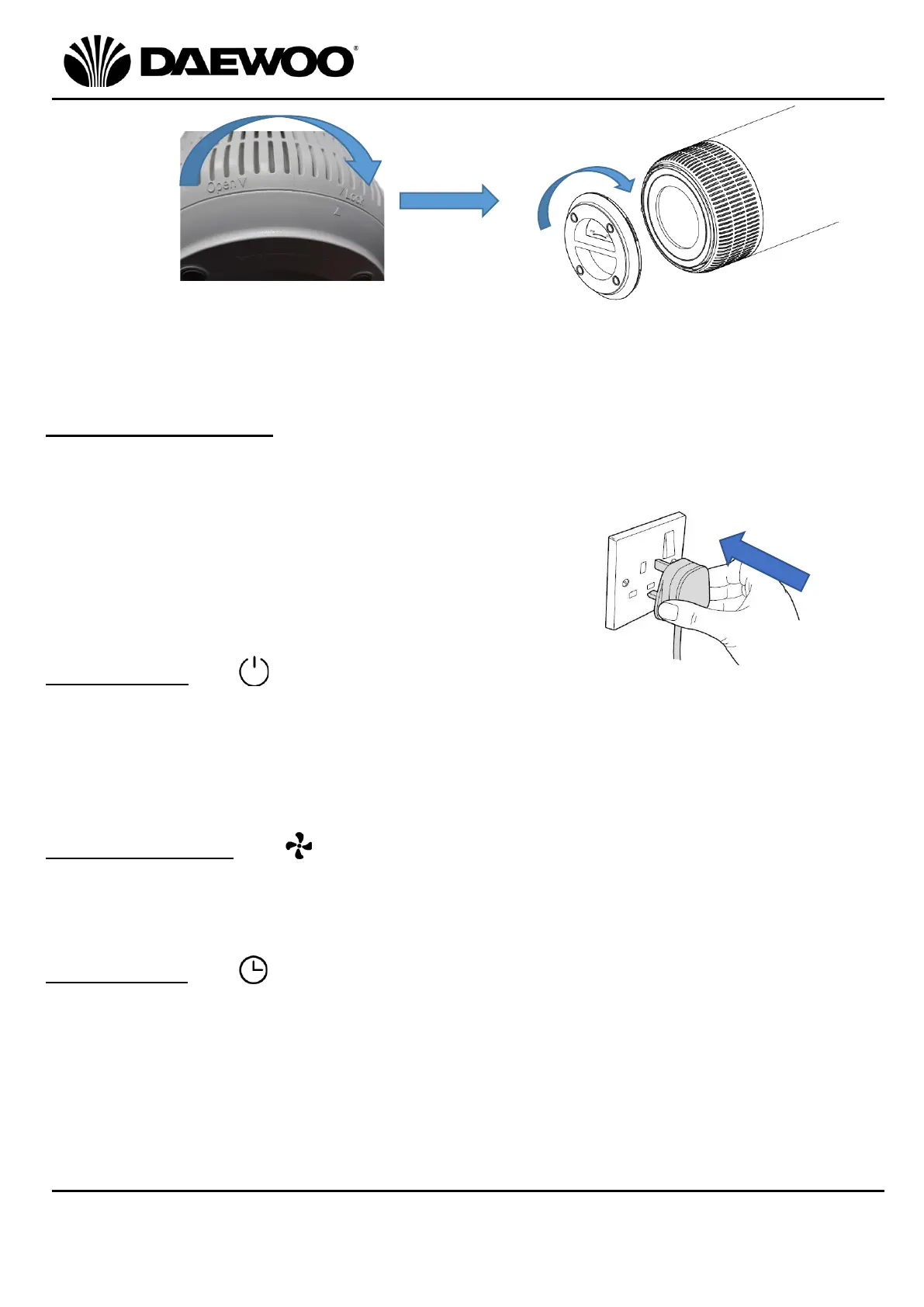
5. Place the Base (6) back on, such that the arrow on the base lines up with the
‘OPEN’ mark on the lower edge then rotate clockwise in the direction marked
“CLOSE” to lock the Base (6) in position.
Using your Air purifier
Before use, ensure that the unit is placed on a firm, level surface in an area with at
least 30cm of free space on all sides to allow for good air circulation.
1. Insert the Mains plug into the nearest socket.
2. The appliance will beep once to confirm power up
in standby.
Note: The appliance will beep once for every action.
Power Button (13)
1. Touch the Power Button (13) to power up the unit, it will beep once, the Power
Indicator (8) and the Fan Speed Indicator (L) (9) will also light.
2. Touch the Power Button (13) again to turn the unit off.
Note: The appliance will ‘remember’ the last setting after being turned off
provided the plug has not been removed from the power socket.
Fan Speed Control (10)
Touch the Fan Speed Button (10) to adjust the fan speed, select from Low (L),
Medium (M) or High (H) speed, the corresponding Fan Speed Indicator (9) will
light.
Timer Control (12)
1. With the unit powered up, touch the Timer Button (12) to select how long the
fan will be on for until it switches off.
2. Select from 2, 4 or 8 Hours, the corresponding Timer Indicator (11) will light.
The unit will begin to count down, when the time is up, the unit will switch off
and all indicators on the Control Panel (1) will be off.
3. To cancel the Timer function, touch Timer Button (12) until no timer indicator is
lit.
Note: The Timer function cannot operate in standby mode.



 To Next Page
 Loading...