27
PR/PAGE
SELECT
OK
PR/PAGE
PR/PAGE
SELECT
OK
PR/PAGE
PR/PAGE
SELECT
OK
PR/PAGE
Auto Tuning Access
Manual Tuning Access
Setup Access
Edit Access
Select Access Exit
Picture
Screen
Sound
Install
Function
DVB
Channel C 04
System Euro
Frequency 063.75
Name – – – – –
Program 01
Store To 01
Select 0…9 Change Fine Tune
Search Exit
Picture
Screen
Sound
Install
Function
DVB
Picture
Screen
Sound
Install
Function
DVB
Select Position 0…9 Change Exit
Channel C 04
System Euro
Frequency 063.75
Name B – – – –
Program 01
Store To 01
Setting Up TV
Analogue Stations
Setup
The Setup menu shows you information as follows:
- Channel, System, Frequency, Station name, Program number and Store to PR number.
NB: First ensure the TV is in analogue mode.
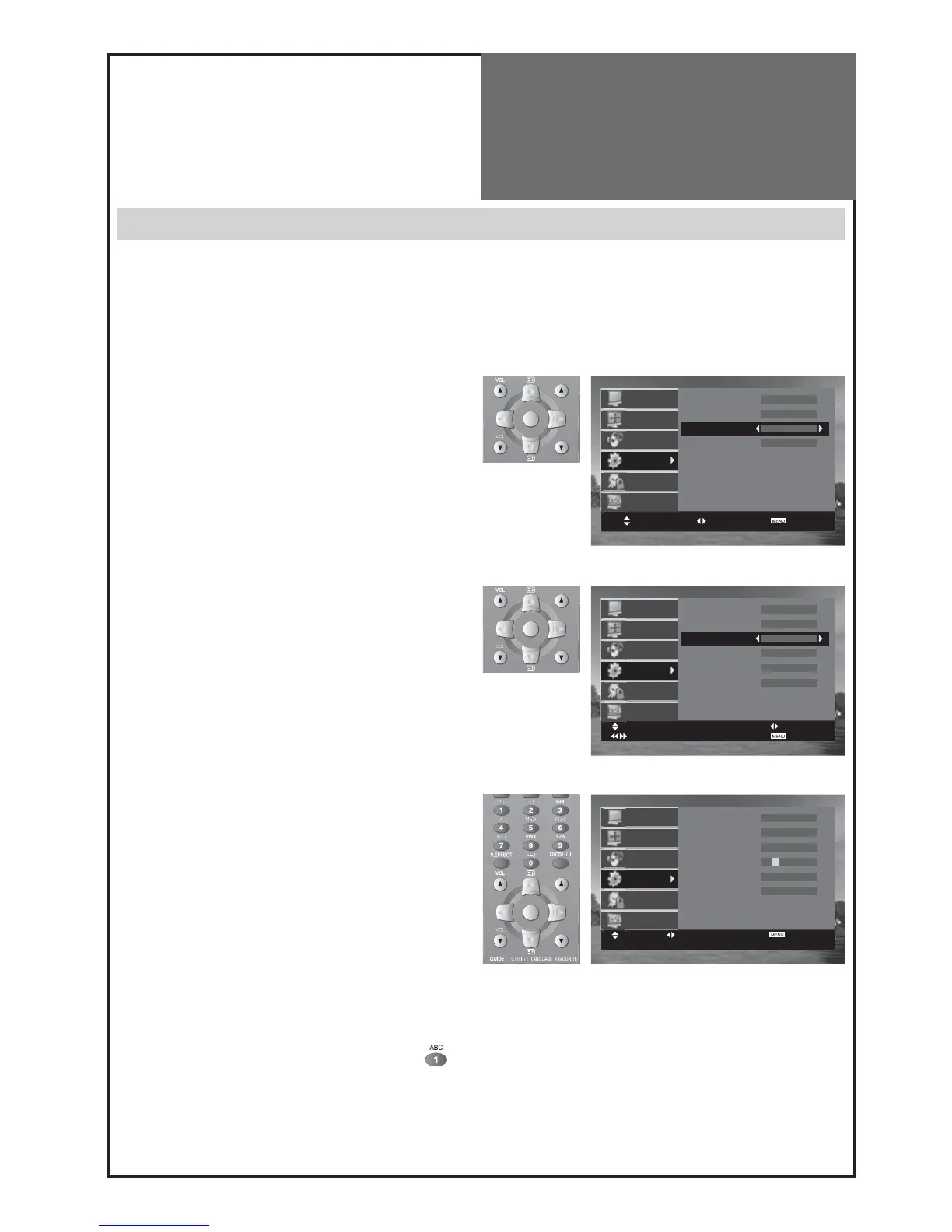
1. Searching for channels in the Setup menu.
• Press the “
PR
“ buttons to select a program number
you want.
• Move to Setup in the Install menu.
• Search real channel information (Channel eg.eg.
channel 38, System eg. PAL/SECAM and Program
eg. 2) with “/“ buttons.
• Search: Press and hold for more than 1second
the remote control “/” buttons to start up/down
manual tuning.
• Searching will stop automatically at the next channel
found (to stop tuning, press the remote control
MENU
button).
• Also you can directly locate a program by entering the
data into the “Channel” or the “Frequency” function if
known.
2. Fine tuning.
• Move to Setup in the Install menu.
• Move the cursor to Frequency by pressing “/” but-
tons.
• Adjust the fine tuning with the “/” buttons.
Note :
• If you are unable to get a good picture or sound because
of a poor broadcasting signal, adjustment of the fine tun-
ing might improve it.
3. Enter a station name.
• Move to Setup in the Install menu.
• Move the cursor to Name by pressing “ / ” but-
tons.
• You can enter a station name with the “/” buttons.
Also you can do this by pressing the appropriate key
until the character you want appears on the screen.
For example, when you press number 1 key (
) on
the remote control repeatedly, the character shown
on the screen will change as ‚1 A B C 1.
Note :
Only English is supported for station names.



 To Next Page