3
AS TRONIC GEARBOX
Removal and installation CF65/75/85 series
4-2
Installing the gearbox
1. Install the thrust bearing over the gearbox
front cover and check whether the retainer
clip in the clutch release assembly is
closed.
Note:
Carefully rotate the input shaft using
extended pliers while fitting the gearbox, so
that the input shaft can slide into the clutch
plate upon assembly.
2. Use the jack to move the gearbox towards
the engine and install the attachment bolts
around the gearbox.
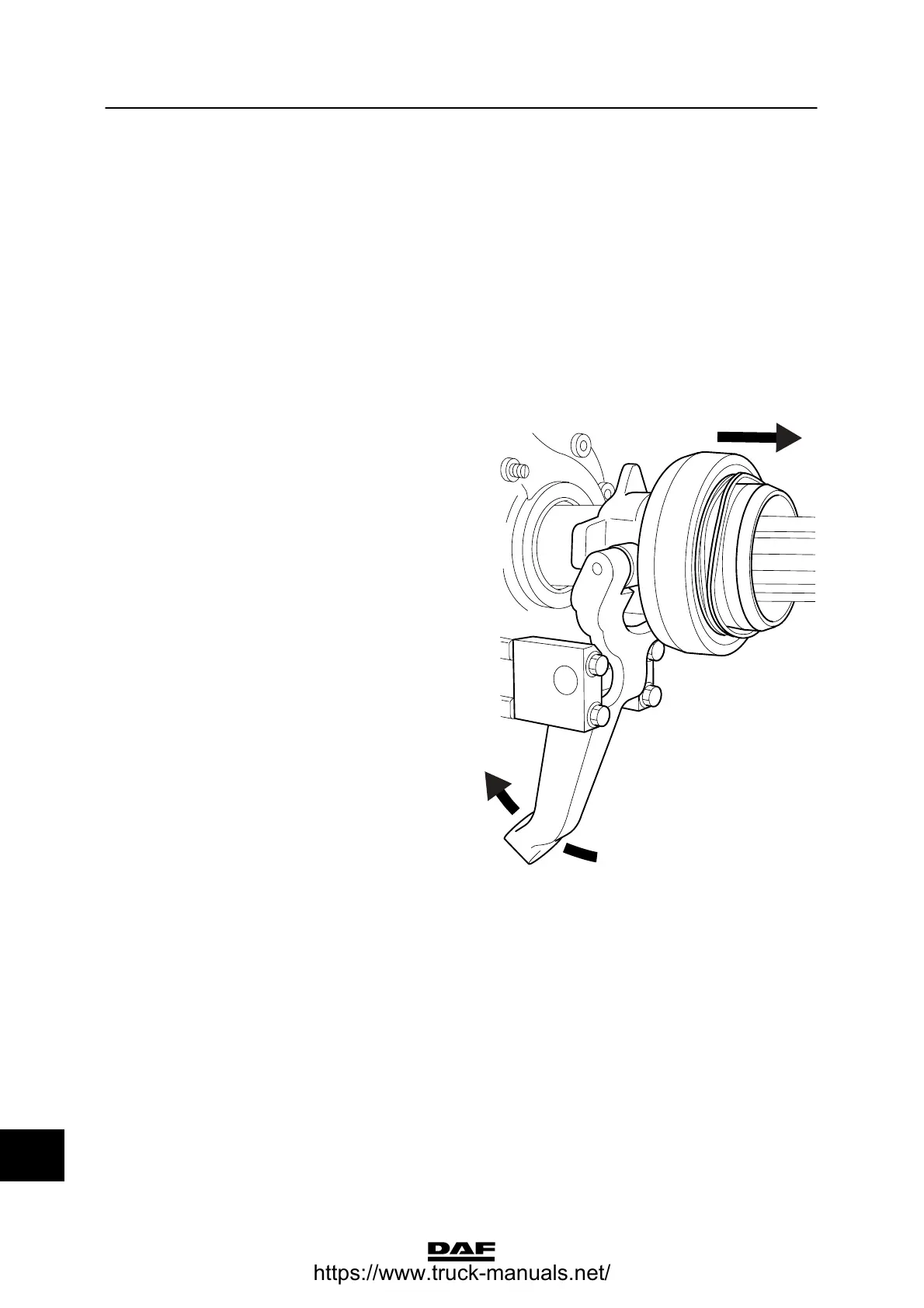
3. Using the clutch lever, press the thrust
bearing into the clutch release assembly.
The clutch lever can no longer be moved by
hand when the thrust bearing is fitted
correctly in the clutch release assembly.
4. Fit the clutch unit.
5. If the exhaust pipe was removed, reinstall it.
6. Fit the cable conduit on the right-hand side
of the gearbox.
7. Connect the connector of the gearbox
wiring harness on the vehicle side.
8. Install the air reservoir for AS Tronic.
9. Connect the air pipes of the pressure
regulator on the side of the gearbox.
10. Attach the prop shaft.
11. Reconnect the earth lead to the battery
terminal.
12. If a gearbox of a different type or with a
different reduction is mounted, this should
be reported.
V300442
14
ᓻ 200337
https://www.truck-manuals.net/



 To Next Page