IO-DAPPS www.daikinac.com 29
Topics in this secon cover integrang BACnet™ Thermostat controllers
into a building automaon network. These are advanced topics for
control technicians and engineers. The BACnet Thermostat can funcon
as a stand-alone controller or it can be connected to a BACnet MS/TP
network. The topics in this secon are reference material for control
technicians or engineers that will be installing and seng up a BACnet
Thermostat that is connected to a network.
Connecng to a Network
Before connecng the BACnet Thermostat to a BACnet MS/TP
network, congure the network properes. See the topic Set Up
Communicaons on page 15 for the procedure to set the following.
• Device Instance
• MAC address
• Baud
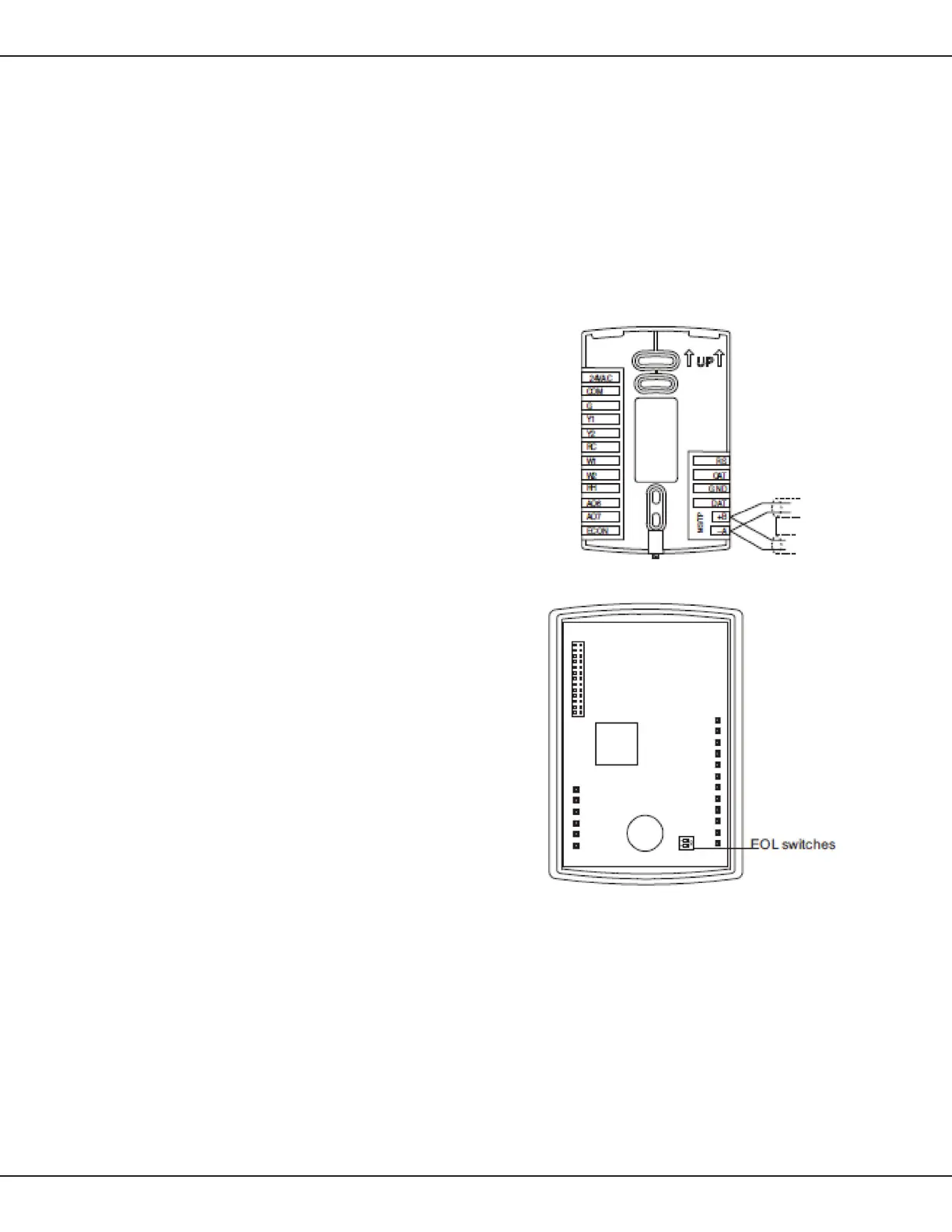
Use the following principles when wiring the BACnet Thermostat to an
MS/TP network:
• Connect no more than 128 addressable BACnet devices to one
MS/TP network.
• Use 18 gauge, twisted pair, shielded cable for all network wiring.
• Connect the (–A) terminal in parallel with all other (–) terminals.
• Connect the (+B) terminal in parallel with all other (+) terminals.
• Connect the shield to an earth ground at only one locaon on
the network.
The controllers or devices on the physical ends of the MS/TP wiring
segment must have end-of-line (EOL) terminaon installed for proper
network operaon. Set the end-of-line terminaon to ‘On’ using
the EOL switches. A 120Ω resistor across the posive and negave
communicaon wires will also work as an EOL terminaon.
Figure 12: BACnet MS/TP Network Wiring
Figure 13: Locaon of EOL switch
Applicaon Drawings



 To Next Page
 Loading...










