10
Setpoint
The setpoint is the range of the available temperature for the Cooling, Heating, and Auto
operation modes.
How to set the setpoint
Prerequisite: The active operation mode is either “Cooling”, “Heating”, or “Auto”.
Home screen
30
˚C
28
˚C
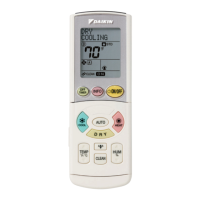
The small number above displays the room temperature,
and the large number below displays the setpoint.
Be sure to operate with the remote controller turned on.
When operation is stopped, even if
or are pressed,
the setpoint cannot be changed.
Change setpoint screen
30
˚C
˚C
30
˚C
26
˚C
Press and , and the setpoint will change.
Result:
The indoor unit changes temperature equal to the
setpoint value.
01_EN_EM19A035_OP.indd 10 2020/09/02 16:15:51



 To Next Page
 Loading...