12
Operation mode
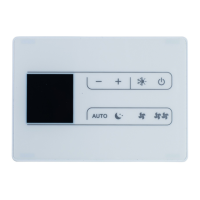
From the home screen, press to enter the user menu. Use and to navigate
through the menus. Press
again to enter one of the menus.
INFORMATION
• Available menus are depend on type of indoor unit that user operating.
• In the user menu, the icon for each menu reects the current active setting or mode. When
operating the controller, the menu that navigate through may look dierent from that represented
menus this manual.
• The controller only allows for basic operation of the system. For advanced operation (setback
etc.), see in mobile application.
How to set the operation mode
User menu screen
Navigate to the operation mode menu.
Operation mode screen
Press or to select an operation mode and press to
activate.
Operation modes which can be selected vary depending
on the system.
Result:
The indoor unit changes its operation mode and the
controller returns to the home screen.
01_EN_EM19A035_OP.indd 12 2020/09/02 16:15:52



 To Next Page
 Loading...