EasyManua.ls Logo

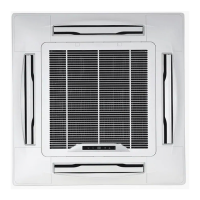
Daikin FCVY453CV1 - User Manual

Daikin FCVY453CV1
29 pages
Print Icon
To Next Page IconTo Next Page
Loading...
Question and Answer IconNeed help?

Do you have a question about the Daikin FCVY453CV1 and is the answer not in the manual?

Summary

For Optimum Operation

Important Cautions

Electrical and Stability Warnings

Ensure correct voltage, use proper fuses, and avoid instability or placing items on units.

Neighbor and Airflow Considerations

Minimize noise/vibration for neighbors and adjust airflow for personal comfort and health.

Obstruction and Placement

Do not block air inlets/outlets, place chairs, or insert objects into the unit.

Environmental and Sensor Factors

Ensure room ventilation and avoid heat sources near the temperature sensor for optimal heating.

Snow Blockage Warning

Prevent snow from blocking outdoor unit air inlets/outlets in heavy snowfall regions.

System Overview

Indoor Unit Components

Identifies key parts of the indoor unit like air inlets, outlets, flap, and remote controller receiver.

Outdoor Unit Components

Identifies key parts of the outdoor unit like air inlets, outlet, and selector switch.

Unit Display and Operation Panel

Explains the function of indicator lamps, signal receiver, and auxiliary switch on the unit.

Remote Controller Overview

Remote Controller Displays

Describes the various displays on the remote, including timer status and signal transmission.

Operation Mode Settings

Explains how to select operation modes like AUTO, PROGRAM DRY, COOL, and HEAT.

Airflow Setting Options

Details the available airflow settings, including AUTO, LOW, and HIGH.

Remote Controller Functions

Explains the ON/OFF, temperature, timer, and airflow adjusting buttons on the remote.

Setting Up the Remote Controller

Battery Installation

Guides on sliding the back cover, inserting batteries according to polarity, and replacing the cover.

Battery Notes

Provides important notes on battery types, mixing, charging, and disposal.

Using the Remote Controller

Operation Basics

Aim the transmitter at the unit, note the operational distance and confirmation sound.

Mounting and Placement

Guides on fixing the remote holder and avoiding locations near heaters or direct sunlight.

Cautions and Notes

Warns against dropping, shocking, wetting the remote, and notes on battery life and signal interference.

Operating the System

Mode Selection

Select the desired operation mode: AUTO, COOL, or HEAT.

Temperature Adjustment

Use UP/Down buttons to adjust the room temperature to a comfortable level.

Airflow Selection

Choose the preferred airflow setting for the operation.

Starting and Stopping Operation

Press ON/OFF to start; press again to stop, observing the operation indicator lamp.

Program Dry Operation

Explains PROGRAM DRY mode for moisture removal with minimal temperature change.

Timer Operation

Timer OFF Function

Set TIMER OFF to stop operation at a specified time, up to 9 hours.

Timer ON Function

Set TIMER ON to start operation at a specified time, up to 12 hours.

Timer Cancellation

Describes how to cancel the set timer functions using the CANCEL button.

Timer OFF Notes and Temperature Changes

Explains how the microcomputer controls temperature for sleep and how settings change after Timer OFF.

Air Flow Direction Adjustment

Vertical Airflow Direction

Adjust the flap position to direct airflow upwards (COOL/DRY) or downwards (HEAT).

Horizontal Airflow Direction

Change the position of adjustor blades to direct airflow horizontally.

Changing Air Outlet Direction

Detailed steps for manually adjusting the air outlet direction, advising consultation with a dealer.

Auxiliary Switch Operation

Using the Auxiliary Switch

How to start/stop the unit using the auxiliary switch during remote controller issues.

Other Precautions

Power Failure and Malfunctions

Procedures for power restoration, lightning damage, and general troubleshooting for malfunctions.

Normal Operation Symptoms

Explains common sounds and situations that are not actual troubles, like odors or mists.

System Stops and Condensation

Reasons for system stops (voltage fluctuations) and condensation on the outdoor unit.

Flashing Operation Indicator Lamp

Explains the meaning of the flashing indicator lamp and actions to take for normal/abnormal conditions.

Operating Conditions

Temperature and Humidity Ranges

Specifies optimal temperature and humidity ranges for COOL, PROGRAM DRY, and HEAT modes.

Heating System Features

Describes the heat pump system, heating capacity limitations, and heat-up time.

Defrost and Hot Start Operations

Explains defrosting during heating and the hot start procedure for warming up.

Preheating and Operating Features

Outdoor Unit Preheating

Explains the preheating function for the compressor in low temperatures and power-on timing.

Master and Slave Unit System

Details how operation modes are determined by the master unit in a multi-unit system.

Operation Mode Examples

Multi-Room Operation Modes

Illustrates how different rooms operate in COOL/HEAT modes, including standby indications.

Maintenance

Cleaning Precautions

Safety warnings for cleaning units, including avoiding direct water and harsh chemicals.

In-Season Cleaning

Instructions for cleaning the indoor unit and remote controller with soft cloths.

Air Filter Cleaning

Steps for removing, cleaning, and replacing air filters to maintain efficiency.

Long Idle Period Procedures

Guides for preparing the unit before long periods of non-use and after returning to use.

Optimum Operation Tips

Checks Before Calling for After-Sales Service

Unit Not Operating

Checks for fuses, power failure, and remote battery issues when the unit is completely off.

Insufficient Cooling;Heating

Checks for clogged filters, incorrect settings, blocked inlets/outlets, or open doors/windows.

Flashing Indicator Lamp

Actions to take when the operation indicator lamp flashes, indicating potential issues.

Immediate Dealer Contact

Critical Event Alerts

Situations requiring immediate power off and dealer contact, like foreign substance entry or frequent safety device activation.

Installation Guidelines

Location Selection

Advice on choosing installation locations considering drain water, special environments, and flammable gas.

Electrical Work Requirements

Emphasizes separate power circuits, avoiding overloading, and the need for earth leakage breakers.

Operating Noise Considerations

Guidance on selecting locations to minimize noise nuisance and potential interference with electronics.

Summary

For Optimum Operation

Important Cautions

Electrical and Stability Warnings

Ensure correct voltage, use proper fuses, and avoid instability or placing items on units.

Neighbor and Airflow Considerations

Minimize noise/vibration for neighbors and adjust airflow for personal comfort and health.

Obstruction and Placement

Do not block air inlets/outlets, place chairs, or insert objects into the unit.

Environmental and Sensor Factors

Ensure room ventilation and avoid heat sources near the temperature sensor for optimal heating.

Snow Blockage Warning

Prevent snow from blocking outdoor unit air inlets/outlets in heavy snowfall regions.

System Overview

Indoor Unit Components

Identifies key parts of the indoor unit like air inlets, outlets, flap, and remote controller receiver.

Outdoor Unit Components

Identifies key parts of the outdoor unit like air inlets, outlet, and selector switch.

Unit Display and Operation Panel

Explains the function of indicator lamps, signal receiver, and auxiliary switch on the unit.

Remote Controller Overview

Remote Controller Displays

Describes the various displays on the remote, including timer status and signal transmission.

Operation Mode Settings

Explains how to select operation modes like AUTO, PROGRAM DRY, COOL, and HEAT.

Airflow Setting Options

Details the available airflow settings, including AUTO, LOW, and HIGH.

Remote Controller Functions

Explains the ON/OFF, temperature, timer, and airflow adjusting buttons on the remote.

Setting Up the Remote Controller

Battery Installation

Guides on sliding the back cover, inserting batteries according to polarity, and replacing the cover.

Battery Notes

Provides important notes on battery types, mixing, charging, and disposal.

Using the Remote Controller

Operation Basics

Aim the transmitter at the unit, note the operational distance and confirmation sound.

Mounting and Placement

Guides on fixing the remote holder and avoiding locations near heaters or direct sunlight.

Cautions and Notes

Warns against dropping, shocking, wetting the remote, and notes on battery life and signal interference.

Operating the System

Mode Selection

Select the desired operation mode: AUTO, COOL, or HEAT.

Temperature Adjustment

Use UP/Down buttons to adjust the room temperature to a comfortable level.

Airflow Selection

Choose the preferred airflow setting for the operation.

Starting and Stopping Operation

Press ON/OFF to start; press again to stop, observing the operation indicator lamp.

Program Dry Operation

Explains PROGRAM DRY mode for moisture removal with minimal temperature change.

Timer Operation

Timer OFF Function

Set TIMER OFF to stop operation at a specified time, up to 9 hours.

Timer ON Function

Set TIMER ON to start operation at a specified time, up to 12 hours.

Timer Cancellation

Describes how to cancel the set timer functions using the CANCEL button.

Timer OFF Notes and Temperature Changes

Explains how the microcomputer controls temperature for sleep and how settings change after Timer OFF.

Air Flow Direction Adjustment

Vertical Airflow Direction

Adjust the flap position to direct airflow upwards (COOL/DRY) or downwards (HEAT).

Horizontal Airflow Direction

Change the position of adjustor blades to direct airflow horizontally.

Changing Air Outlet Direction

Detailed steps for manually adjusting the air outlet direction, advising consultation with a dealer.

Auxiliary Switch Operation

Using the Auxiliary Switch

How to start/stop the unit using the auxiliary switch during remote controller issues.

Other Precautions

Power Failure and Malfunctions

Procedures for power restoration, lightning damage, and general troubleshooting for malfunctions.

Normal Operation Symptoms

Explains common sounds and situations that are not actual troubles, like odors or mists.

System Stops and Condensation

Reasons for system stops (voltage fluctuations) and condensation on the outdoor unit.

Flashing Operation Indicator Lamp

Explains the meaning of the flashing indicator lamp and actions to take for normal/abnormal conditions.

Operating Conditions

Temperature and Humidity Ranges

Specifies optimal temperature and humidity ranges for COOL, PROGRAM DRY, and HEAT modes.

Heating System Features

Describes the heat pump system, heating capacity limitations, and heat-up time.

Defrost and Hot Start Operations

Explains defrosting during heating and the hot start procedure for warming up.

Preheating and Operating Features

Outdoor Unit Preheating

Explains the preheating function for the compressor in low temperatures and power-on timing.

Master and Slave Unit System

Details how operation modes are determined by the master unit in a multi-unit system.

Operation Mode Examples

Multi-Room Operation Modes

Illustrates how different rooms operate in COOL/HEAT modes, including standby indications.

Maintenance

Cleaning Precautions

Safety warnings for cleaning units, including avoiding direct water and harsh chemicals.

In-Season Cleaning

Instructions for cleaning the indoor unit and remote controller with soft cloths.

Air Filter Cleaning

Steps for removing, cleaning, and replacing air filters to maintain efficiency.

Long Idle Period Procedures

Guides for preparing the unit before long periods of non-use and after returning to use.

Optimum Operation Tips

Checks Before Calling for After-Sales Service

Unit Not Operating

Checks for fuses, power failure, and remote battery issues when the unit is completely off.

Insufficient Cooling;Heating

Checks for clogged filters, incorrect settings, blocked inlets/outlets, or open doors/windows.

Flashing Indicator Lamp

Actions to take when the operation indicator lamp flashes, indicating potential issues.

Immediate Dealer Contact

Critical Event Alerts

Situations requiring immediate power off and dealer contact, like foreign substance entry or frequent safety device activation.

Installation Guidelines

Location Selection

Advice on choosing installation locations considering drain water, special environments, and flammable gas.

Electrical Work Requirements

Emphasizes separate power circuits, avoiding overloading, and the need for earth leakage breakers.

Operating Noise Considerations

Guidance on selecting locations to minimize noise nuisance and potential interference with electronics.

Daikin FCVY453CV1 Specifications

General IconGeneral
BrandDaikin
ModelFCVY453CV1
CategoryAir Conditioner
LanguageEnglish

Related product manuals