EasyManua.ls Logo

Daikin RK35JV1NB - User Manual

Daikin RK35JV1NB
142 pages
Print Icon
To Next Page IconTo Next Page
Loading...
SIE-86
Table of Contents i
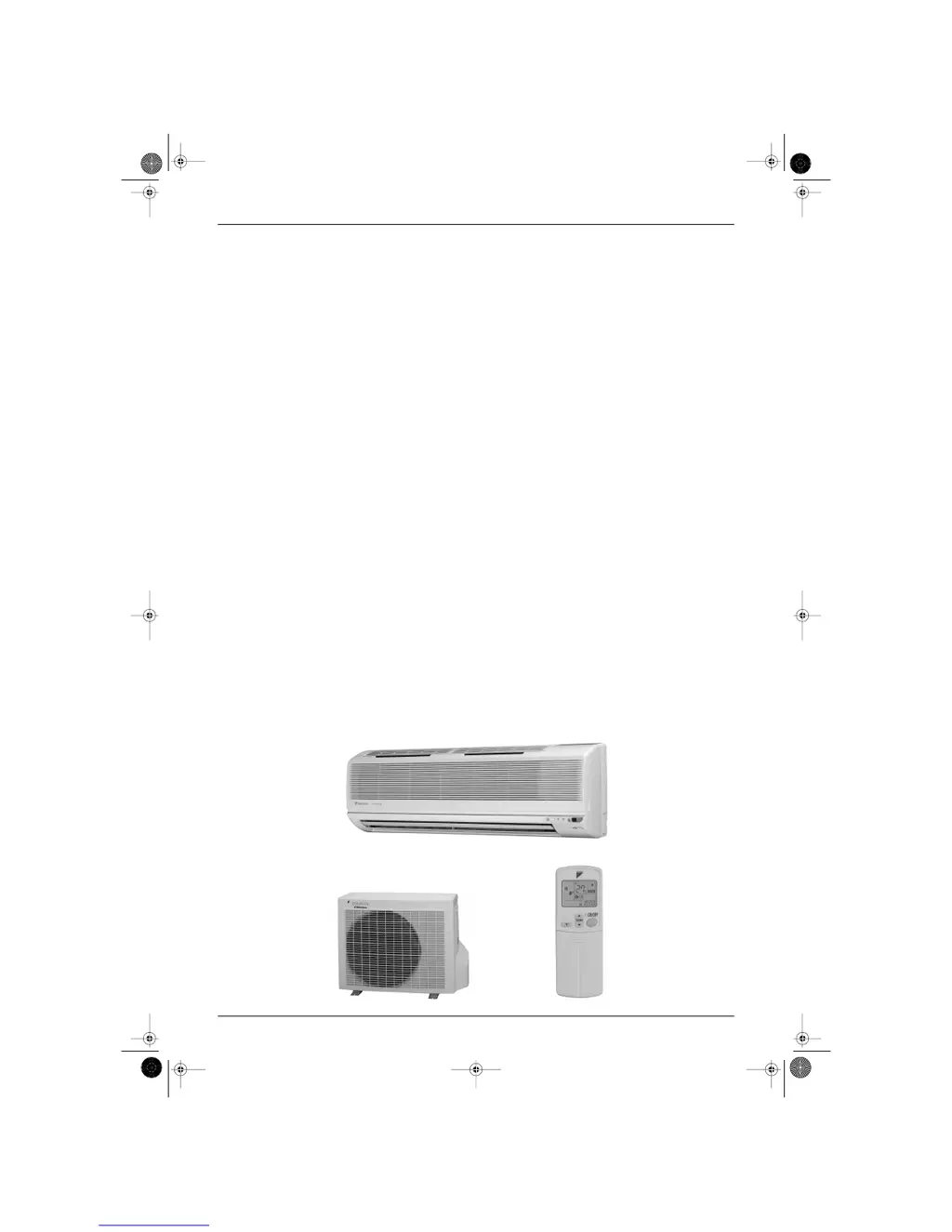
Inverter Pair
FTK(X)-J / RK(X)-J Series
Cooling Only
Indoor Unit
FTK25JV1NB
FTK35JV1NB
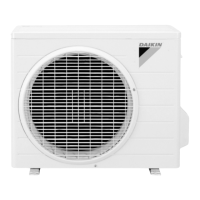
Outdoor Unit
RK25JV1NB
RK35JV1NB
Heat Pump
Indoor Unit
FTX25JV1NB
FTX35JV1NB
Outdoor Unit
RX25JV1NB
RX35JV1NB
Si-86.book Page i Friday, June 23, 2000 10:26 AM

Table of Contents

Questions and Answers

  • B
    Brian HicksAug 14, 2025
    What to do if Daikin RK35JV1NB operation stops suddenly and the OPERATION lamp blinks?
    • G
      Gerald EdwardsAug 14, 2025
      If your Daikin Inverter stops suddenly and the OPERATION lamp is blinking, clean the air filters or remove any obstacles. Then, turn the breaker OFF, turn it back ON, and try operating the air conditioner using the remote controller.
  • J
    Jillian SmithAug 17, 2025
    Why is the cooling or heating effect poor on my Daikin RK35JV1NB Inverter?
    • W
      William ClarkAug 18, 2025
      A poor cooling or heating effect from your Daikin Inverter could be due to several reasons. Ensure the air filters are clean and that nothing is blocking the air inlet or outlet of either the indoor or outdoor units. Check if the temperature setting is appropriate, and make sure windows and doors are closed. Also, verify that the airflow rate and direction are set correctly and that the unit is not set to Intelligent Eye mode.
  • D
    Dr. Peter NelsonAug 20, 2025
    Why does my Daikin RK35JV1NB outdoor unit emit water or steam?
    • M
      mooreashleyAug 20, 2025
      The outdoor unit emits water or steam due to the following reasons: * In HEAT mode, the frost on the outdoor unit melts into water or steam when the air conditioner is in defrost operation. * In COOL or DRY mode, moisture in the air condenses into water on the cool surface of outdoor unit piping and drips.
  • J
    Jennifer DawsonAug 25, 2025
    Why hot air does not flow out soon after starting Daikin RK35JV1NB Inverter heating operation?
    • M
      Maurice SimmonsAug 25, 2025
      If hot air does not flow out soon after starting the heating operation, you should wait for 1 to 4 minutes.
  • K
    Kelli SimmonsAug 27, 2025
    Why Daikin RK35JV1NB Inverter operation does not start soon?
    • J
      Jasmine JohnsonAug 27, 2025
      If the operation does not start soon, you should wait for about 3 minutes.
  • S
    Sheila JohnsonAug 30, 2025
    What to do if my Daikin RK35JV1NB air conditioner does not operate and the OPERATION lamp is off?
    • E
      Elizabeth FlemingAug 30, 2025
      If your Daikin Inverter isn't operating and the OPERATION lamp is off, check a few things: see if a breaker has turned OFF or a fuse has blown. Also, check for a power failure. Ensure batteries are correctly installed in the remote controller, and verify that the address switch in the remote controller is set correctly. Finally, confirm that the timer setting is correct.
  • S
    Steven JohnsonSep 3, 2025
    Why does my Daikin RK35JV1NB indoor unit give out an odor?
    • C
      Cynthia DavidsonSep 3, 2025
      The odor from your Daikin Inverter's indoor unit occurs when smells from the room, furniture, or cigarettes are absorbed into the unit and discharged with the airflow. If this happens, it is recommended to have the indoor unit cleaned by a technician. Consult the service shop where you bought the air conditioner.
  • K
    Kristine YoungSep 6, 2025
    What to do if my Daikin RK35JV1NB Inverter air conditioner malfunctions with lightning or radio waves?
    • O
      oscar51Sep 6, 2025
      If your Daikin Inverter malfunctions due to lightning or radio waves, turn the breaker OFF, then turn it back ON. After that, try operating the air conditioner with the remote controller.
  • J
    John BrownSep 9, 2025
    What to do if Daikin RK35JV1NB heating operation stops suddenly and a flowing sound is heard?
    • J
      Jeremy HamptonSep 9, 2025
      If the heating operation stops suddenly and a flowing sound is heard, you should wait for about 3 to 8 minutes.

Summary

Introduction

Safety Cautions

Read safety cautions before conducting repair work. Cautions are classified into Warning and Caution.

Part 1 List of Function

Part 2 Printed Circuit Board Connector Wiring Diagram

Part 3 Main Function

Defrost Control

Explains the defrost control principle by reversing the cycle from heating to cooling, detailing start and stop conditions.

Input Current Control (H;J Type)

Details frequency control to limit input current within rated values based on detected input current.

Freeze Protection Function in Cooling

Explains how capacity is reduced to prevent freezing of the heat exchanger and dew formation.

Peak-Cut Control Function (H;J Type)

Details peak-cut control to prevent excessive head pressure increase during heating operations.

Compressor Protection Function (H;J Type)

Details control of compressor frequency limit to avoid oil level descent and dilution during operation.

Part 4 System Configuration

Instruction

Troubleshooting: Common Cases

Lists common operational issues like no start, poor cooling/heating, and sudden stops, providing explanations and initial checks.

Troubleshooting: System Checks

Guides on checking power, filters, air flow, settings, and unit status for troubleshooting operational problems.

Part 5 Service Diagnosis

Troubleshooting with Operation Lamp

Explains how the operation lamp indicates errors and guides on diagnostic procedures for unit malfunctions.

Troubleshooting with LED Indication

Details the meaning of green and red LEDs on the outdoor unit PCB for diagnosing equipment conditions.

Problem Symptoms and Measures

Lists common problems and provides measures to check, including power supply, unit type compatibility, and thermistor errors.

Service Check Function: ARC423 Series

Explains how to use the ARC423 series remote controller for service check functions and error code display.

Remote Controller Error Codes

Lists error codes displayed on the remote controller and their corresponding problem descriptions for fault diagnosis.

Troubleshooting: Indoor Units

Provides troubleshooting steps for indoor unit issues, correlating remote controller indications with fault descriptions.

Troubleshooting: Outdoor Units

Details troubleshooting for outdoor units by correlating LED indications and remote controller displays with fault descriptions.

Troubleshooting: Faulty PCB (A1)

Diagnoses faulty PCB (A1) by checking zero-cross detection and connector connections, guiding replacement steps.

Troubleshooting: Operation Shutdown (A5)

Addresses operation shutdown due to high-pressure control or freeze-up protection, guiding checks for air filters and thermistors.

Troubleshooting: Fan Motor Halt (A6)

Guides troubleshooting for fan motor halt due to winding, wire, capacitor, or PCB issues, with detailed checks.

Troubleshooting: Thermistor Abnormality (C4, C9, CA)

Covers operation halt due to thermistor errors, guiding checks for connector connections, thermistor resistance, and PCB issues.

Troubleshooting: Faulty Indoor Unit PCB

Addresses faulty indoor unit PCB issues, guiding checks for power, grounding, and potential external factors causing malfunction.

Troubleshooting: Faulty Indoor Unit PCB (Signal Transmission)

Focuses on faulty indoor unit PCB related to indoor-outdoor signal transmission issues, guiding replacement.

Troubleshooting: Power Supply;PCB Abnormalities (U4)

Covers power supply abnormalities and faulty indoor PCBs (U4), guiding checks for AC voltage, varistors, and fuses.

Troubleshooting: Signal Transmission Error (U4)

Addresses signal transmission errors between units (U4), guiding checks for wiring errors, LED status, and power supply waveform.

Troubleshooting: CT Error (H8)

Covers operation halt due to CT errors (H8), guiding checks for power transistor, wiring, rectifier, and PCB issues.

Troubleshooting: Thermistor Error;Disconnection (J3, J6, H9)

Guides troubleshooting for thermistor errors (J3, J6, H9), covering connector checks, thermistor resistance, and PCB replacement.

Troubleshooting: Compressor Startup Error (E6)

Addresses operation halt due to compressor startup errors (E6), guiding checks for stop valves, power transistor, and compressor.

Troubleshooting: Output Overcurrent (L5)

Covers output overcurrent issues (L5), guiding checks for power transistor, wiring, voltage, PCB, and compressor.

Troubleshooting: Faulty Outdoor Unit PCB

Guides troubleshooting for faulty outdoor unit PCB, checking power, grounding, and potential external factors.

Troubleshooting: Faulty Outdoor PCB;Signal Circuit

Addresses faulty outdoor PCB and signal transmission issues, guiding checks for grounding, power supply waveform, and PCB replacement.

Troubleshooting: Input Over Current (E8)

Covers operation halt due to input over current (E8), guiding checks for wiring errors, power transistor, and PCB.

Check Procedures

Provides a list of check procedures for diagnosing faults, including power transistor, wiring, and installation condition checks.

How to Check: Power Transistor

Details the procedure for checking the power transistor, including capacitor voltage and resistance measurements.

Power Transistor Check Details

Provides specific methods and measurements for checking power transistor functionality and capacitor voltage.

Part 6 Removal Procedure

Daikin RK35JV1NB Specifications

General IconGeneral
Cooling Capacity3.5 kW
Heating Capacity4.0 kW
Energy Efficiency Rating (EER)3.21
Coefficient of Performance (COP)3.61
RefrigerantR32
Weight (Outdoor Unit)30 kg
Noise Level (Outdoor)48 dB(A)
TypeInverter
Power Supply220-240V, 50Hz

Related product manuals