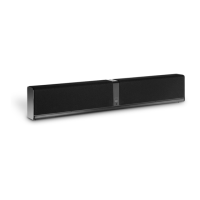
KATCH ONE – HDMI Setup Guide
Manually power down using either the remote control for KATCH ONE or by long-pressing the
power button directly on KATCH ONE. Once powered down, power it up again using either the
remote control for KATCH ONE or by short-pressing the power button directly KATCH ONE.
Using KATCH ONE remote control, simply press the HDMI source button again while HDMI is
already selected as source. Wait 5-10 seconds before retrying if necessary.
Other things to consider if a problem persists:
Have you connected any new equipment to the TV? If yes, then try disconnecting the new
equipment, and power cycle TV and KATCH ONE.
Has the TV firmware been updated, either automatically or by you, around the time the system
stopped working? If yes, then please refer to the TV manufacturer support for any known issues.
If you are unable to solve HDMI ARC related issues with your specific setup (TV + other connected
equipment), then consider using an Optical connection for Audio Out from your TV to KATCH ONE.
KATCH ONE does not power on/off with TV
Make sure that CEC is enabled in the TV settings, and look for any additional settings to enable like
“Auto Power On Devices” or similar name.
KATCH ONE has powered off while the TV is still powered on
KATCH ONE automatically powers down if there is no audio signal or user activity within 20 minutes. This
includes if the TV audio has been muted, and for example if a streaming service has been paused or ended.
KATCH ONE will not automatically power on if the TV is un-muted again or the streaming service resumed.
The user must manually power on KATCH ONE using either the remote control or the power button directly
on KATCH ONE, alternatively power off and on the TV again.



 To Previous Page
 Loading...