8
11
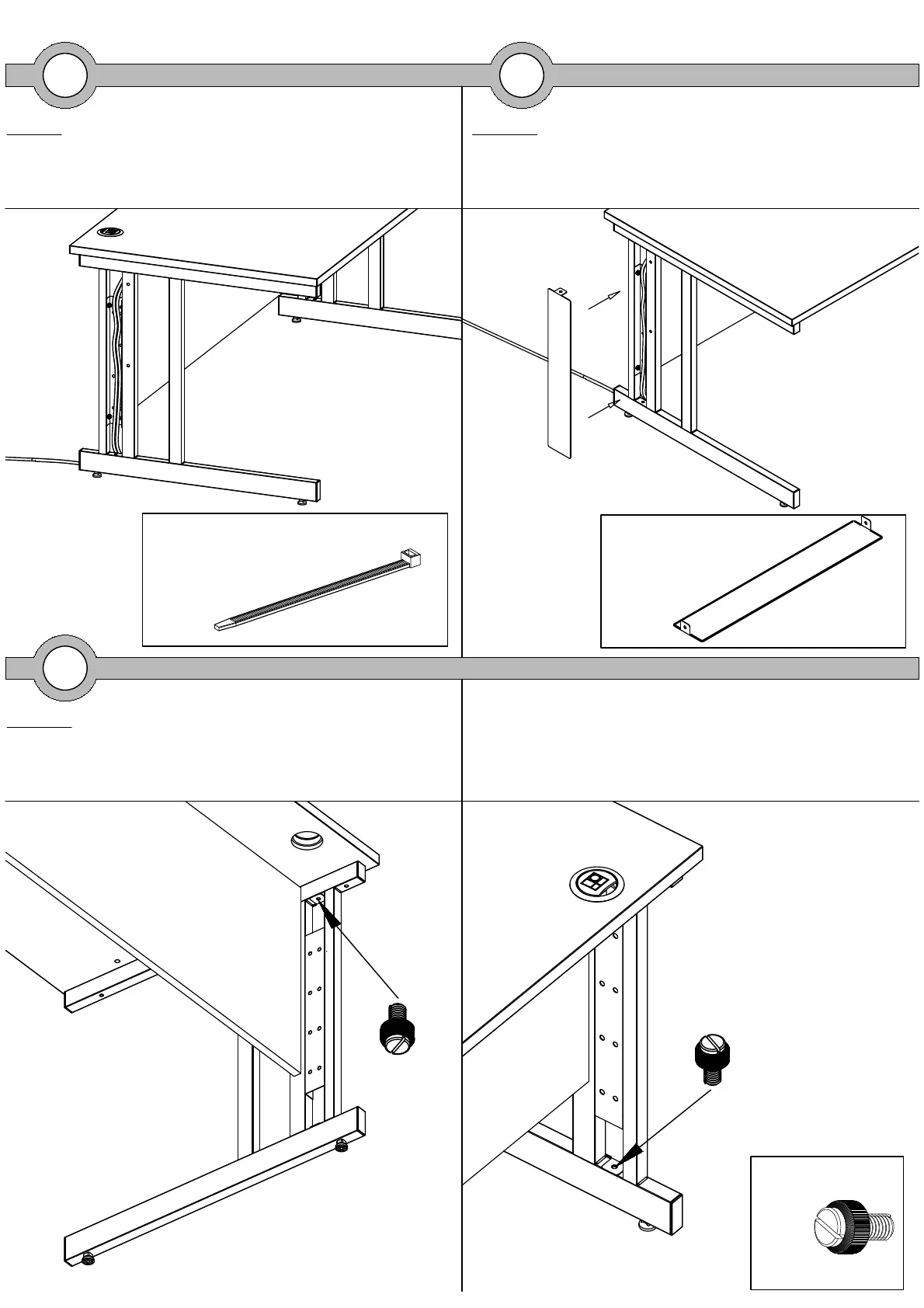
Step 11
Attach the cable covers using the M6x10mm
thumbscrews. Repeat this step for both legs.
9
Step 9
Feed any cables up through the cable channel
from the inside of the leg. If needed use the
cable ties to fasten them to the cable channel.
10
Step 10
Insert the cable cover into the opening between
the uprights. Repeat this step for both legs.
Cable Tie
x6
Cable Cover
x2
M6x10mm Thumbscrew
x4



 To Previous Page