CLOCK: Allows you to initiate and/or change the
TIME OF DAY setting.
TIMER ON: Used to initiate the AUT
O ON
start time
program, in conjuction with the & key pads.
TIMER OFF: Used to initiate the AUTO OFF stop
time program, in conjuction with the & key
pads.
8
Water Full
C
ool/Heat/Dry
I/O
MODE
ON
OFFSWING
TIMER
CLOCK
FAN
TEMP./CLOCK
ADJ.
Fig. 5
Fig. 6
Green light while cooling.
Red light while heating.
Green light while dehumidifying.
Fig. 7
A warning signal of 8 beeps will sound and
the Water Full indicator will flash every
0.5 seconds.
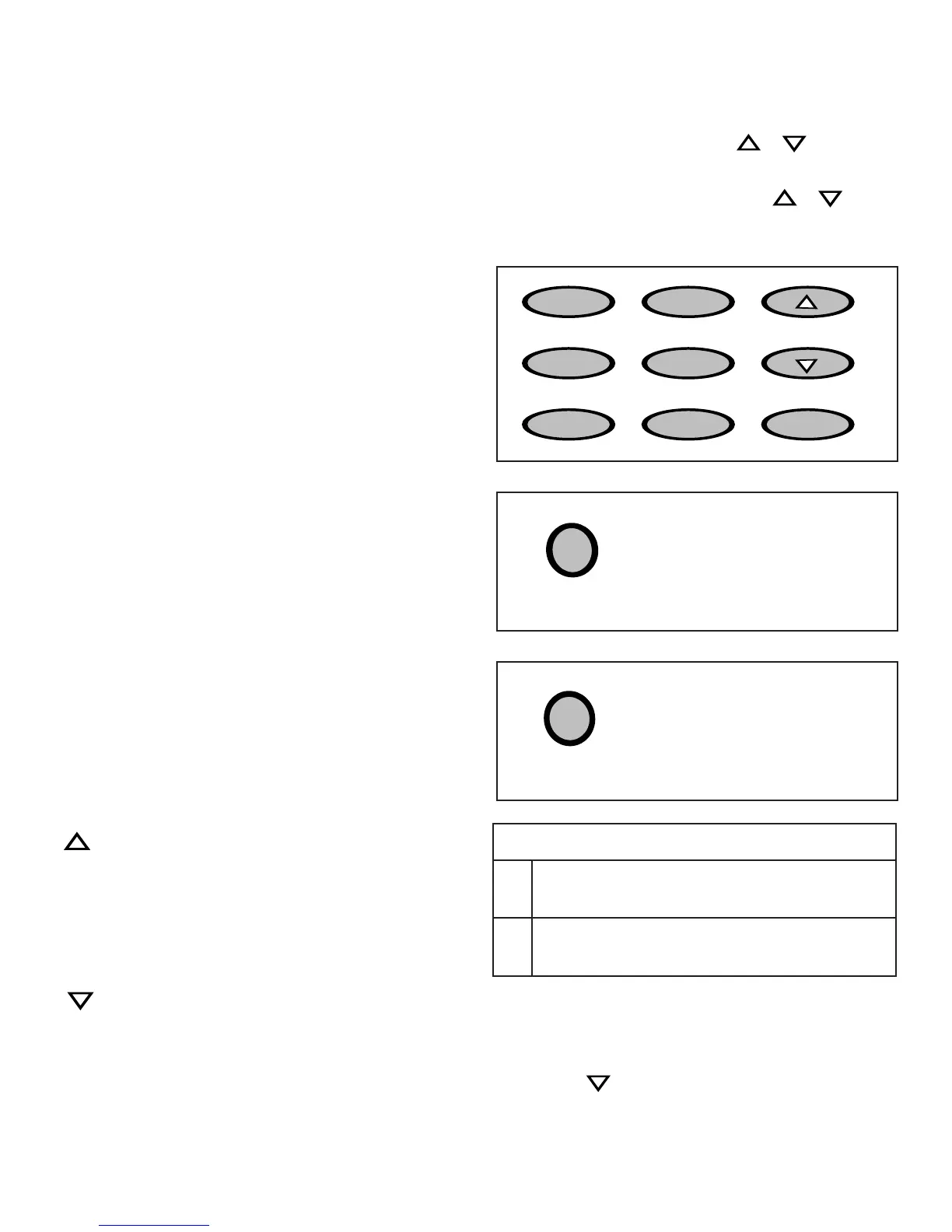
Key Pad Functions Fig. 5
The control panel on this unit “illuminates”
automatically when any key pad is depressed.
This
“illumination” feature will “self-deactivate” (turn-off)
automatically approx. 30 seconds after the last key
pad is depressed.
I/O: Power Switch On / Off.
MODE Indicator Lights: Illuminate under the
different mode settings Fig. 6;
COOL Mode: Green Light
DRY (Dehumidifier) Mode: Green Light
HEAT Mode: Red Light
FAN Mode: No indicator light
Green Light: Remains on while compressor is
operating. Green light turns off when desired
temperature is achieved. Applicable to both Air
Conditioner and Dehumidifier.
Red Light: Remains on while heater is
operating. Red light turns off when desired temperature
is achieved.
Water Full Indicator Light: Flashes red when
the water level of the water tank exceeds the maximum
set level or if the water tank is not correctly positioned in
the cabinet. Fig. 7.
FAN: Selects Low-Medium-High fan speeds.
Fan Options:
Cooling (3 speeds) Low-Medium-High
Heating (2 speeds) Low-High
Dry - Dehumidifying (1 speed) Medium.
Fan (3 speeds) Low-Medium-High
Temp/Clock Adjustments:
:
Used to adjust (forward) Time of Day Clock settings (1
min. increments).
Used to adjust (forward) Temperature settings (1°C
increments).
Used to adjust (forward) Temperature settings (2°F
increments).
Used to adjust (forward) Auto-Timer settings
(10 min. increments)
: Used to adjust (backward) Time of Day Clock settings
(1 min. increments).
Used to adjust (backward) Temperature settings (1
°
C
increments).
Used to adjust (backward) Temperature settings (2°F
increments).
Used to adjust (backward) Auto-Timer settings (10 min.
increments)
SWING: Allows the vertical louver grills to oscillate
back and forth automatically (70° Swing
).
Temperature Conversion Chart
°C 10 11 12 13 14 15 16 17 18 19 20 21
°
F
50
52
54
55 57 59 61 63 64 66 68 70
°C 22 23 24 25 26 27 28 29 30 31 32 33
°
F
72 73 75 77 79 81 82 84 86 88 90 91
NOTE: This appliance provides a feature that will allow you the
option of setting “temperatures” in “Celsius” or “Fahrenheit”.
T
o change the temperature display on the main unit, press the
(Temp/Clock) “ “ keypad & “Clock” keypad “simultaneously”
to alternate between the˚C & ˚F scale
Celisus scale allows adjustments in 1˚C increments.
Farenheight scale allows adjustments in 2˚F increments.



 To Next Page