A
U
X
.
CH
A
NN
E
L
P
O
W
E
R
S
W
I
TCH
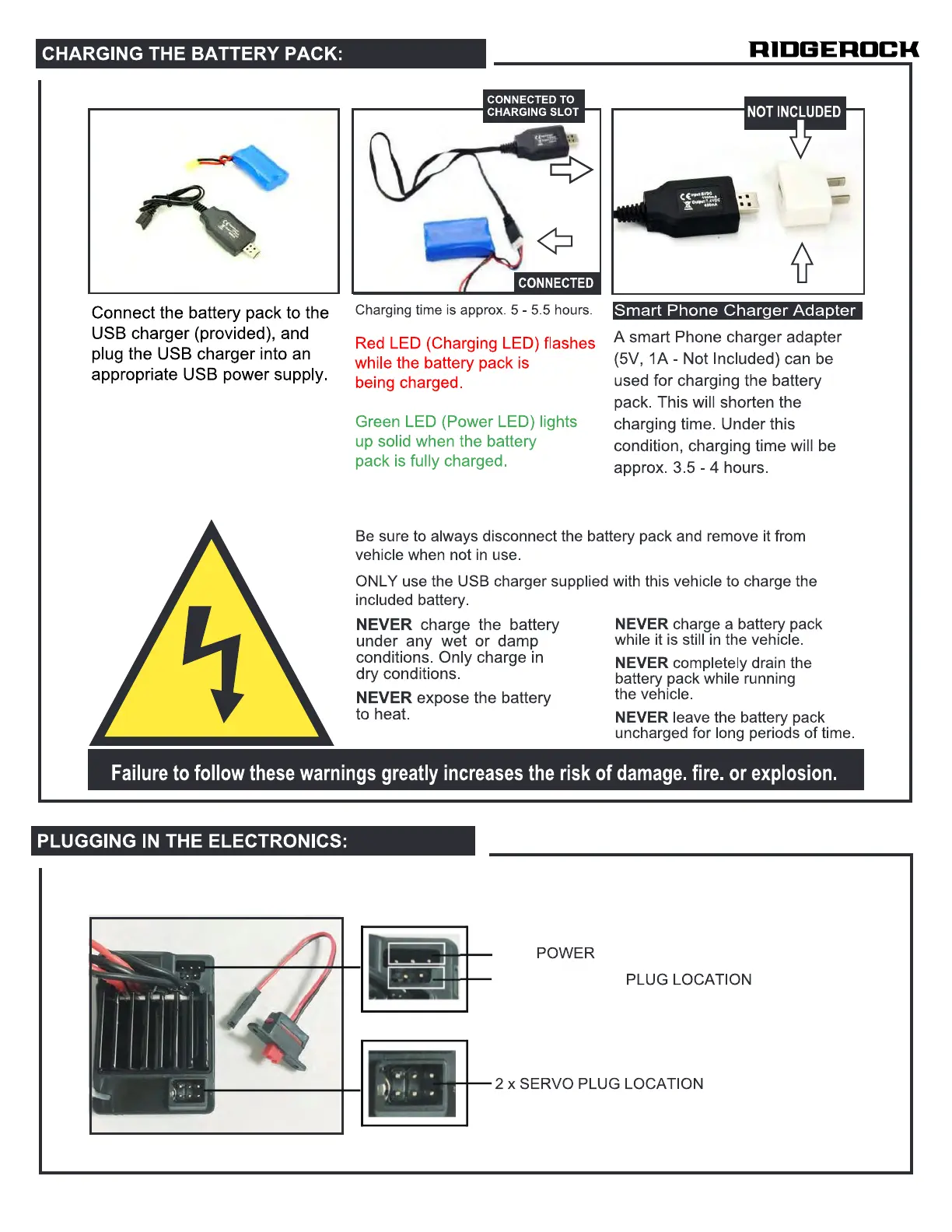
CHARGING THE BATTERY PACK:
Connect the battery pack to the
USB charger (provided), and
plug the USB charger into an
appropriate USB power supply.
CONNECTED TO
CHARGING SLOT
Charging time is approx. 5 - 5 5 hours.
Red LED (Charging LED) flashes
while the battery pack is
being charged.
Green LED (Power LED) lights
up solid when the battery
pack is fully charged.
RIDGEAOCK
NOT INCLUDED
Smart Phone Charger Adapter
A smart Phone charger adapter
(5V, IA - Not Included) can be
used for charging the battery
pack. This will shorten the
charging time. Under this
condition, charging time will be
approx. 3.5 -4 hours.
Be sure to always disconnect the battery pack and remove it from
vehicle when not in use.
ONLY use the USB charger supplied with this vehicle to charge the
included battery.
NEVER charge the battery
under any wet or damp
conditions. Only charge in
dry conditions.
NEVER expose the battery
to heat.
NEVER charge a battery pack
while it is still in the vehicle
NEVER completely drain the
battery pack while running
the vehicle.
NEVER leave the battery pack
uncharged for long periods of time.
Failure to follow these warnings greatly increases the risk of damage. fire. or explosion.
PLUGGING IN THE ELECTRONICS:
AUX. POWER CHANNEL
POWER SWITCH PLUG LOCATION
2 x SERVO PLUG LOCATION


 To Next Page
 Loading...