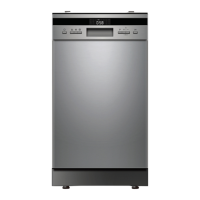
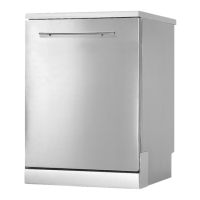
This document provides a comprehensive guide for the Daniela DANDW60MS 60cm Free Standing Dishwasher, covering its functions, technical specifications, usage, and maintenance.
Function Description:
The Daniela DANDW60MS is a free-standing dishwasher designed for household use, offering various washing programs and features to ensure efficient and thorough cleaning of dishes. It is equipped with an intuitive control panel for program selection, delay start, and child lock functions. The dishwasher is designed to accommodate 15 standard place settings, making it suitable for families. It features an upper and lower basket, along with a cutlery rack, all designed for optimal loading and washing performance. The appliance incorporates a filtering system to retain coarse debris and spray arms for water distribution. It also includes a rinse aid dispenser to improve drying performance and prevent water spots.
Important Technical Specifications:
- Manufacturer: Daniela
- Type / Description: DANDW60MS
- Standard Place Settings: 15
- Energy Efficiency Class: 3.5 stars
- Water Consumption Class: 4.5 stars
- Standard Cleaning Cycle: ECO
- Energy Consumption of Standard Cleaning Cycle: 0.75 kWh
- Water Consumption of Standard Cleaning Cycle: 12.7 liters
- Program Duration of Standard Cleaning Cycle: 195 minutes
- Noise Level: 49 dB(A) re 1 pW
- Mounting: Free Standing (Can be built-in)
- Power Consumption: 1760-2100W
- Rated Voltage / Frequency: AC 220-240V/50Hz
- Water Pressure (Flow Pressure): 0.04-1.0MPa (0.4-10 bar)
- Dimensions:
- Height (H): 845mm
- Width (W): 598mm
- Depth (D1, with door closed): 600mm
- Depth (D2, with door opened 90°): 1175mm
Usage Features:
- Switching On: Press the on/off button to power on the appliance.
- Detergent Dispenser: Consists of two compartments: a main compartment for tablets (used for each wash cycle) and a secondary compartment for rinse aid (to aid drying).
- Rinse Aid Reservoir: Fill with liquid rinse aid. The Low Rinse Aid indicator will light up when a refill is needed. The consumption can be adjusted from D1 to D5, with higher numbers indicating more rinse aid usage.
- Loading Baskets: Scrape off large food particles and soften burnt food. Load cups, glasses, pots, and pans downwards. Curved items should be loaded aslant for water runoff. Ensure all utensils are stacked securely and do not tip over. Avoid overloading. Very small items should not be washed in the dishwasher to prevent them from falling out.
- Upper Basket: Designed for delicate and lighter dishware. Its height can be adjusted by lifting or lowering the basket using the adjust handles on each side.
- Lower Basket: Suitable for large and difficult-to-clean items like pots, pans, and serving dishes. The spikes in the lower basket can be folded down to make room for larger items.
- Cutlery Rack: Cutlery should be placed separately in appropriate positions to avoid nesting and ensure good wash performance. Avoid allowing cutlery to poke through below the rack to prevent damage.
- Program Selection: Close the door and select the desired program. The dishwasher will start shortly after selection.
- Changing a Program: A running cycle can only be modified if it has been running for a short time. To change, press Start/Pause, then press and hold the Program button for more than 3 seconds to cancel. Select a new program and press Start/Pause.
- Adding a Forgotten Dish: Can be done before the detergent dispenser opens. Press Start/Pause, wait 5 seconds, open the door, add dishes, close the door, and press Start/Pause again.
- Control Panel Functions:
- Power: Turns the dishwasher on.
- Program: Selects washing programs (Auto, Intensive, Heavy, ECO, Glass, 90 min, Rapid).
- Alt (Half Load): Selects either upper or lower basket loading.
- Delay: Sets a delayed start for washing up to 24 hours.
- Child Lock: Locks control panel buttons (except Power) by pressing and holding Alt + Delay for 3 seconds.
- Function: Selects additional functions like Extra Cleaning (for very dirty dishes) and Extra Drying (for more complete drying).
- Start/Pause: Starts or pauses the selected washing program.
- Display: Shows remaining time, delay time, error codes, Rinse Aid indicator, and Water Faucet indicator.
- Wash Cycle Table: Provides optimal detergent and rinse aid levels for different washing loads, including program descriptions, running times, energy consumption, and water consumption.
Maintenance Features:
- External Care: Regularly clean door seals with a soft damp cloth to remove food deposits. Wipe the control panel with a soft damp cloth only. Do not use spray cleaners, abrasive cleaners, or scouring pads on outer surfaces.
- Internal Care:
- Filtering System: The filtering system in the base of the wash cabinet retains coarse debris. Check and clean filters regularly under running water. To clean, hold the coarse filter and rotate it anticlockwise, lift it out, then pull off the fine filter. Detach the coarse filter by gently squeezing tabs. Reassemble in reverse order.
- Spray Arms: Clean regularly to prevent clogging from hard water chemicals. To remove the upper spray arm, hold the nut and rotate the arm counterclockwise. To remove the lower spray arm, pull it upward. Wash arms in soapy, warm water and use a soft brush to clean jets.
- Protect Against Freezing: In winter, cut off electrical power, turn off water supply, disconnect and drain water from the inlet pipe and valve, then reconnect. Remove the filter at the bottom of the tub and soak up water in the sump.
- Removing the Plug: Always remove the plug before cleaning or maintenance.
- Cleaning: Use a cloth with warm soapy water for exterior and rubber parts. For interior spots/stains, use a cloth dampened with water and vinegar or a dishwasher-specific cleaning product.
- When Not in Use for a Long Time: Run an empty wash cycle, remove the plug, turn off water supply, and leave the door slightly open to prolong door seal life and prevent odors.
- Moving the Appliance: Keep it in a vertical position if possible; if necessary, it can be positioned on its back.
- Troubleshooting: The manual provides a table of common problems, possible causes, and solutions, including error codes (E1, E3, E4, E8, Ed) and their meanings.

 Need help?
 General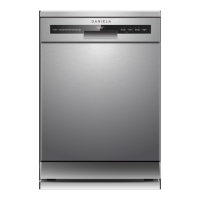

 To Next Page