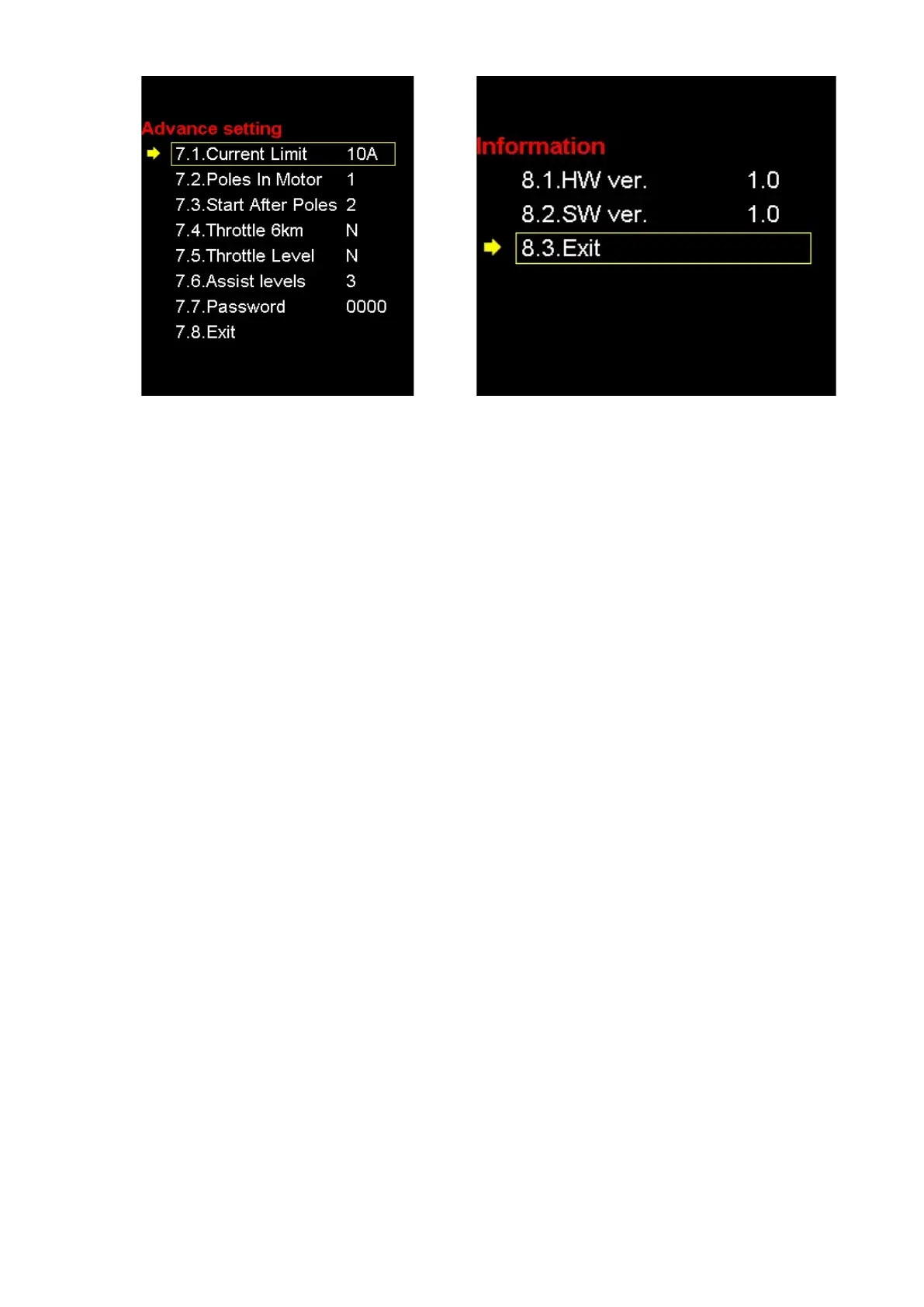
SET 7: Advance setting - Click SET - enter Advance
setting
SET 8: Information Displays current software and
hardware version, HW = hardware / SW = software
SET 9:Save & Exit:Click “SET” Set up information
will be saved and exit
When the bicycle is stationary for 5 minutes, the
system will go to sleep automatically.
Wire order definition
Red: Battery+
Blue: Weak lock
Black: Battery-
Green: UART-RECEIVE (RXD)
White: UART- SEND (TXD)
Common Problems and Solutions:
Q:Why the display will not POWER up?
A:Checking the cable connection between display and controller.
Q:How to deal with the error code?
A:Fix it to the maintenance place immediately. If cannot be resolved, you can go to the electric vehicle repair
points repair it in a timely manner.
Quality and Warranty
Any quality problems in normal case and in guarantee period, our company will responsible for the warranty
The warranty time is 18 months from date of purchasing.
Other items:
The following items are not belong to warranty scope
It cant be demolished
The damager caused by wrong installation or operation
Shell is broken when display is out of the factory
Wire is Broken
Force disaster (such as fire, earthquake, etc) or natural disasters like lightning etc caused by fault or damage
Beyond Warranty period.
Error Code Table:
9 definition
21 communication display receiving error
22 Current error
23 Throttle error(Start detection)
24 motor no phase position
25 Hall error


 To Previous Page
 Loading...