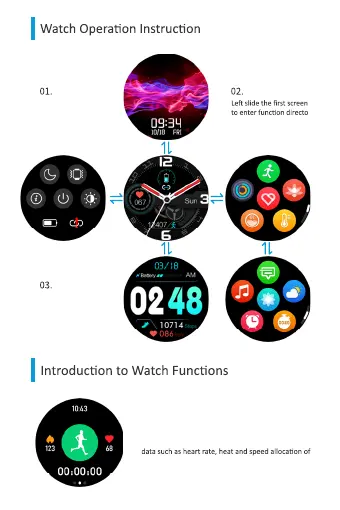
Slide up and down the
first screen to switch dial
styles
Right slide the first
screen to enter quick dis-
play page
-
ry page
Sports Modes
Through the mobile APP, you can choose 18 sports
modes at will, and up to 9 can be displayed. The
watch will synchronously display the corresponding
movement when the movement is started. You can
also pause or stop the movement.


 To Next Page