PASSAGE
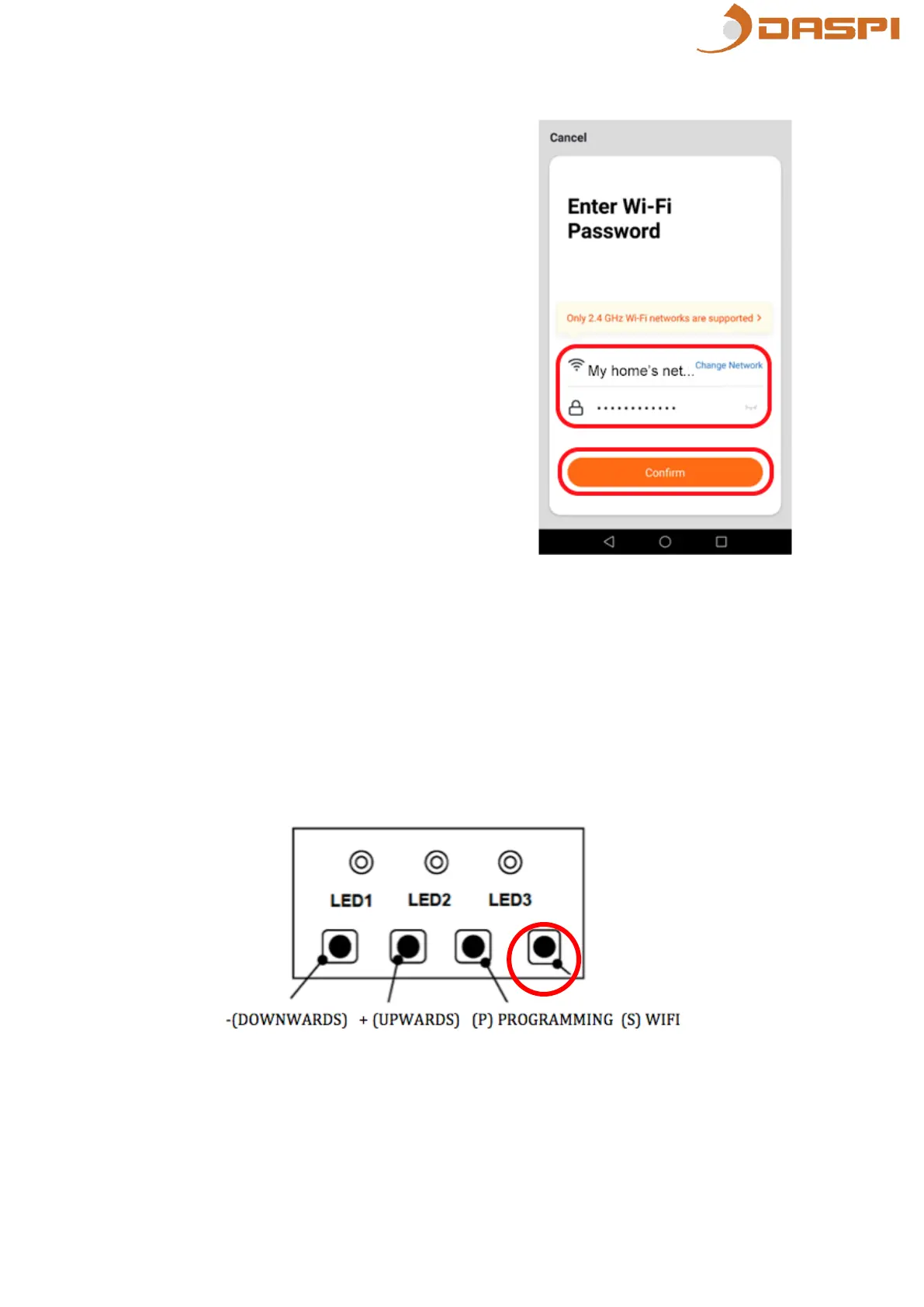
7. Connect the smartphone to the WiFi
network you will use to operate the
motor.
8. Select in the App the WiFi network
to use and type the passaword. Then
press “Confirm”.
9. Make sure the device is connected to the power supply and then press
the “S” button. The green LED will start flashing.


 To Next Page