ENG
11
Connecvity
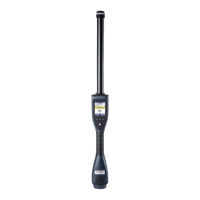
The AirSck can be connected to external devices via:
Both Keyboard wedge
and Virtual COM Port
proles are supported.
Data can be also
transferred from the
AirStick to a PC and
vice versa using a USB
memory stick.
When connected to a device, the AirSck can:
USB
(wired)
Bluetooth
®
(wireless)
● Send data to this device every me an EID is read
● Print session data by selecng the print funcon
For updated information on AirStick’s functionalities,
technical documentation and AirStick S-ID software, please
visit: www.datamars.com/id-readers.


 To Next Page