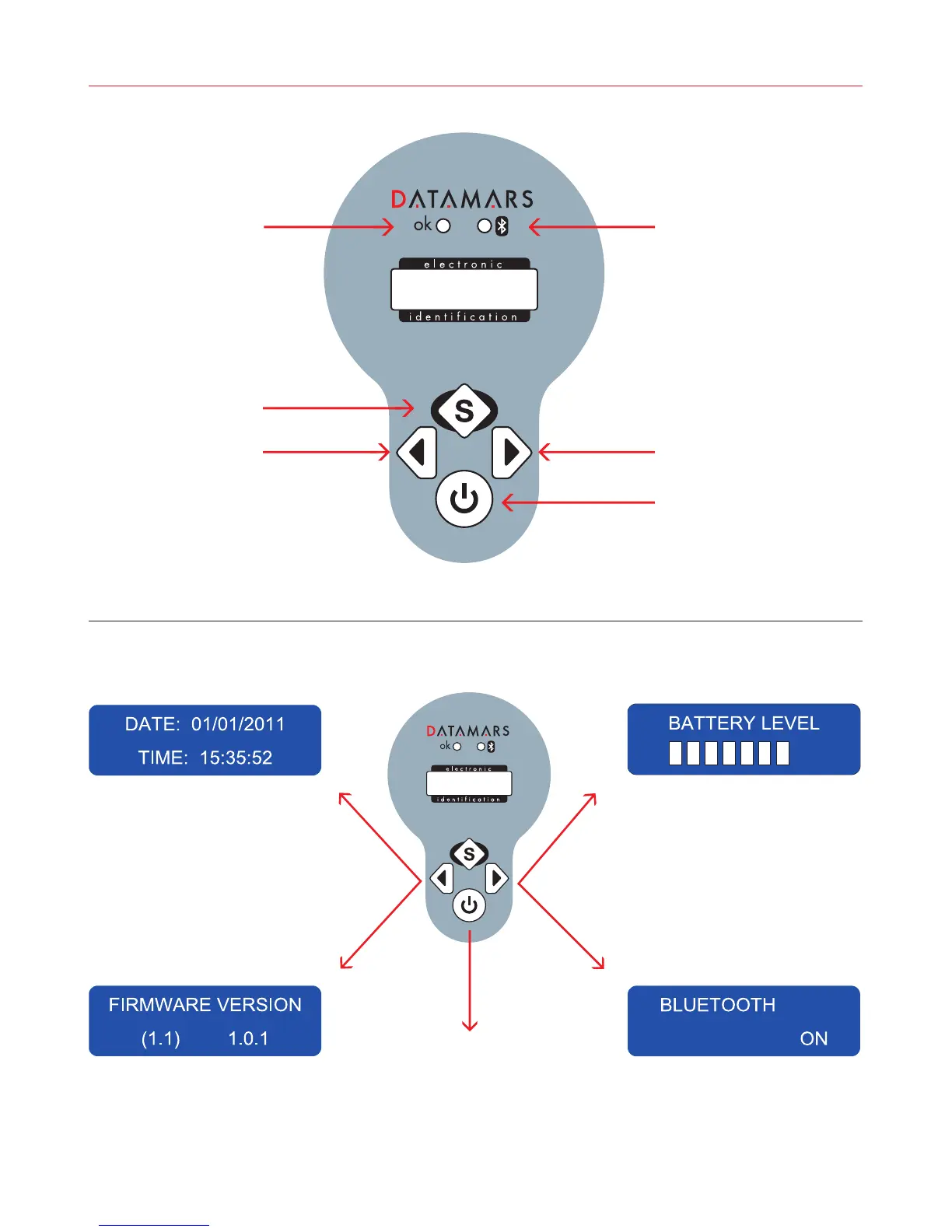
1 Control Panel
Status LED Light Bluetooth LED Light
Right arrow
ON/OFF and READ button
Select button
Left arrow
Clicking the left button
displays the date and time.
Holding down the On/Off
button for 2 seconds will
turn the unit off.
Holding the left button
down for 1 second displays
the firmware version.
Clicking the right button will
display the battery level.
Holding the right butto down
for 1 second turns Bluetooth
on or off and displays its
status.
Bluestick_EN_ES_IT
2


 To Next Page