Datascan,LP‐2210HuttonDrive,STE100‐Carrollton, Texas75006USA‐+18664414848
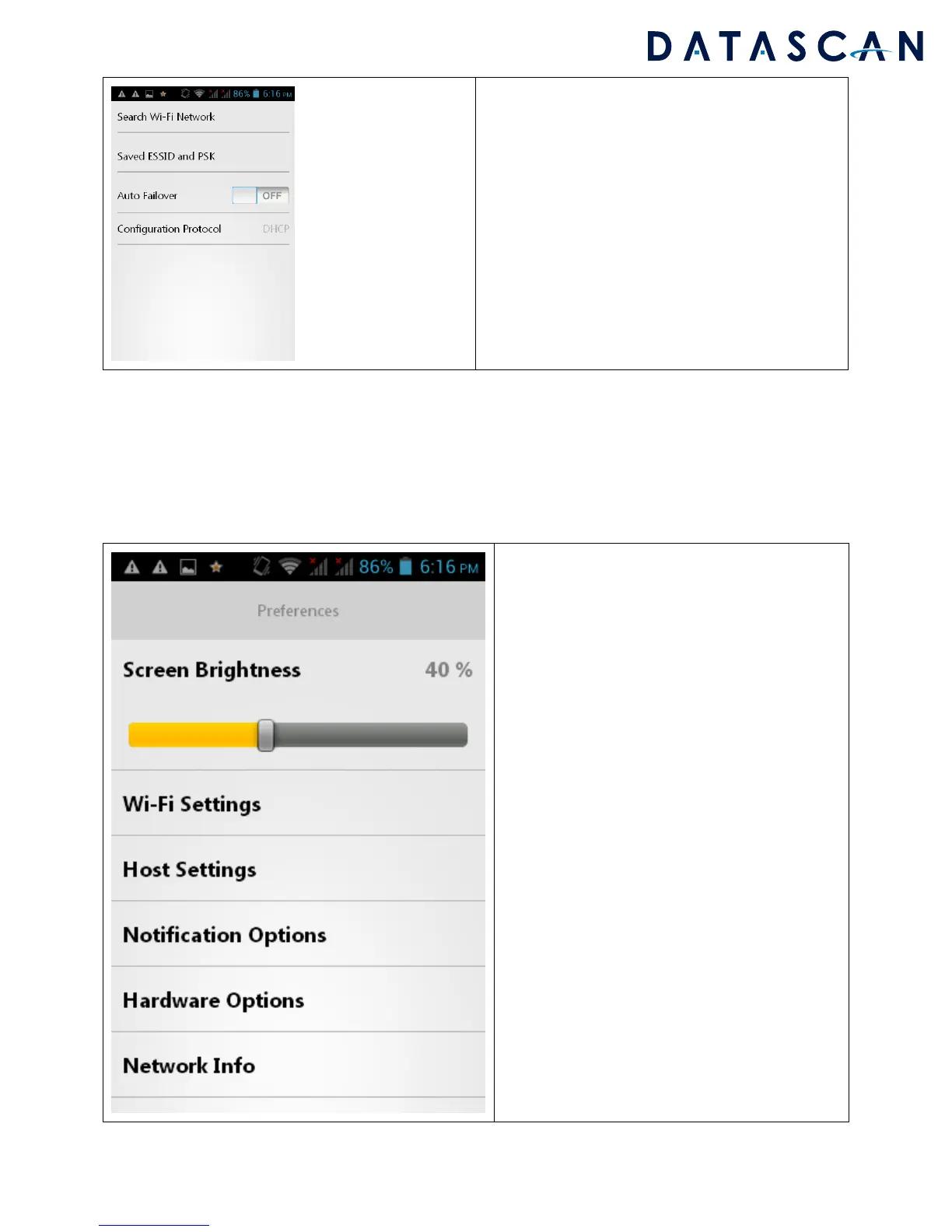
Tosearchforavailablenetworkstoconnect,hit
the“SeachWi‐FiNetwork”text.Ifyouwantto
connecttoalistofESSIDsthatarepreapproved,
selectSavedESSIDandPSK
MenuandPreferences
TheMenuandPreferencessectionallowsyoutoadjustthebrightness,scanbeeptone,vibration,and
otherscanningrelatedfeatures.
ScreenBrightness:
Adjustthescreenbrightnessofthedevice
Wi‐FiSettings:
AllowstheusertoconnecttodifferentWIFI
accesspoints
HostSettings:
Thisisonlyusedbyour
supportstaffifyouare
havingconnectionstooneofourhostservers
NotificationOptions:
Thisallowsyoutochangethescanbeep,
vibration,scanLED,etc..
HardwareOptions:
Thisshowshardwareinformationforthedevice
NetworkInfo:
CurrentstateoftheWIFInetwork
SKUFileInfo:
Versionanddate
ofthevalidationfile
SoftwareVersions:
Allsoftwareversionnumbersonthedevice



 To Next Page