6
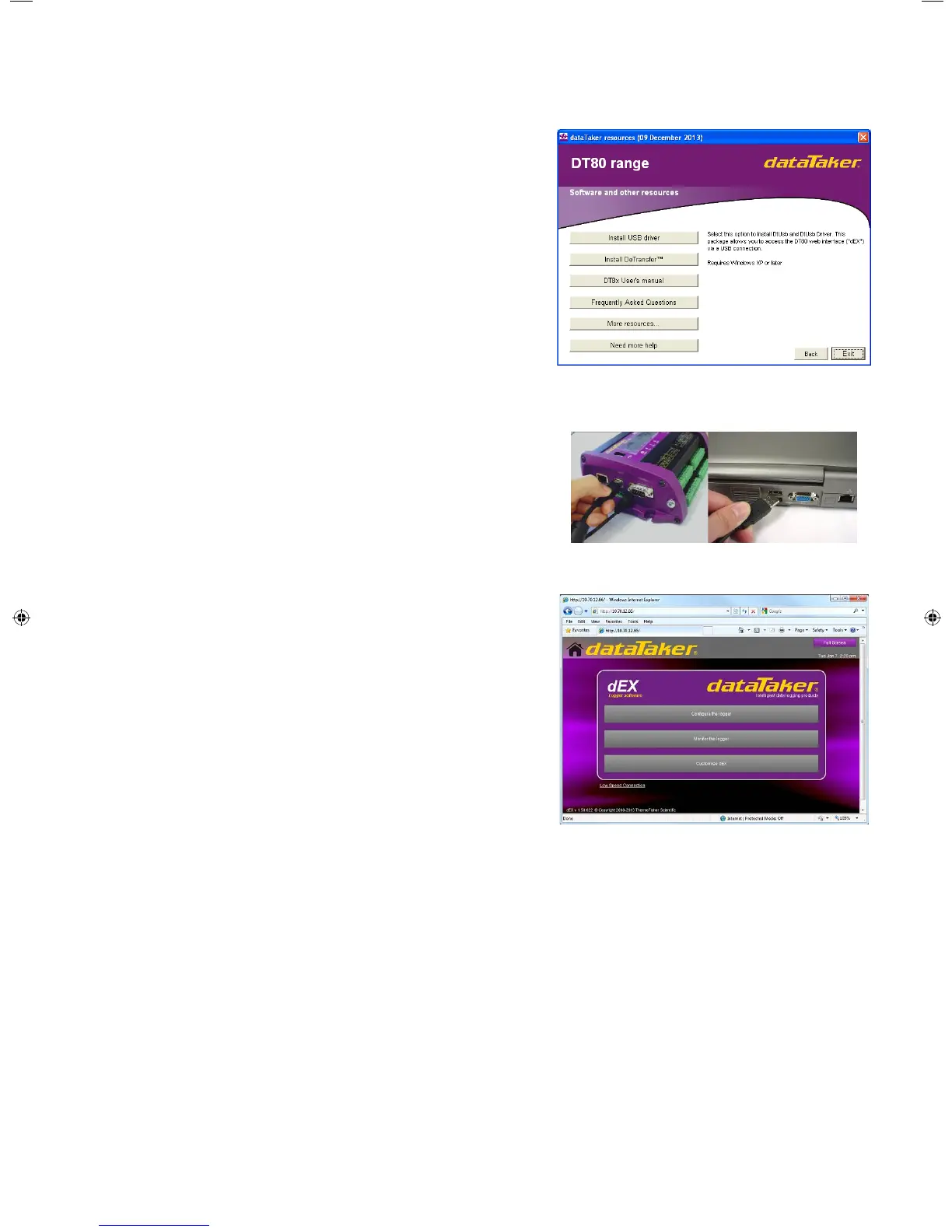
Select “Install USB driver”
Click on the “Install USB driver…” button to install the USB drivers for
use with the logger. The installer will guide you through this process.
Once fully installed proceed to the next step.
7
Connect USB cable
Connect the USB communications cable to the logger and your
computer.
8
dEX starts automatically
Shortly after connecting the USB communications cable the built-in
logger software, dEX, will start automatically.
Please refer to the User’s Manual, available on the help pages in dEX
or on the supplied dataTaker USB stick, to learn more about using
your data logger. Explore the help pages and resource files for further
information and resources.
© 2011 Thermo Fisher Scientific Australia Pty. Ltd. ABN 058 390 917 IS-0051-B3
Select “Install USB driver”
Click on the “Install USB driver…” button to install the USB drivers for
use with the logger. The installer will guide you through this process.
Once fully installed proceed to the next step.
Connect USB cable
Connect the USB communications cable to the logger and your
computer.
dEX starts automatically
Shortly after connecting the USB communications cable the built-in
logger software, dEX, will start automatically.
Please refer to the User’s Manual, available on the help pages in dEX
or on the supplied dataTaker USB stick, to learn more about using
your data logger. Explore the help pages and resource files for further
information and resources.
© 2014 Thermo Fisher Scientific Australia Pty. Ltd. ABN 058 390 917
IS-0051-B3
TF_DT80_DatatakerSheet.indd 2 17/01/14 12:28 PM


 To Previous Page
 Loading...
