EN
SPL2(TS) and SPL3(TS) user manual Operation
11
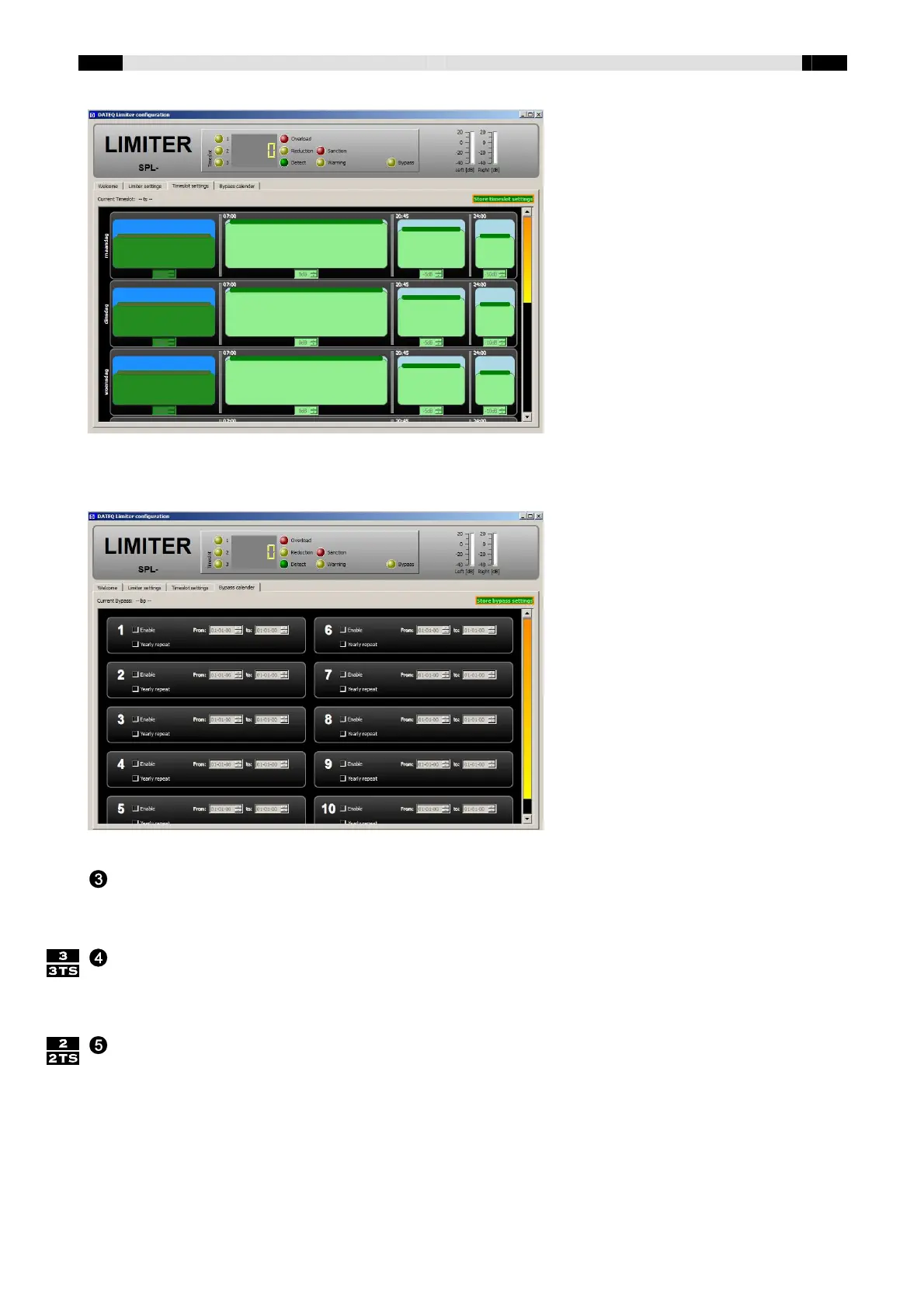
The next screen allows the programming of “bypass periods”
Bypass-switch. The mentioned bypass periods can also be set manually with the aid of the
bypass switch behind the left cover. Leave the right cover under seal when setting the limiter in
bypass-mode. This way the limiter doesn't have to be recalibrated after each special event.
Mic-switch. Mic-switch pressed: limiter with the aid of the measuring microphone. Mic-switch
released: the measuring microphone is unused. This means that the live-mode can not be used.
N.B.: after switching mode, the limiter needs to be recalibrated!
Output Level adjustment. With this trimmer the maximum allowed sound pressure level can be
set. Apply signal to the input of the limiter (preferably white noise), so that the threshold will be
crossed (DETECT and REDUCTION-LED are on). Adjust the OUTPUT LEVEL so that sound level
will be the maximum allowed level. Note that the threshold should be set prior to the output level.


 To Next Page
 Loading...