20
4 – Digital mode for metering input
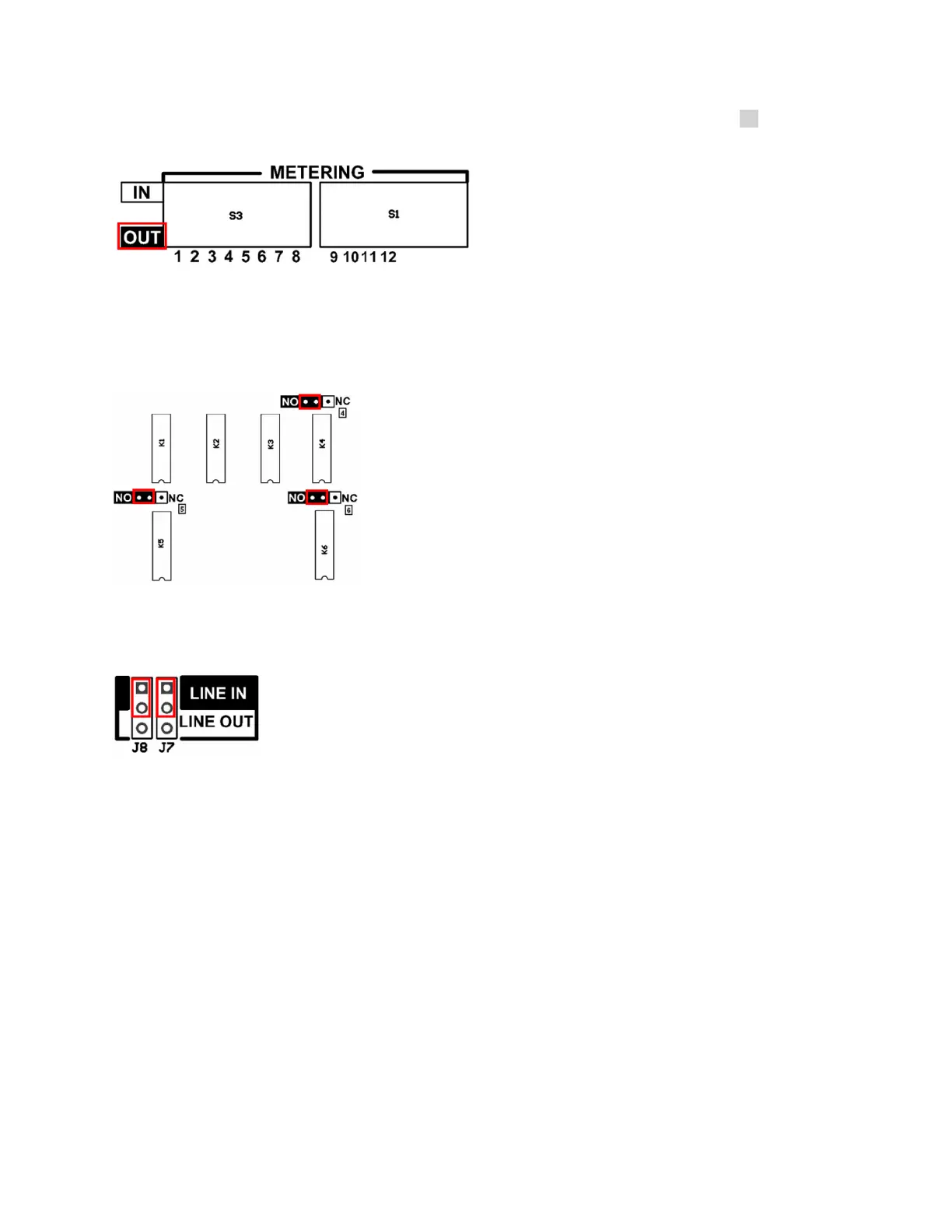
The DIP switches S3 and S1 set an internal pull-up resistor on the metering input. When the METERING DIP
Switches are in the IN position, the selected metering inputs are now usable as status input. To work properly, it’s
necessary to place the VOLTAGE RANGE jumper of the selected metering inputs in the 5V position. When the
selected inputs are open circuit, the metering inputs show approximately 2V (High).
5 – Relays
Relays 4, 5 and 6 can be SPST Form A or B. Place the jumper in NO position to have an SPST Form A relay or in
NC position to have an SPST Form B relay. By default, the three relay jumpers are in NO position.
6 – Audio IN/OUT
These two jumpers configure the back-panel audio connector as either an input or an output. By default, the two
jumpers are set for input operation.



 To Next Page