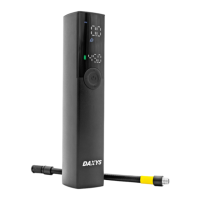
Daxys Smart Folding Lock
USER MANUAL
Index
Specification......................................3
Add the Lock on Your Phone.............4
Unlock by App...................................6
Procedure Before Settings................7
Modify Administrator information.......8
User Setting......................................14
Delete User.......................................17
Check Unlock Records.....................18
Modify Device Name........................19
Remote Unlock.................................20
Specification
2. Fingerprint
Download App “SmartLock-Gold” from App store (IOS) or
Google→Android market .
Add the Lock on Your Phone Via Bluetooth and App
Add the Lock on Your Phone Via Bluetooth and App
Step 1. Turn on Bluetooth on your phone.
Step 2. Touch fingerprint panel on the lock to wake up the lock.
Step 3. Open App “SmartLock-Gold”→Click “Add”→Find the Lock
→Click the lock name→Connected.
Unlock by App
Step 1. Turn on Bluetooth on your phone.
Step 2. Touch fingerprint panel on the lock to wake up the lock.
Step 3. Click the lock icon to connect the lock. After it is connected the
battery status will appear. (When the lock is on low power charge it)
Step 4. Click the lock icon put in the password to open the lock. Only
put in password for initial use. Original password is 88888.
Procedure Before Settings
Step 1. Turn on Bluetooth on your phone.
Step 2. Touch fingerprint panel on the lock to wake up the lock.
Step 3. Click the lock icon to connect the lock→Settings→Enter the
admin password(Original admin password is 666666.)→Click “OK”.
Modify Administrator Information
Step 1. Click “Administrator settings”. Step 2. Click “Administrator password settings” to reset administrator
password. (Remember the new password.)
Step 3. Click “Unlock password setting” to set unlock password.
Please enter the admin password→Please enter a new password
→Please enter your new password again→Ensure.
(Remember the new password.)
Step 4. Click “Fingerprint No.1 setting” to set administrator’s fingerprint.
Press and lift your finger on fingerprint panel of the lock according to the
instructions on the phone.
2


 To Next Page
 Loading...