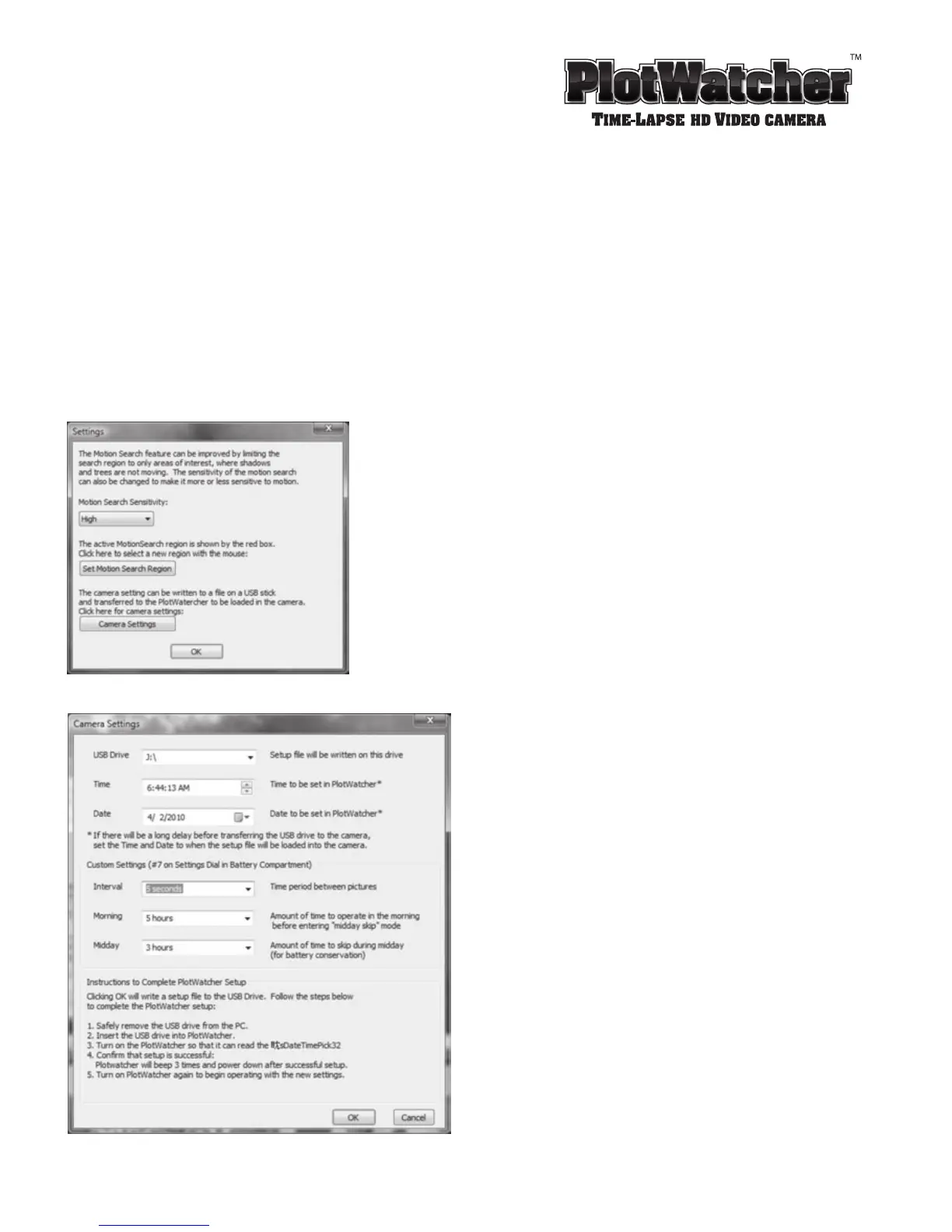
6. Safely remove the USB from the PC. (First, click on the device icon in your menu bar tray and
select “Safely remove USB storage.” Then, physically remove the device from the PC).
7. Insert the USB into the PlotWatcher.
8. Turn on the PlotWatcher so that it can read the setup file.
9. Confirm that setup is successful: PlotWatcher TLV camera will beep 3 times and power down
after successful setup.
10. PlotWatcher is now ready for operation with the new settings.


 To Next Page