9
Wire harness
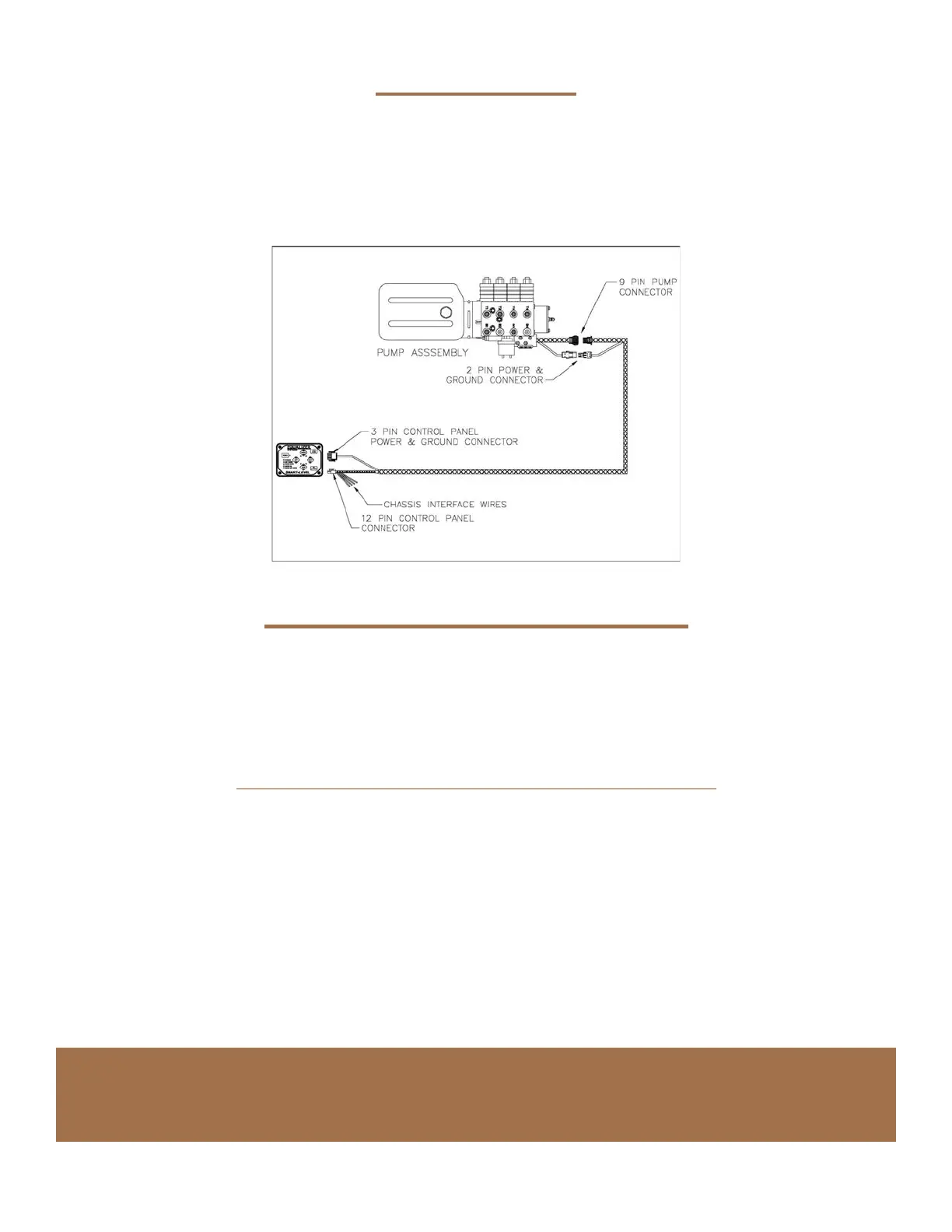
Route the wire harness from the pump assembly to the area where the control panel is to be mounted.
• The harness needs to be routed away from moving objects, sharp edges, and high heat sources.
• Use wire ties and/or loom clamps to secure in place.
• The end with the 9-pin and 2-pin connector goes to the pump assembly. (See the drawing for the layout.)
• Connect the harness connectors to the matching connectors at the pump assembly.
EQ Smart-Level Control Panel
Fasten control panel (vertically or horizontally) in desired location.
• It may not function well right at 45 degrees.The most accurate will be right at horizonal (0 degrees)
or vertical (90 degrees).
• It may be mounted on any surface regardless of its orientation to the front of the vehicle
Examples: on the center console, vertical wall, cabinet wall or other rm structure.
• The control panel is not waterproof therefore it must be in an interior location or compartment
protected from the elements and spill areas.
• Attach the supplied wire harness between the Control Panel and the location of the pump assembly.
• There are two connectors, one is a 12-pin double row and the other is a 3-pin, which is the power
and ground feed for the control panel.
• There may be additional optional connectors that are not used for most installations. There may be
additional wires breaking out of this harness, they are discussed on page 10 in chassis interface.
• The control panel must be rmly mounted to a surface that ‘reacts’ with the coach during leveling.
The Auto Level function requires this as the leveling sensors are located inside of the control panel.
A set up process known as Orientation Program followed by setting the Null
(described later) must be performed. If these steps are not completed the Auto Level function will not
operate properly. See orientation and null settings for these processes.



 To Next Page
 Loading...