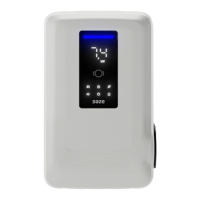
DAZEBOX
20.
C
IT
Qualora non fosse possibile congurare DazeBox C
tramite App, è possibile effettuare la congurazione
iniziale anche tramite interruttori su scheda. Questa
congurazione è da effettuare quando DazeBox C
non è alimentata.
1. Servirsi dello schema a lato individuando lo
scenario di utilizzo di DazeBox C da parte
dell’utente e le caratteristiche dell’impianto
elettrico (monofase o trifase).
2. Individuare la tabella corretta tra quelle se-
guenti (scelta tramite lo schema).
3. Agire sui 10 interruttori del selettore situato
in alto a sinistra della scheda elettronica (si
veda gura in alto) seguendo le combinazioni
della tabella. Le tabelle riportano due pos-
sibili valori associati a ciascun interruttore:
0: levetta in basso / 1: levetta in alto.
Nota: una volta che i parametri vengono modicati tramite app
DazeBox C non considera più eventuali modiche delle congurazioni
degli interruttori ma fa solo riferimento a quanto congurato via app.
FR
Si la conguration de DazeBox C via l'application
n'est pas possible, il est également possible d'ef-
fectuer la conguration initiale via les interrupteurs
sur la carte. Cette conguration doit être effectuée
lorsque DazeBox C n'est pas alimentée.
1. Utilisez le schéma à côté pour déterminer le
scénario d'utilisation de DazeBox C par l'utili-
sateur et les caractéristiques de l'installation
électrique (monophasée ou triphasée).
2. Identiez la table correcte parmi celles qui
suivent (choisie à l'aide du schéma).
3. Agissez sur les 10 interrupteurs du sélecteur
situé en haut à gauche de la carte électroniq-
ue (voir la gure en haut) en suivant les com-
binaisons de la table. Les tables indiquent
deux valeurs possibles associées à chaque
interrupteur: 0: levier en bas / 1: levier en haut.
Note: Une fois que les paramètres ont été modiés via l'application,
DazeBox C n'acceptera plus de modications des congurations des
interrupteurs, mais se référera uniquement à ce qui a été conguré
via l'application.
EN
If it is not possible to congure DazeBox C via the
App, the initial conguration can also be made
via tab switches. This conguration is performed
when DazeBox C is not powered.
1. Use the diagram to the side identifying the
scenario of use of DazeBox C by the user and
the characteristics of the electrical system
(single-phase or three-phase).
2. Find the correct table among the following
(chosen through the scheme).
3. Act on the 10 switches of the switch loca-
ted at the top left of the electronic board
(see gure above) following the combina-
tions of the table. The tables show two pos-
sible values associated with each switch:
0: bottom lever / 1: Top lever.
Note: Once the parameters are changed via the DazeBox C app, it no
longer considers changes to the switch congurations, but only refers
to what is congured via the app.
DE
Falls die Konguration von DazeBox C über die
App nicht möglich ist, kann die Erstkonguration
auch über die Schalter auf der Platine durchgeführt
werden. Diese Konguration sollte erfolgen, wenn
DazeBox C nicht mit Strom versorgt wird.
1. Verwenden Sie das nebenstehende Schema,
um das Szenario für die Verwendung von
DazeBox C durch den Benutzer und die Eigen-
schaften der elektrischen Installation (einpha-
sig oder dreiphasig) zu bestimmen.
2. Identizieren Sie die richtige Tabelle aus den
folgenden (ausgewählt anhand des Sche-
mas).
3. Steuern Sie die 10 Schalter des Schalters
oben links auf der Leiterplatte (siehe Abbil-
dung oben) entsprechend den Kombinatio-
nen aus der Tabelle. Die Tabellen geben zwei
mögliche Werte für jeden Schalter an: 0: He-
bel unten / 1: Hebel oben.
Hinweis: Nachdem die Parameter über die App geändert wurden,
berücksichtigt DazeBox C keine weiteren Änderungen an den Schal-
terkongurationen, sondern bezieht sich ausschließlich auf die über
die App vorgenommene Konguration.


 To Next Page
 Loading...