dBR-D1 Voice Recorder
9
repeating.
Press “M” again to cancel "A-B" playback.
Once selected, it will repeat and play back the
A-B interval
Press “M” again to cancel.
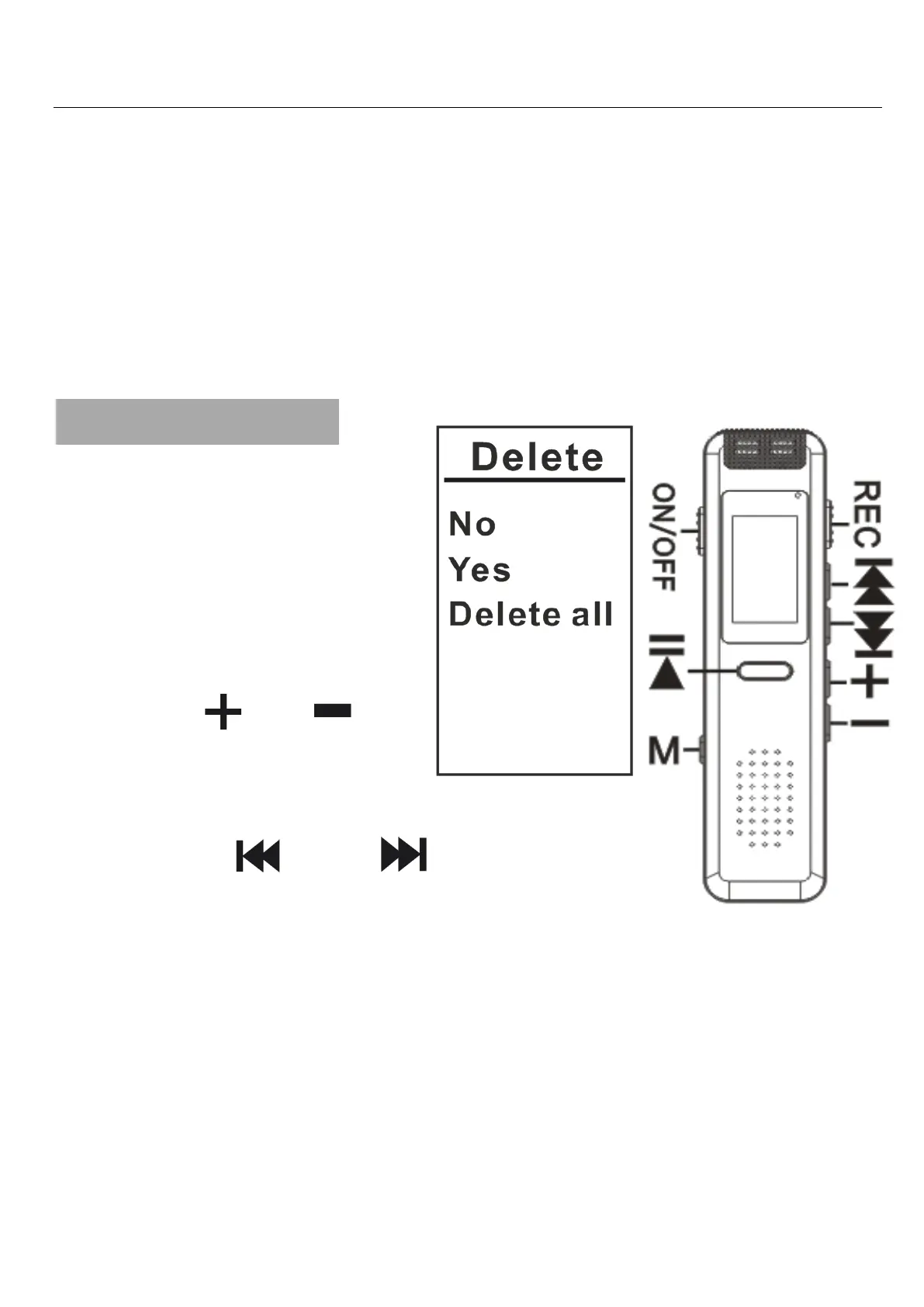
9. Deleting Files
When the recorder
is in standby mode
(not playing a file),
select the file you
want to delete, hold
down “ ”or “ ”key
to enter the Delete
screen.
Press " " or " " buttons to
select “No”/“Yes”/“Delete all”.
Press PLAY to confirm your choice.
“No”:Cancel the Delete process.
“Yes”:Delete a single file.
“Delete all”:Delete all files in folder.
Press the PLAY button to confirm.


 To Next Page