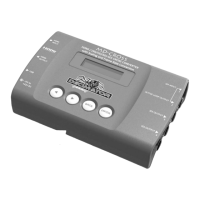
MD‐CROSSOPERATINGMANUALVERSION1.0
Copyright©2013DecimatorDesignPtyLtd,Sydney,Australia
14
TextOverlays:(HasSUB‐MENUs)
Text Overlays
Enable
Off
MainMenu <==
SubMenu
ParameterWindow
WhenhighlightedintheMainMenu,presstheENTERbutton toenterthissub‐menu.
Pressthe<and>buttonstomoveleftorrightrespectivelythroughthe9menusbelowandpressthe
BACKbuttontogobacktotheMainMenuwhenfinished.
Thecurrentvalueforeach
SubMenuisshownintheParameterWindow.
1.TextOverlays/Enable(Parameter)
Thisenablestheon‐screentext(UMD).
Whenthesubmenuishighlighted,pressENTERtotogglethroughthefollowingselections:
1.) Off
2.) On
2.TextOverlays/Foreground(HasSUB‐MENUwithparameter)
Thisistheforegroundcolouroftheon‐screentext.
Whenthesubmenuishighlighted,pressENTERtotogglethroughthefollowingselections:
1.None 10.Black(Transparent25%) 19.Blue(Transparent0%)
2.Black(Transparent50%) 11.Blue(Transparent25%) 20.Green(Transparent0%)
3.Blue(Transparent50%) 12.Green(Transparent25%) 21.Cyan(Transparent0%)
4.Green(Transparent50%) 13.Cyan(Transparent25%) 22.Red(Transparent0%)
5.Cyan(Transparent50%) 14.Red(Transparent25%) 23.Magenta(Transparent0%)
6.Red(Transparent50%) 15.Magenta(Transparent25%) 24.Yellow(Transparent0%)
7.Magenta(Transparent50%) 16.Yellow(Transparent25%) 25.White(Transparent0%)
8.Yellow(Transparent50%) 17.White(Transparent25%)
9.White(Transparent50%) 18.Black(Transparent0%)
3.TextOverlays/Background(HasSUB‐MENUwithparameter)
Thisisthebackgroundcolouroftheon‐screentext.
1.None 10.Black(Transparent25%) 19.Blue(Transparent0%)
2.Black(Transparent50%) 11.Blue(Transparent25%) 20.Green(Transparent0%)
3.Blue(Transparent50%) 12.Green(Transparent25%) 21.Cyan(Transparent0%)
4.Green(Transparent50%) 13.Cyan(Transparent25%) 22.Red(Transparent0%)
5.Cyan(Transparent50%) 14.Red(Transparent25%) 23.Magenta(Transparent0%)
6.Red(Transparent50%) 15.Magenta(Transparent25%) 24.Yellow(Transparent0%)
7.Magenta(Transparent50%) 16.Yellow(Transparent25%) 25.White(Transparent0%)
8.Yellow(Transparent50%) 17.White(Transparent25%)
9.White(Transparent50%) 18.Black(Transparent0%)
4.TextOverlays/Text(Parameter)
Thisistheon‐screentexttodisplay.ThedefaulttextisDECIMATORDESIGN.
Whenselectedinthesubmenu,theCharactersaredisplayedintheParameterWindow.
Whenthesubmenuishighlighted,pressENTERtoenterthissub‐menu.Thefirstcharacterwillbe
highlighted.
Movethecursorright
bypressingtheENTERBUTTON.Thecursorwillgobacktothestartoftheline
whenitreachestheend.
Usethe<or>BUTTONtochangethehighlightedcharacter.
Acentredotindicatesanendoflinecharacter.
PresstheBACKbuttontoleavethisSUB‐MENU.


 To Next Page
 Loading...