~2h
1x 3x 4x
2x
Auto
ON
Wake up your sonar
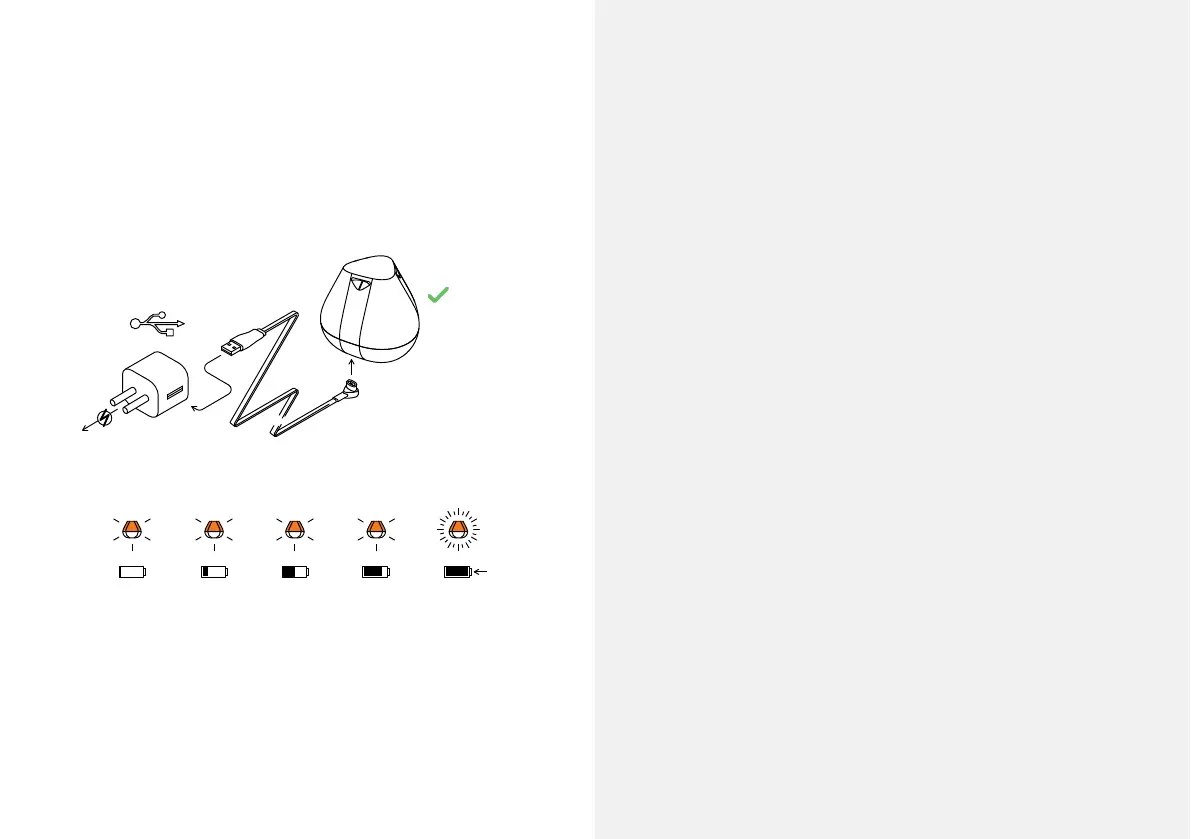
Connect your Deeper Sonar to a USB power source using
the cable included. For charging please use a standard
smartphone or tablet charger, or connect the cable to
your personal computer or the USB outlet of another
device.
When you connect your Deeper START to a power source,
it automatically turns on. An orange light will ash in
intervals to show the device is charging. The speed and
number of ashes indicates the status of the battery.
– One ash means the battery is low but charging,
– Two ashes means 25% charged,
– Three ashes means 50% charged,
– Four ashes means 75% charged,
– A constant light means the battery is fully charged.
3



 To Next Page