you see a thick arc or line when using this beam - the fish is definitely big. Narrow beams cover a smaller
area, so it may be harder to locate the general presence of fish.
Note: Narrow beams are very sensitive to water disturbances, so you may see visual artifacts if there are a lot of
waves.
Fish Icons: OFF
Sensitivity: 70-100%, but can be reduced if the water is murky, or if you're targeting big fishes only.
ⓘ When locating fish, use the Wide beam first to find the general location of fish, then switch to a Narrow beam and
scan that area a few times to get the exact location and the size of fish.
ⓘ When using Wide beam, fish arches/lines will look much thicker, compared to when you use a Narrow beam. It is
better to use Narrow beam for a more precise evaluation of the fish size.
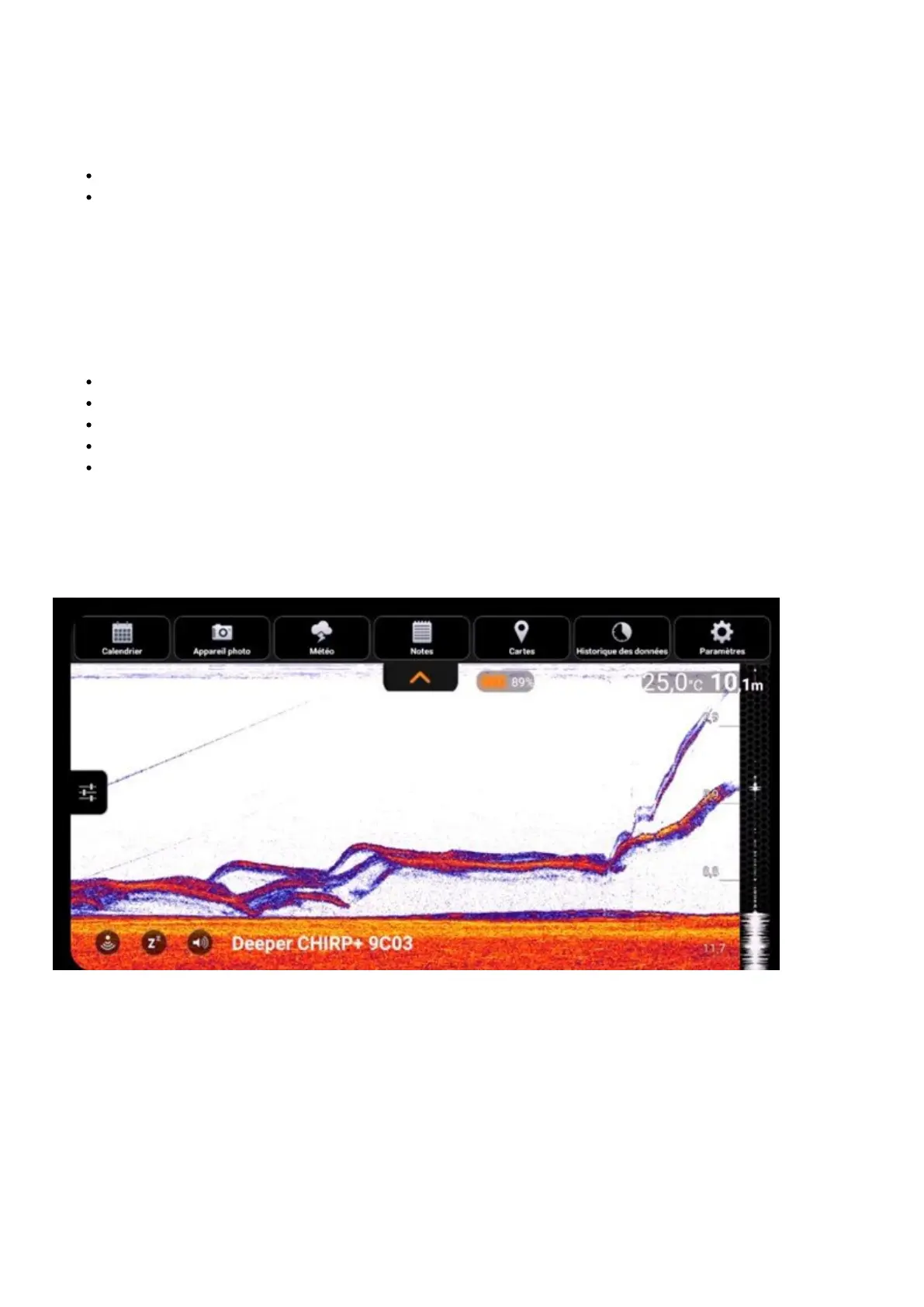
Some important things to remember about fish arches:
You will only get arches from moving fish (or if your sonar is moving over them).
If your sonar and the fish are both stationary, you will see a line, not an arch.
You will only get a full arch if the fish moves through the full sonar beam.
If a fish swims through part of your cone, it will show as a half-arch or a thick dash – look out for these.
Longer lines can indicate a more active fish that moves rapidly under the sonar cone, while shorter arches
may indicate that fishes are less active
Examples of fish scans


 To Next Page
 Loading...
