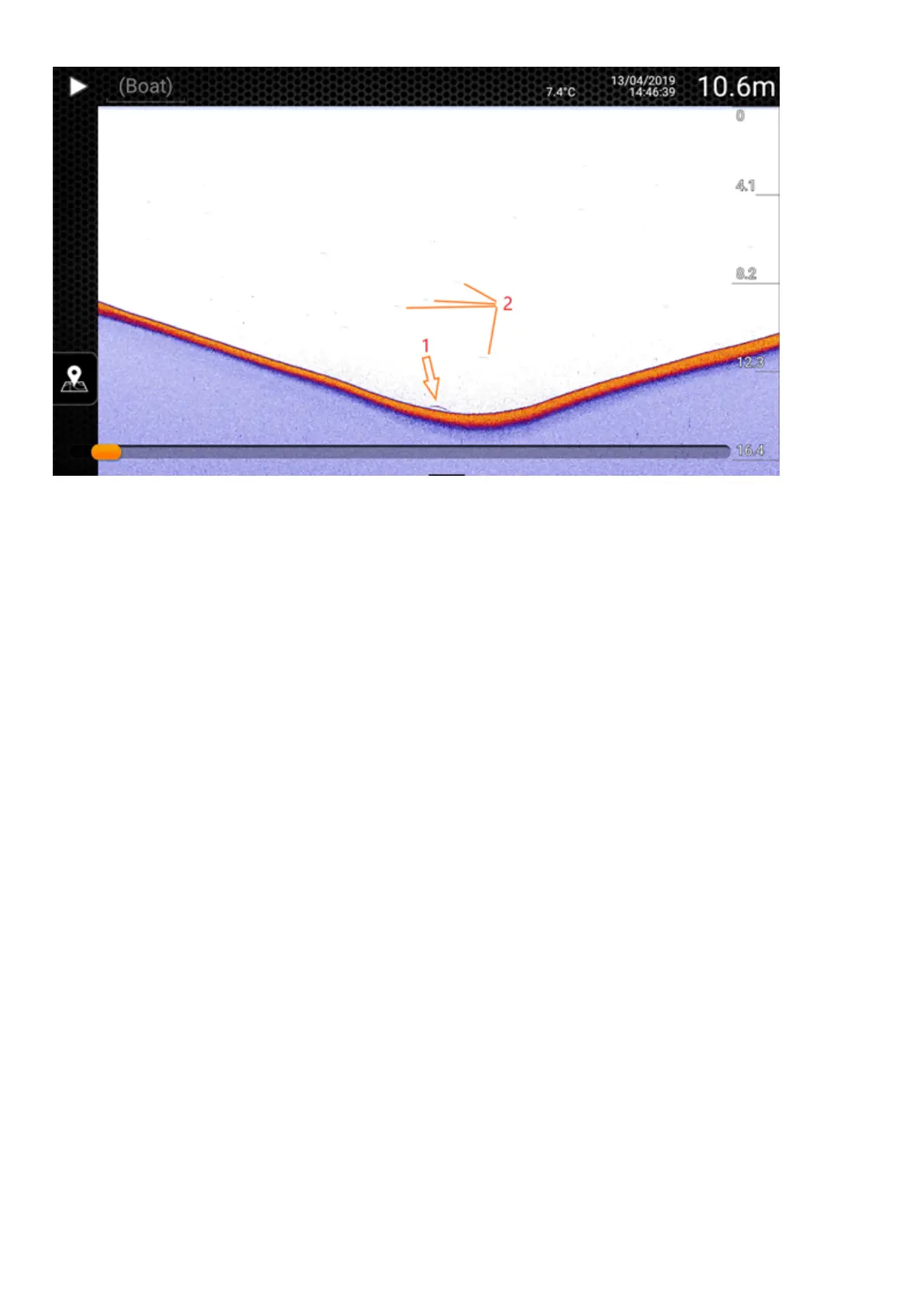
Zander (walleye) on the bottom of a hole. You can see a small arch of a zander (1), and hardly visible smaller
arches above it - those represent smaller fishes.
Model: Deeper CHIRP
Beam: High
Color mode: Day
Sensitivity: 100%
Connection issues with the Deeper 3.0’s Bluetooth
connection
Firstly, please bear in mind that the connection range of 40 m (130ft.) is the maximum range the Deeper 3.0 can
achieve, and this range is only achievable in very good conditions and a smartphone / tablet that has a strong
reception antenna. Conditions like bad weather, or using an incorrect attachment position, may reduce the
connection range.
First, check that you are holding your smartphone correctly and not covering its Bluetooth antenna. Positioning of
the Bluetooth antenna may vary depending on the model of your smartphone / tablet. Do not keep your
smartphone on the ground or in your pocket and remove any smartphone cases.
Make sure that your Deeper App is up to date. If you’re using the latest version of the app and it fails to connect to
your Deeper even though you have successfully established a Bluetooth connection previously, please follow these
steps:
Remove (Forget) Deeper from your smartphone's Bluetooth devices.
1.
Restart your phone;
2.
Connect your Deeper to a charger;
3.
Pair your Deeper with your smartphone again.
Please also note that it is only possible to connect to your Deeper using one smart device at a time. This means it
will be impossible to connect to a Deeper Sonar if it is already connected to another phone or tablet. To switch off


 To Next Page
 Loading...
