itself scans about 15 times per second, this is why most data lines are without coordinates.
ⓘ
It is only possible to export data that was created in Boat or On-shore GPS modes. Recordings made
using Standard and Ice Fishing modes contain only the sonar data, which cannot be exported.
Basics for Boat and Kayak fishing with Deeper
(Deeper PRO/CHIRP models)
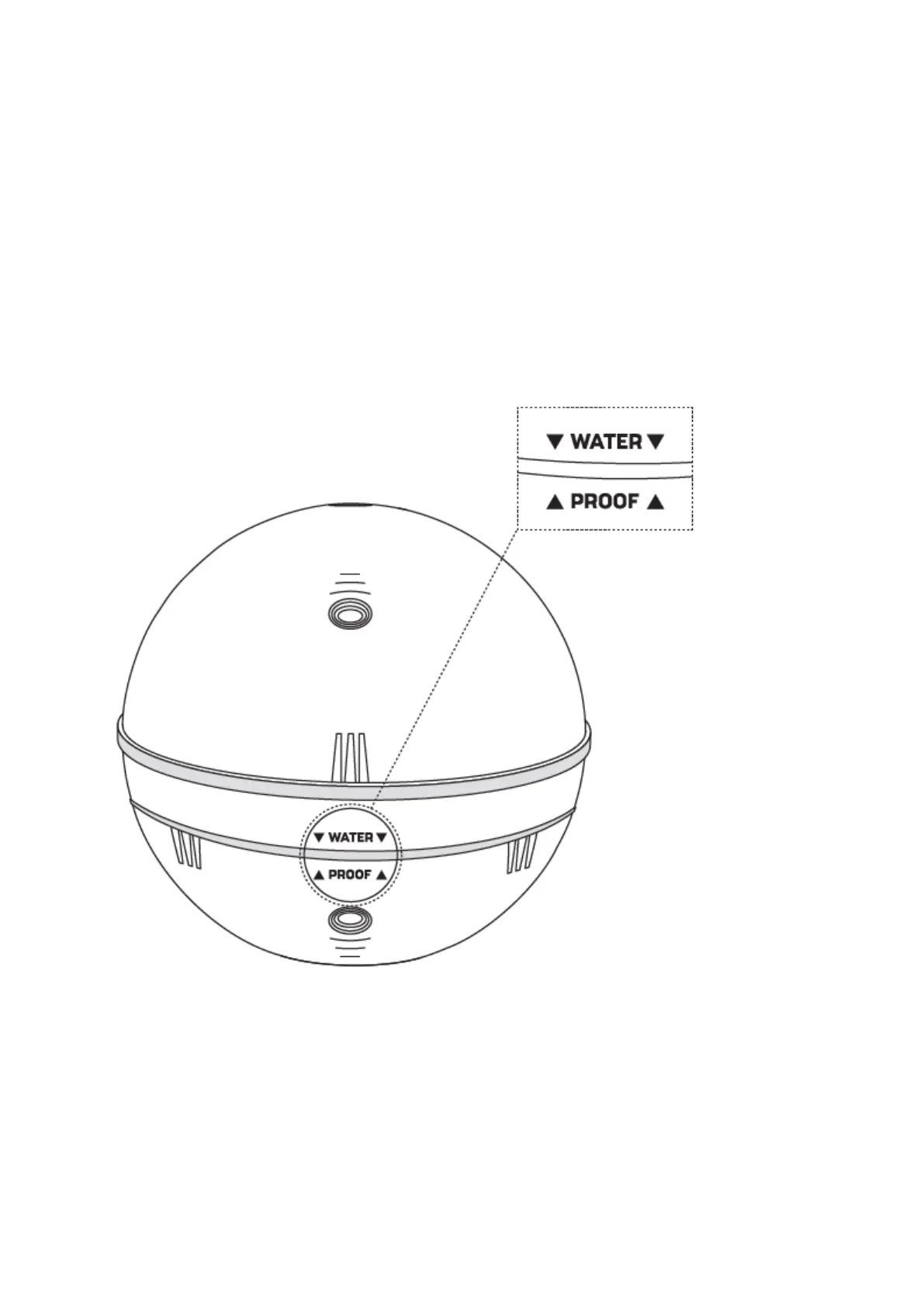
Make sure your sonar is water-proof. If you are using Deeper CHIRP or PRO models, always make sure the top
cover of your Deeper is attached properly. ‘Water’ and ‘Proof’ marks should align perfectly.
1.
Put the capon the Deeper case by aligning the waterproof marks, but don't screw it just yet;
2.
Carefully screwcounterclockwise till it dipsin;
3.
As soon as it dips, start screwing clockwise. Close it tightly until the “water proof” marks align perfectly.
Initial connection:
1.
Put your Deeper Sonar in the water. We recommend using Deeper Flexible Arm Mount when using your
Deeper with a boat or kayak.
2.
Go to the Wi-Fi connections (settings) of your smartphone. In the list of available Wi-Fi connections, find your
Deeper Sonar and connect to it. If it asks for a password – it’s 12345678
3.
Then, open the Fish Deeper app and connect to your sona
4.
r. Make sure that the app is granted access to determine your location, and GPS is enabled on your phone.
5.
Enable Boat mode setting on the app.



 To Next Page
 Loading...