Once your device is charged, screw the top cover back on, ensuring it is closed tightly so that the words ‘Water’
and ‘Proof’ align perfectly.
ⓘ
Never put your Deeper in water when it is connected to the charger cable. This could damage the device and any
damage will not be covered by the warranty. Always ensure the top cover is firmly closed and the Water Proof
marks are perfectly aligned before putting your Deeper Sonar in water.
ⓘ
Make sure that the threads of the Deeper top cover and body are always clean, do not attach the top cover if there
is sand or dirt on the thread of the top cover or the Deeper. Clean it first.
ⓘ
Please note you can only connect to one Deeper Sonar at a time from your phone or tablet. And your Deeper Sonar
can only connect to one phone or tablet at a time.
Charging Deeper Start
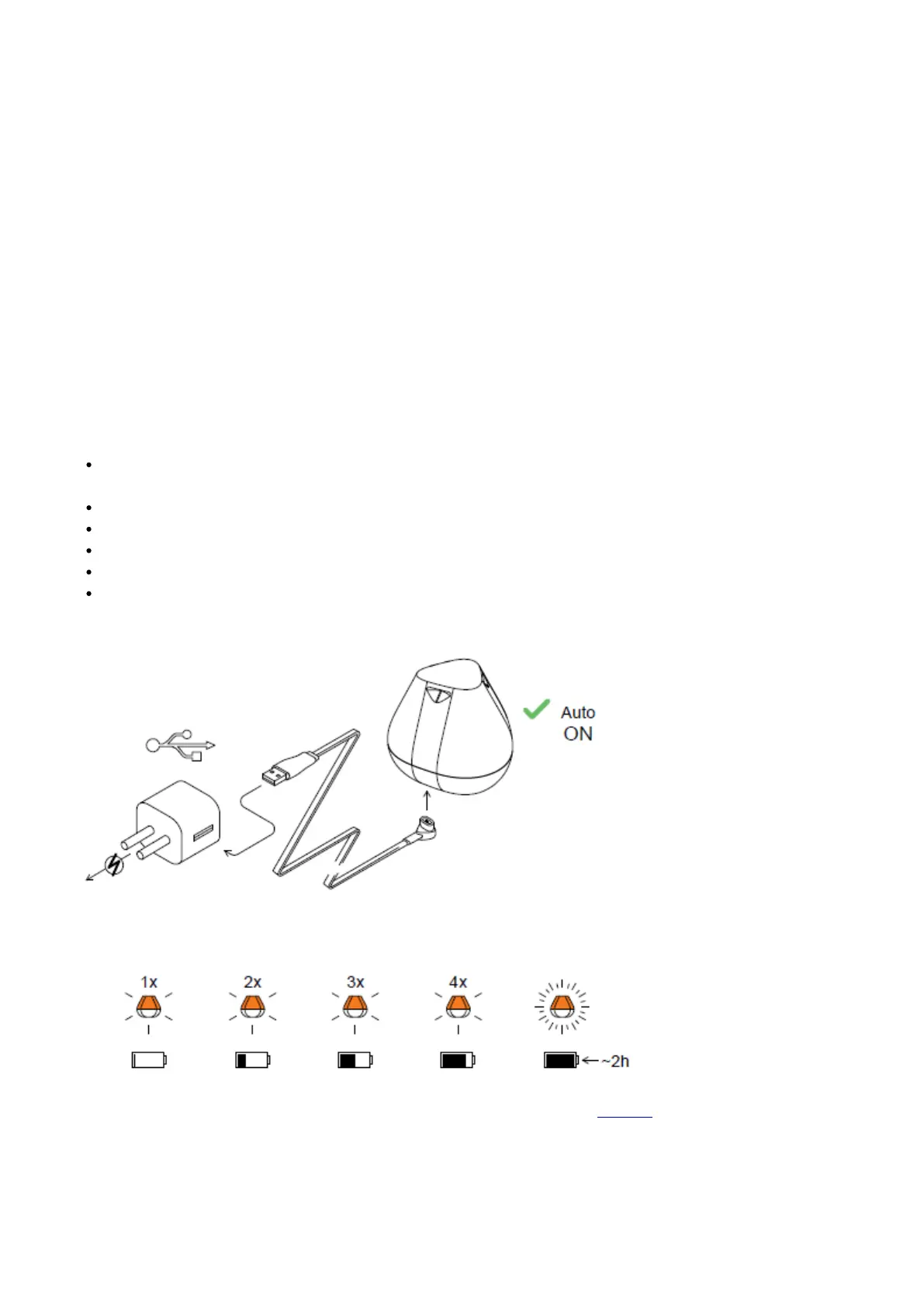
Connect your Deeper Sonar to a USB power source using the cable included. For charging please use a standard
smartphone or tablet charger, or connect the cable to your personal computeror the USB outlet of another device.
An orange blinking light means that the fishfinder is charging. The number of flashes shows the battery
status:
One flash means charging just started and the battery is still empty.
Two flashes mean 25% charged
Three flashes mean 50% charged
Four flashes mean 75% charged
A constant light means the battery is fully charged.
Note: If you still see a rapidly blinking light, or no light at all - please contact Support.
When and where to charge you Deeper


 To Next Page
 Loading...
